New Features
Copy Patterns in Shift Schedule
Shift Managers can Add Employees to Shift
Custom Field Ordering
Improvements
Leave & Request Management
Payrolls UI
Attendance & GPS Check-Ins
System Preferences & Usability
Document Numbering & History Register
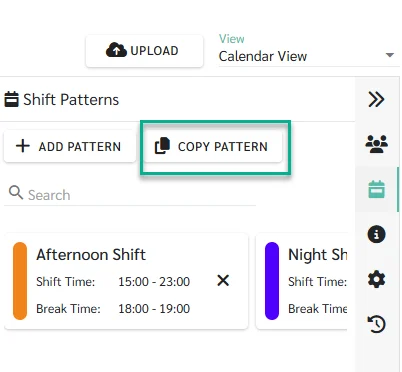
Administrators can now use “Copy Pattern” to quickly copy selected Shift Patterns from one Shift Schedule to multiple existing Shift Schedules.
For more information about Copying Shift Patterns to multiple Shift Schedules, please refer to [Link].
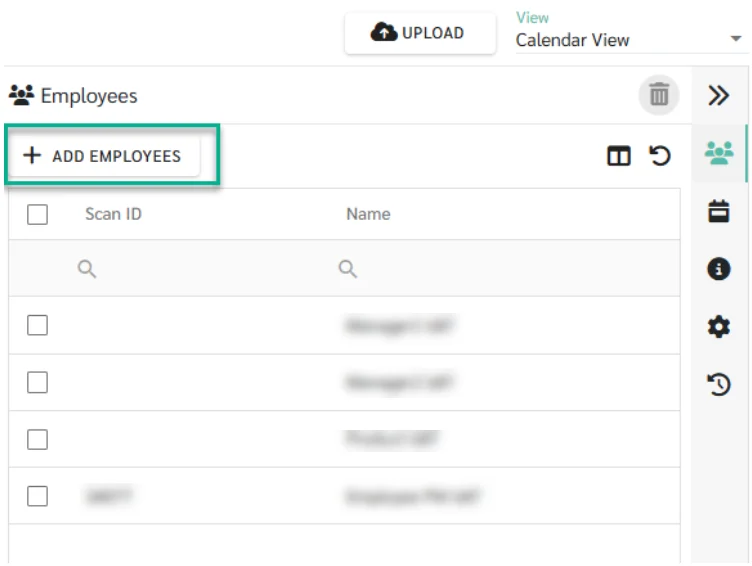
Shift Managers now have enhanced permissions allowing them to add employees directly to their respective shift schedules.
For more information about Shift Manager permissions, please refer to [Link].
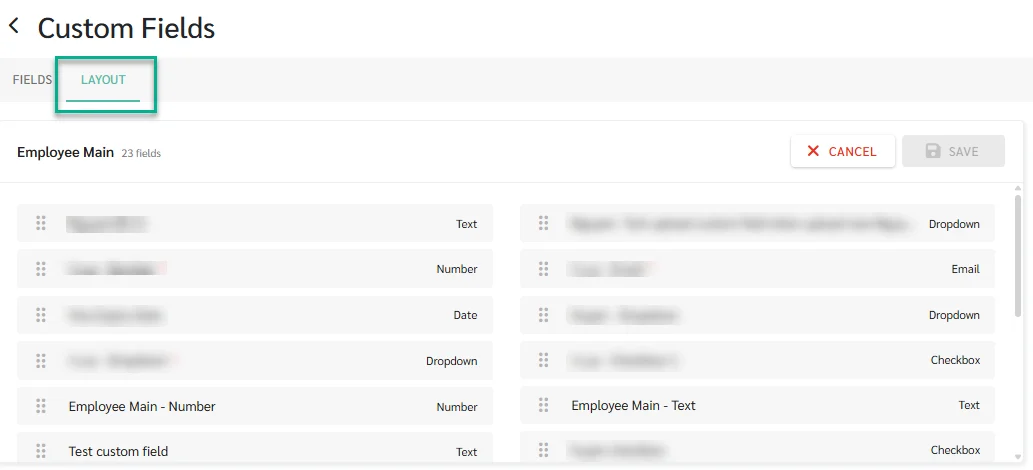
Administrators can now control Custom Field display order for more organised employee profiles.
For more information about Custom Fields Ordering, please refer to Link
Cancel Approved & In-Progress Leave
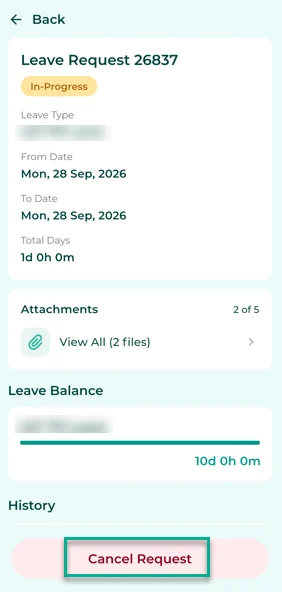
Employees can cancel approved or in progress leave requests to keep balances accurate without manual adjustments.
Learn more about submitting Leave Requests: [Link].
Enhanced Request Attachments (Web & Mobile)
We have introduced two major updates to how attachments are handled for requests (Leave, Reimbursement, Overtime, and Attendance)
Set Maximum Attachments
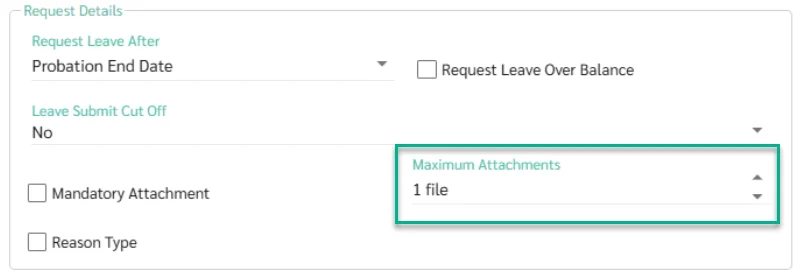
Administrators can now configure the maximum number of file attachments allowed per request up to maximum 5 files.
For more information about Request Attachments, please refer to [Link].
Add Attachments Post-Submission
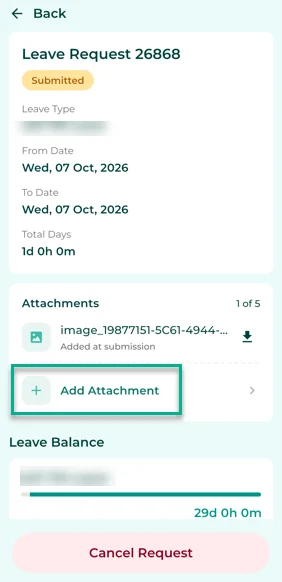
Employees using the mobile app can now upload missing attachments even after a request has been submitted.
For more information about Request Attachments, please refer to [Link].
UI Improvements - Payrolls
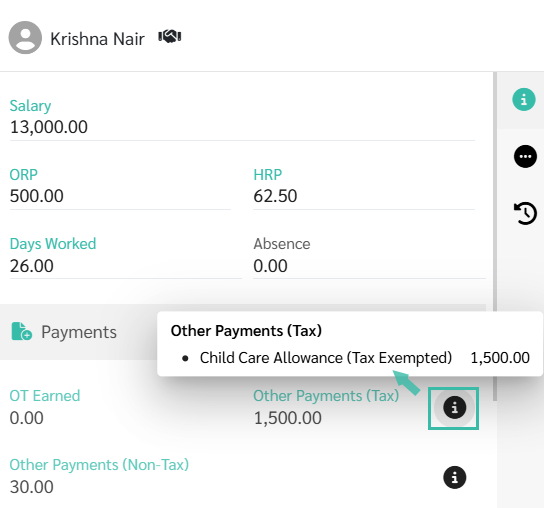
The system now displays each Payment and Deduction item in the Employee Payroll Details when you click the Information icon.
For more information about Edit Payrolls, please refer to [Link].
Configurable GPS Weak Signal Check-In Threshold
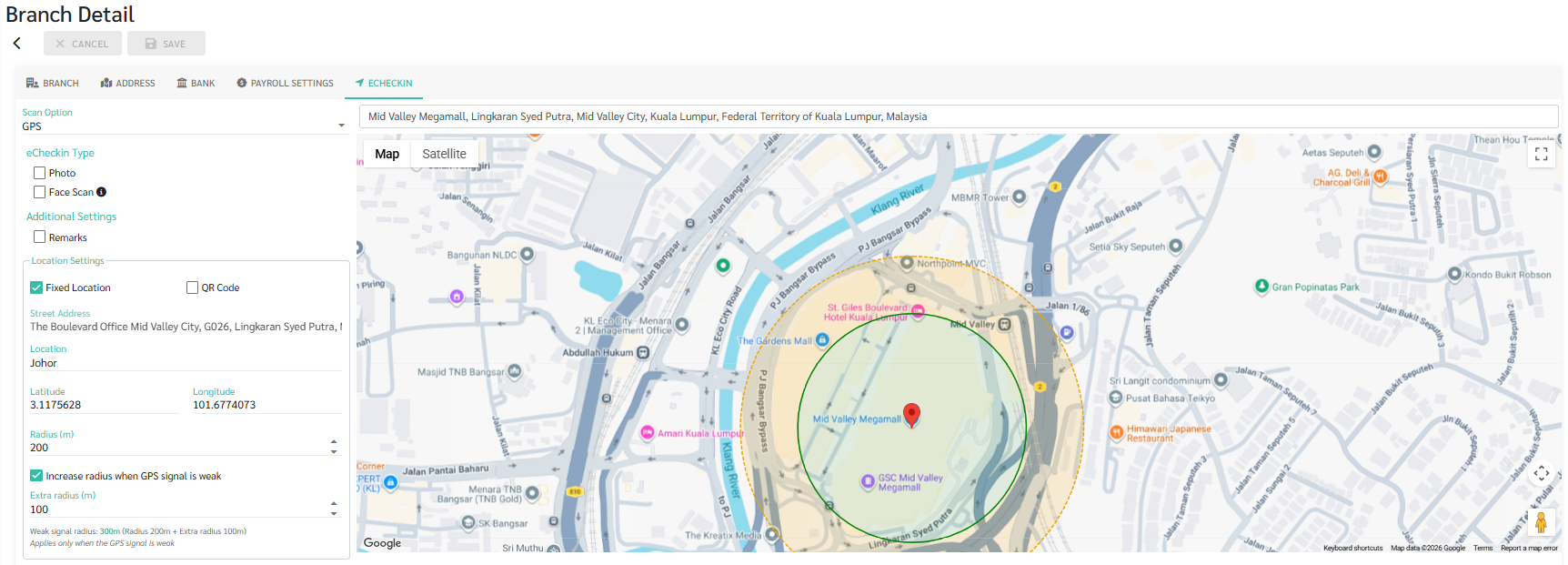
Administrators can set an “Extra Radius” for weak GPS signals, enabling smoother eCheck-ins in poor-coverage areas while maintaining location compliance.
For more information about GPS configuration, please refer to [Link].
Sticky Filters in Admin App
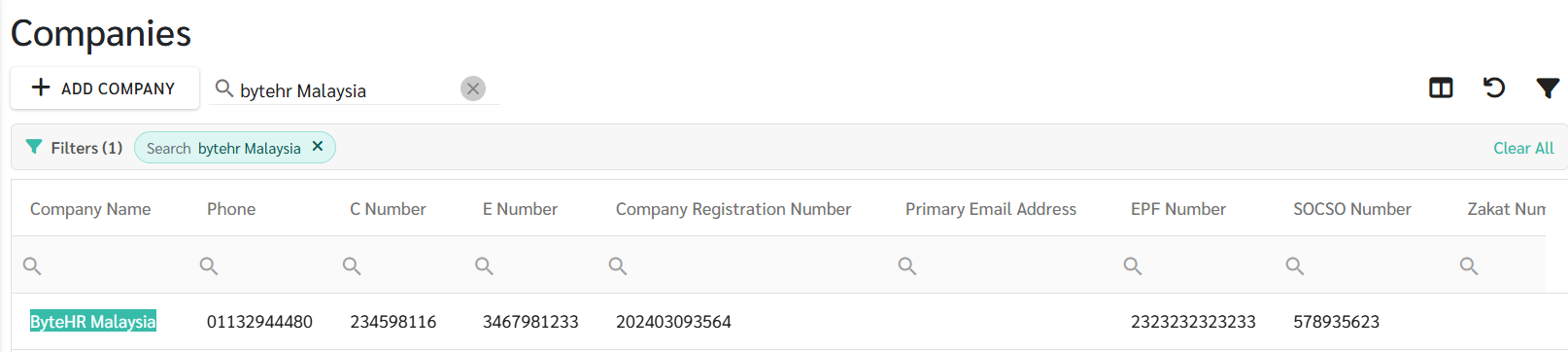
The admin portal now retains your selected filters across Companies, Branches, Departments, Payrolls, Leaves, and Reports—even when you navigate away and return.
Administrators can now generate uniquely numbered documents for improved traceability, record-keeping, and compliance.
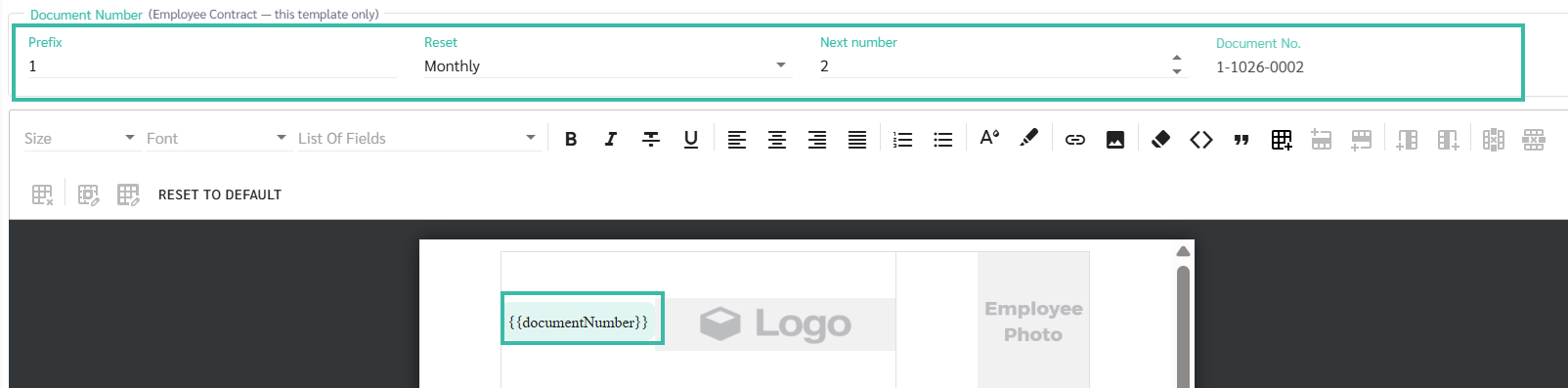
Automated Numbering: By adding the new "Document Number" field to your templates, the system will automatically assign unique, sequential numbers when documents are saved or employee report requests are approved. (Note: Previewing a document will not consume a number).
Customizable Formats: Customize numbering rules for each individual template. You can set prefixes and choose whether the sequence resets Monthly, Yearly, or Never (e.g., HR-0043).
New Centralized History Register: A new "History" tab under the Documents section serves as your central register. It tracks all issued documents, displaying the Document Number, who issued it, the source, and allows you to view or download the final PDF.
For more information about Document Numbering and History, please refer to [Link].
