
Read KPI Review articles in order
Once KPI results are ready for employees to view, employees can access and review their own KPI evaluation results through the system. The results displayed are the final, verified outcomes of the evaluation.
KPI results can be viewed via the Web Application only. At this time, viewing KPI results through the mobile application is not supported.
Employees can view their KPI evaluation results by following these steps:
Go to the Reviews menu
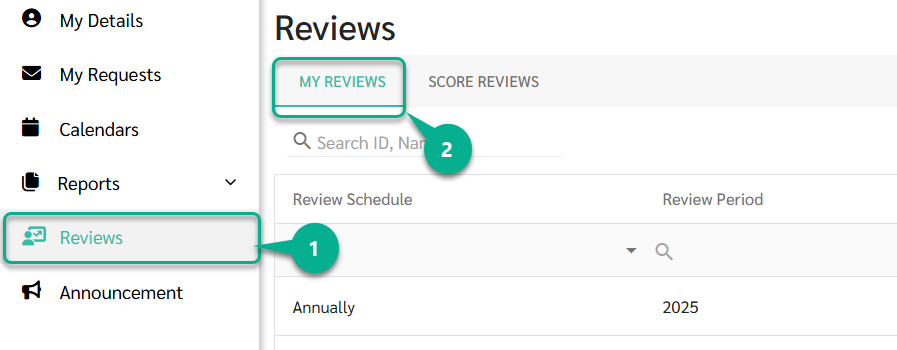
Click the My Reviews tab
The system will display all KPI review results that have already been announced by the Admin.
Employees can click on the review they want to view to see the evaluation details along with their KPI scores.
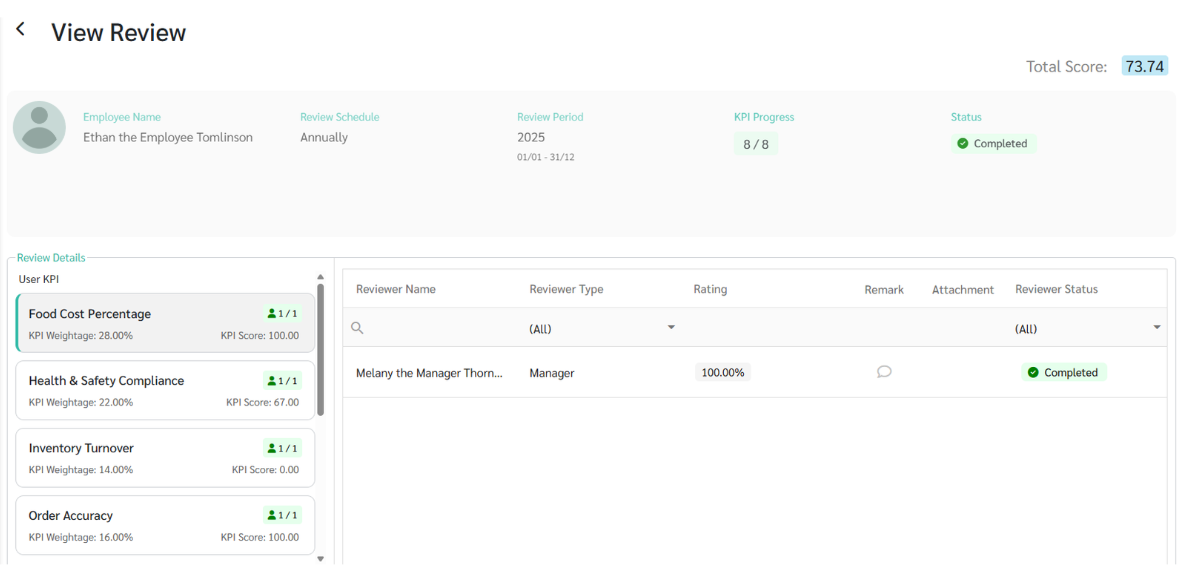
KPI scores are calculated using a two-layer weightage structure to reflect both task importance and reviewer perspective.
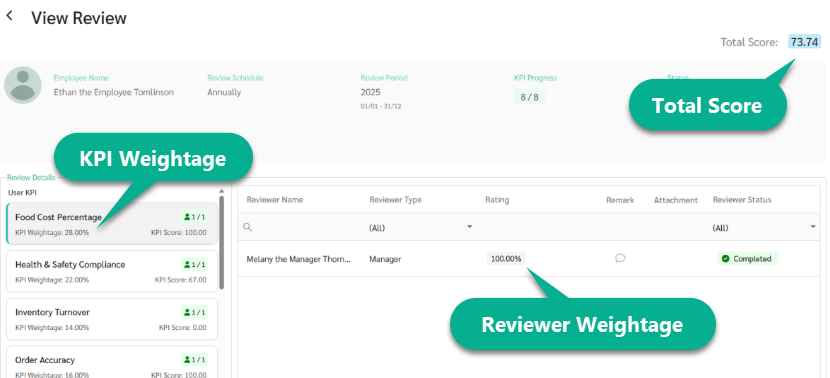
1) Reviewer Weightage
Different types of evaluators (e.g., Manager, Peer, Self) can be assigned different weights.
The total weight of all reviewers must equal 100%.
The combined score from all evaluators (100% Reviewer) = The net score for that specific KPI.
2) KPI Weightage
Each employee can have multiple KPIs, with each KPI assigned its own weight based on its importance.
The total weight of all KPIs must equal 100%.
The sum of all individual KPI scores based on their weight (100% KPI Weightage) = The Final Total Score.
3) Total Score Calculation
The final score is calculated using the following formula:
Total Score = (KPI 1 Score × KPI 1 Weightage) + … + (KPI n Score × KPI n Weightage)
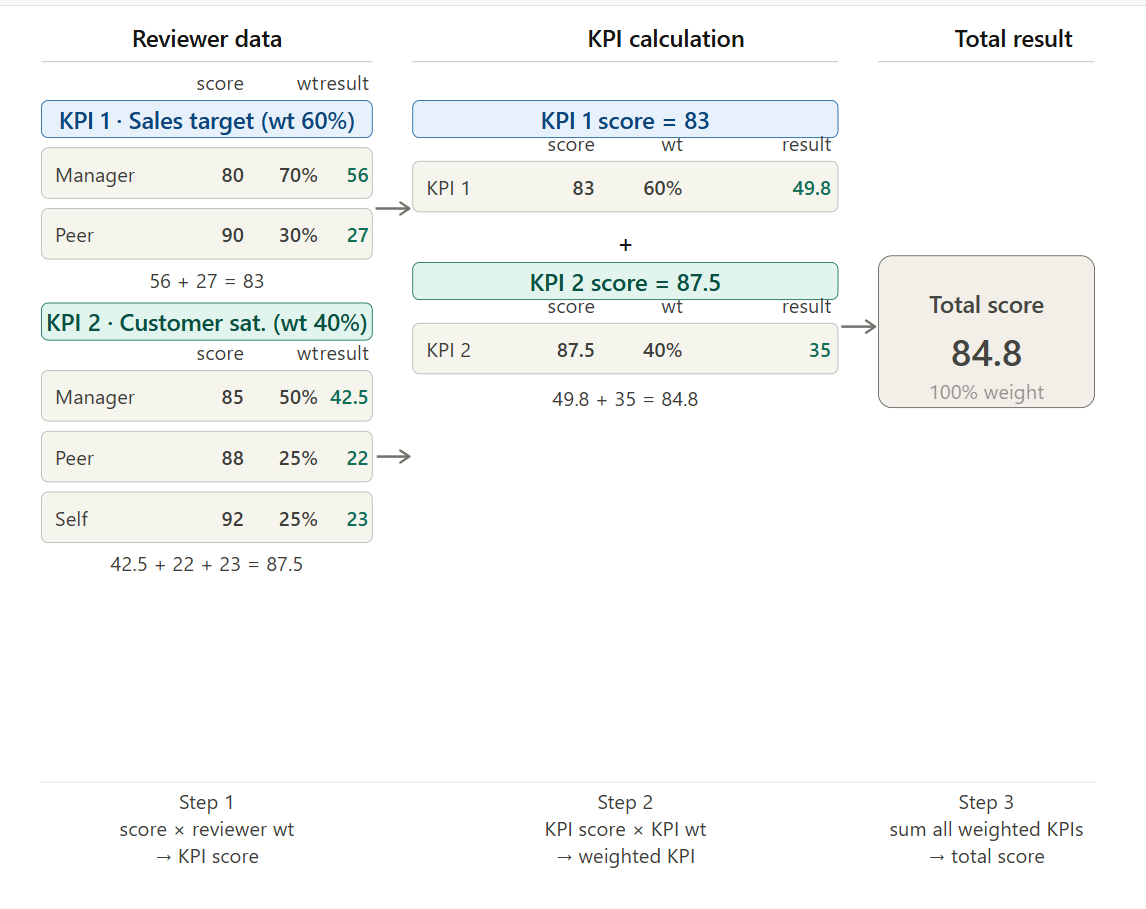
Step 1 — Reviewer weighted score (per KPI)
Each KPI score is calculated by combining scores from all assigned reviewers, weighted by their reviewer weightage.
Example KPI 1: Sales target
ReviewerScoreReviewer weightageWeighted score | |||
Manager | 80 | 70% | 56 |
Peer | 90 | 30% | 27 |
KPI 1 Score = 56 + 27 = 83
Example KPI 2: Customer satisfaction
ReviewerScoreReviewer weightageWeighted score | |||
Manager | 85 | 50% | 42.5 |
Peer | 88 | 25% | 22 |
Self | 92 | 25% | 23 |
KPI 2 Score = 42.5 + 22 + 23 = 87.5
Step 2 — KPI weighted score
Each KPI score is then multiplied by its KPI weightage.
KPIKPI scoreKPI weightageWeighted KPI | |||
KPI 1 | 83 | 60% | 49.8 |
KPI 2 | 87.5 | 40% | 35 |
Step 3 — Total score
Total Score = (KPI 1 Score × KPI 1 Weightage) + … + (KPI n Score × KPI n Weightage)
Total Score = 49.8 + 35 = 84.8
