
Read KPI Review articles in order
🚨 Remark
Before starting a KPI Review, Admins must complete the following two required steps:
Assign a Manager for each employee
Manager assignment cannot be done from the Review page
It must be configured in the employee’s Employee Detail page
(Employees → Select Employee → Employee tab → Managers)
The assigned Manager will automatically be used as the Manager Reviewer in the KPI Review
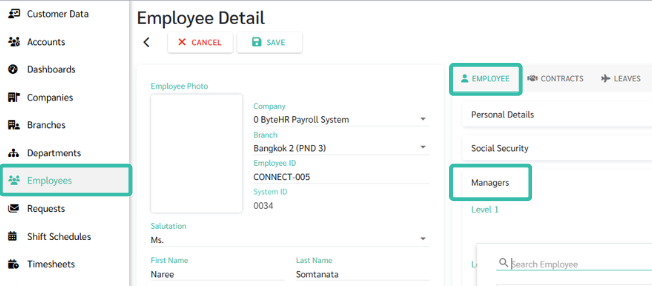
If either step is not completed, the KPI Review cannot be started properly
Go to the Reviews menu
Click New Review
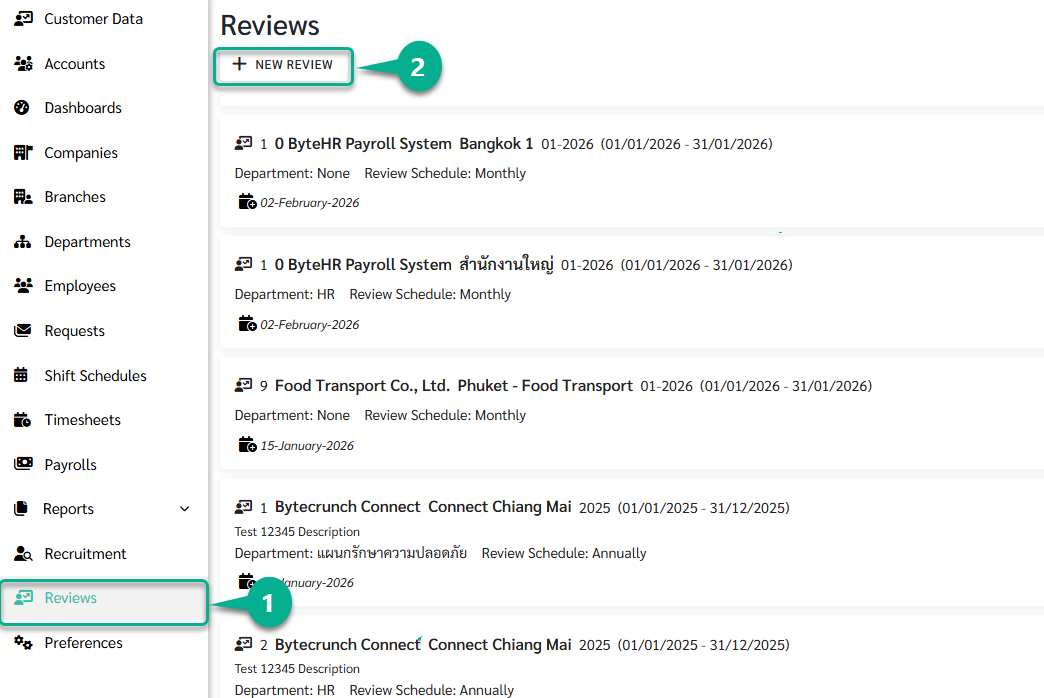
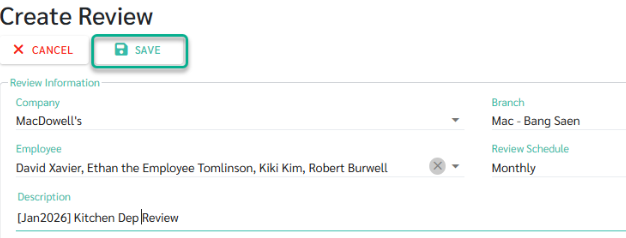
The Create Review page is used to initiate a new review round.
At this stage, Admins can enter only the basic information. KPI configuration is not required yet and can be completed later in Draft status.
Admins need to provide the following information:
Basic Review Information
Company
Branch
Department
Employee
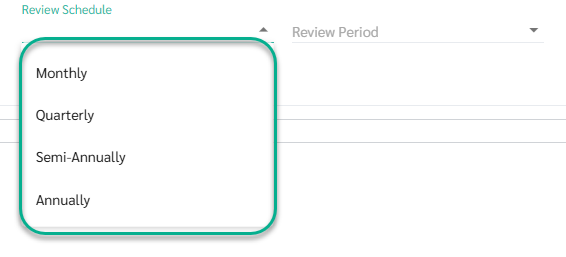
Review Schedule
Monthly
Quarterly
Semi-Annually
Annually
Description
Admins can add a description to each review to help identify and differentiate review rounds more clearly.
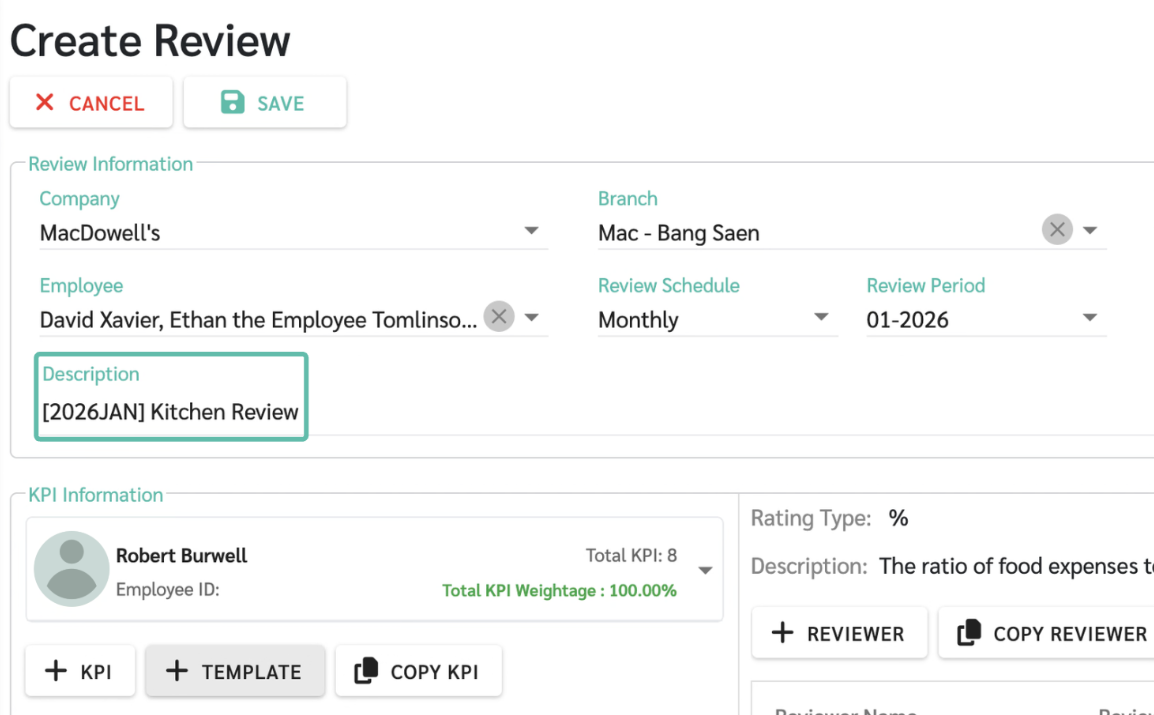
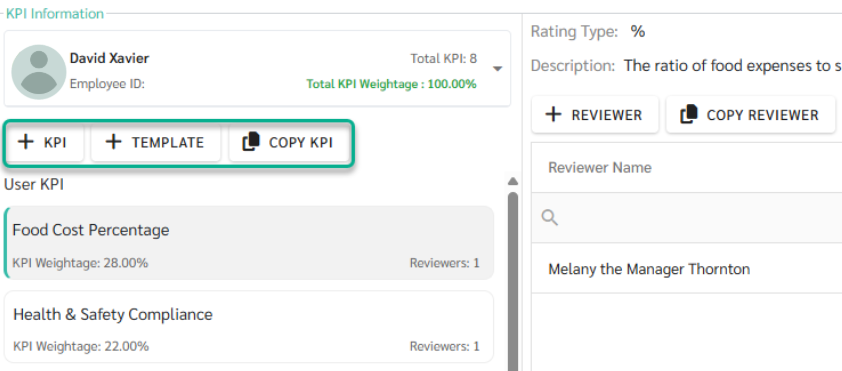
In the KPI Information section at the bottom of the Create Review page, the following options are available:
KPI
Used to add KPIs one by one by selecting from KPIs created by Admins.
Suitable when you want to assign specific KPIs to an individual employee.
Template
Used to add KPIs from a predefined KPI Template.
The system will automatically apply the KPI set and weightage from the selected template.
Copy KPI
Used to copy KPIs already configured for one employee and apply them to other employees within the same review round.
The copied KPIs will replace the existing KPIs of the target employee.
At the Create Review stage, Admins are not required to add KPIs or templates.
The review can be saved first and fully configured later in Draft status.
Each reviewer can be assigned a different Reviewer Weightage for each KPI
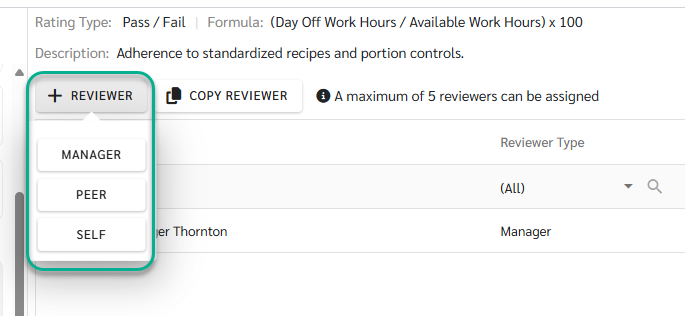
The system allows a maximum of 5 reviewers per KPI
The system supports 3 reviewer roles
Manager
The manager is automatically retrieved from the employee’s settings on the Employee Detail page and assigned as the primary reviewer in the KPI review process
Peer
Peers can be selected only from employees within the same Branch
Self
Allows the employee to perform a self-assessment
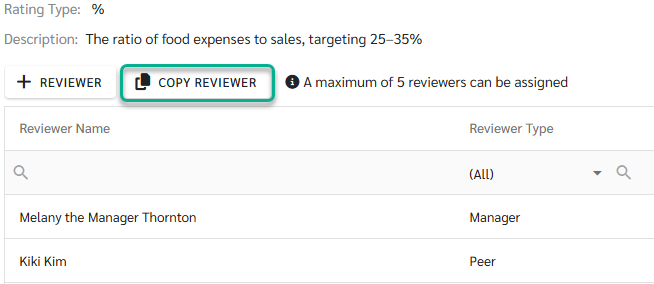
Copy Reviewer
The system will automatically copy the Reviewer and Reviewer Weightage from the source KPI and apply them to the target employee’s KPI. This helps reduce repetitive setup and ensures consistency in the review structure.
Once the basic review information is completed, Admins can click Save to create the review.
The system will then:
Create the review and automatically save it in Draft status
Send notification emails to all related Managers, informing them that the review is in Draft
Allow Managers to access, review, and edit the review configuration
While the review is in Draft status, Admins and Managers can:
Add or edit KPIs
Select reviewers
Configure KPI Weightage and Reviewer Weightage
Review and finalize the evaluation structure
KPI scoring is not available in Draft status.
Scoring will only begin once the review status is changed to In-Process.
