Read KPI Review articles in order
KPI is the core structure of the evaluation process and must be created in advance before it can be used in a KPI Review.
The creation and management of KPIs and KPI Templates can be done by Admins only, to ensure a standardized evaluation structure across the organization.
Creating, editing, and managing KPIs and KPI Templates can be done by Admins only
Managers and general users
Can select and use existing KPIs and KPI Templates
Cannot create new KPIs
Go to Preference > KPI
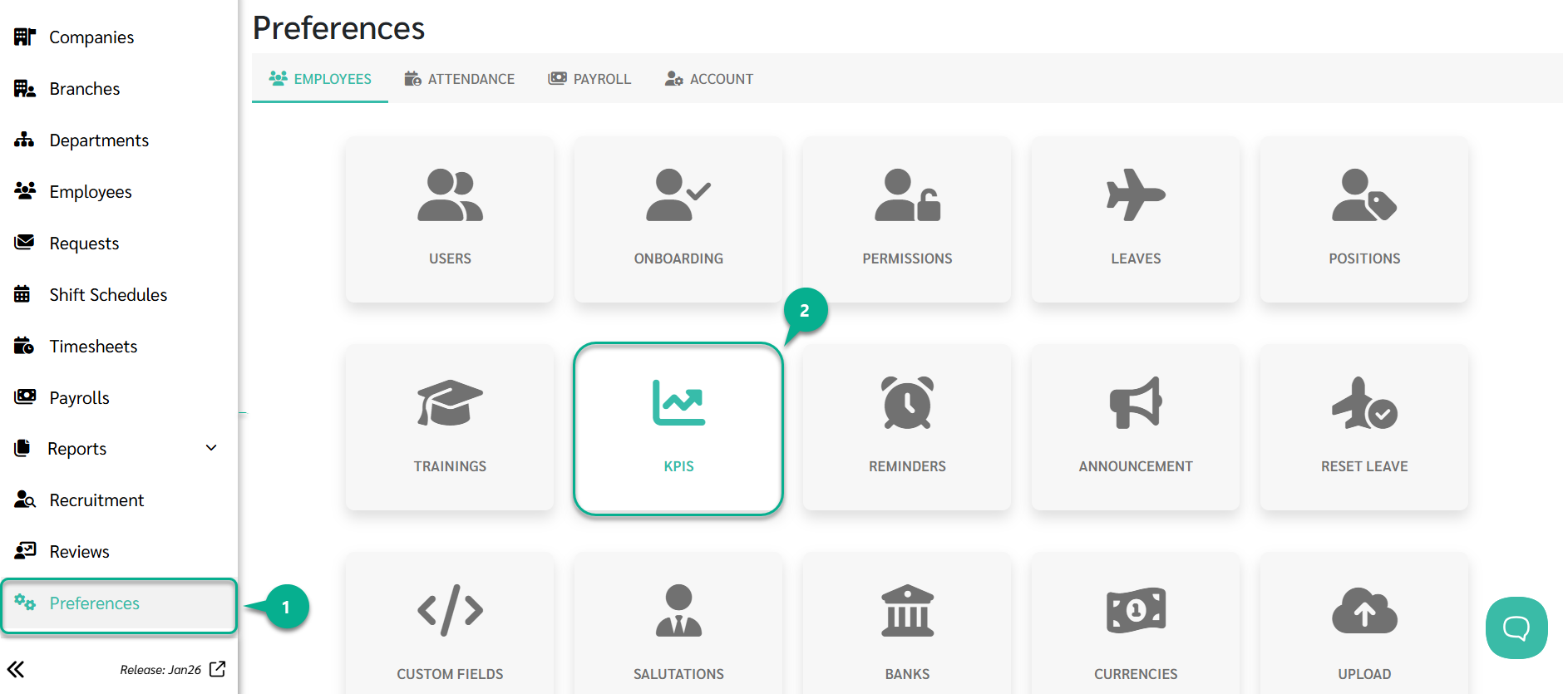
Click Add
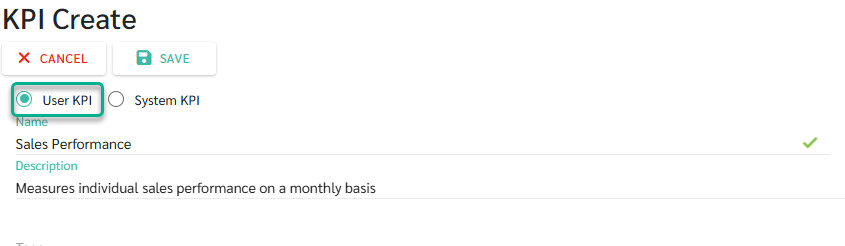
Define the KPI details
Review the information
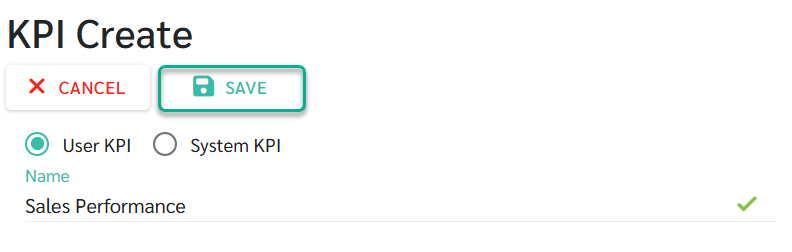
Click Save to create the KPI
Once saved, the KPI will be available for use when creating a KPI Review or a KPI Template.
KPI Types
The system supports two types of KPIs, each with a different scoring method.
1) User KPI
User KPI requires reviewers to manually enter scores during the scoring process.
This type is suitable for behavioral KPIs, KPIs without system data, or evaluations that rely on reviewer judgment.
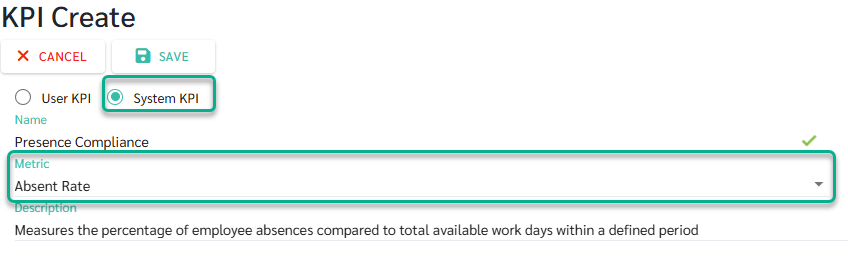
2) System KPI
System KPI is automatically calculated by the system using existing system data.
This type is suitable for data-driven KPIs such as attendance, leave, or lateness.
When a Metric is selected for a System KPI, the system will automatically display the calculation Formula for that metric
The formula is predefined by the system and reflects how the KPI is calculated based on available data
Rating Types
Admins can configure KPI rating formats to match different evaluation needs.
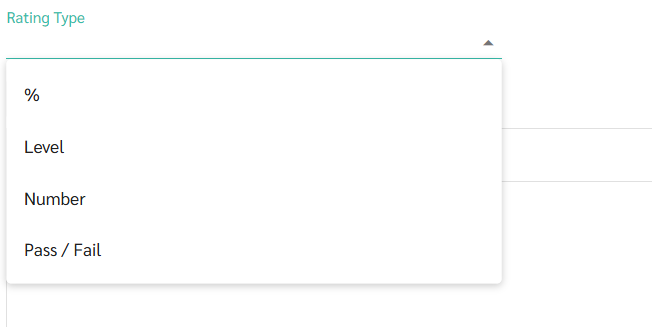
The system supports four rating types:
Percent
Score is given as a percentage.
Example: If the target is 100% and the result is approximately 85%, the reviewer can assign a score of 85%.
Level
Score is given by levels, and the labels can be customized to match business context.
Example: A sales KPI may use levels such as Exceed Target / Meet Target / Near Target / Below Target.
Number
Score is given as a numeric range.
Example: A quality KPI may use a scale from 1–5, where 5 means excellent quality and 1 means improvement required.
Pass / Fail
Score is given as pass or fail.
Example: A training KPI where completing the training equals Pass, and incomplete participation equals Fail.
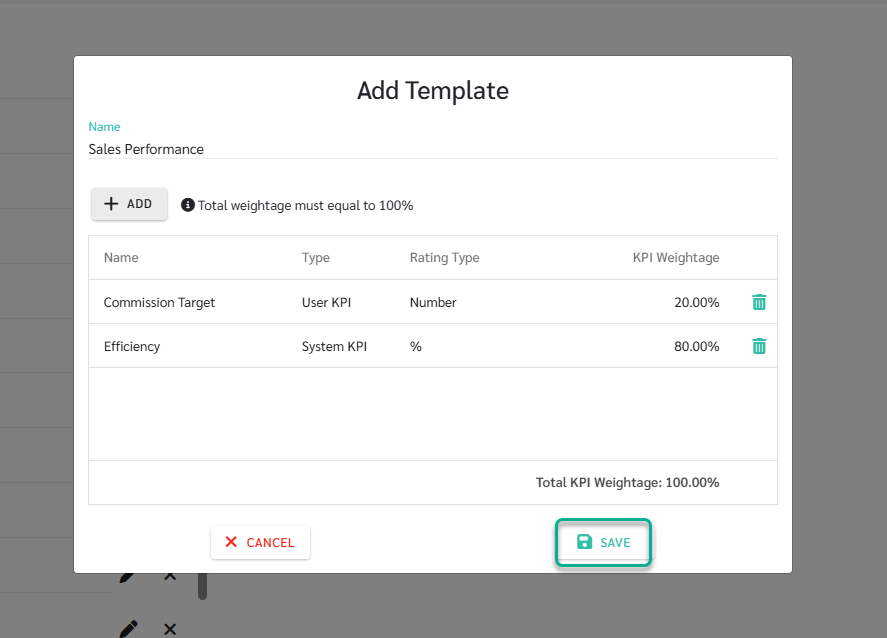
A KPI Template is a predefined structure created by an Admin to standardize KPI evaluations.
Once a KPI Template is created, it can be selected immediately during the KPI Review setup.
The system will automatically apply the KPI set and weightage from the template, eliminating the need to configure KPIs again.
KPI Template Example
Template name: Sales Performance
Total Sales (50%)
New Customers (30%)
Customer Follow-up (20%)
Go to Preference > KPI
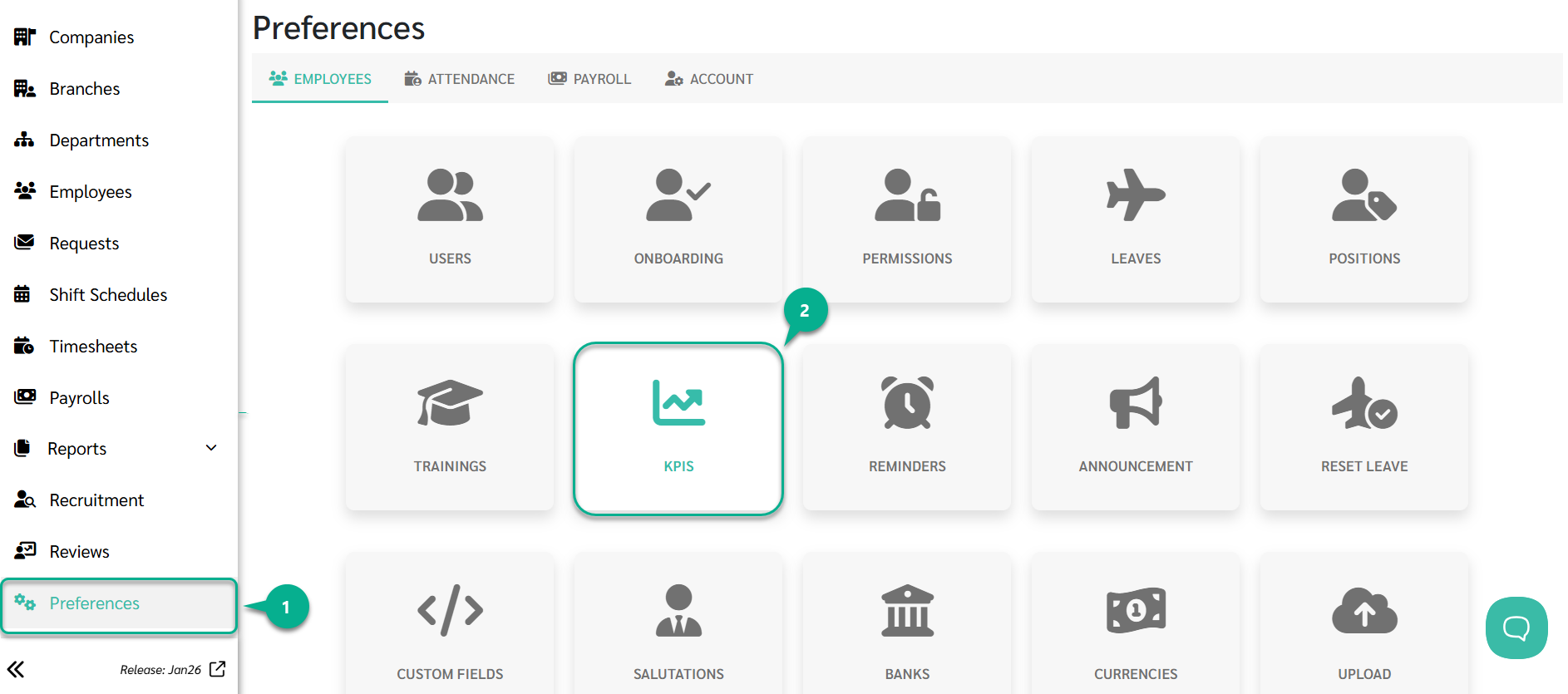
Select the Template tab
Click Add
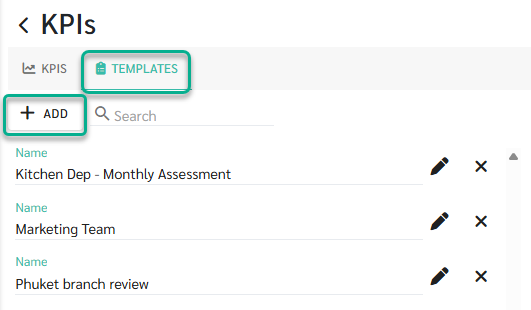
Define the template details:
Enter a Template Name (required)
Select the KPIs to include
Assign weightage to each KPI
The total KPI weightage in a template must equal 100%.
If the weightage does not total 100%, the system will not allow the template to be saved.
Click Save to create the KPI Template