Read KPI Review articles in order
The KPI Review system is designed to support employee performance evaluation through Review Rounds defined by the organization.
Within a single review round:
An employee can have multiple KPIs
Each KPI has its own weight
The total KPI weightage must equal 100%
Reviewer weightage can be configured differently for each reviewer role
The total reviewer weightage must also equal 100%
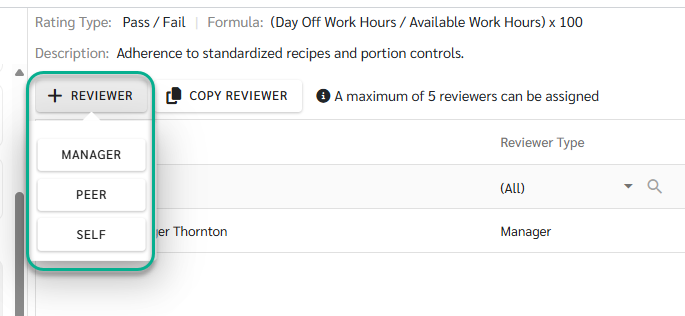
The system supports multiple reviewer roles:
Manager - Automatically assigned based on the configuration in the employee’s Employee Detail page and acts as the primary reviewer in the KPI Review process
Peer - selected from employees within the same branch
Self - Employees can perform self-evaluation when enabled
KPI is the core structure of the evaluation process and must be created before it can be used in a KPI Review. All KPIs and KPI Templates are created and managed by Admins, including rating configuration and template setup.
1) KPI
(1) KPI Types
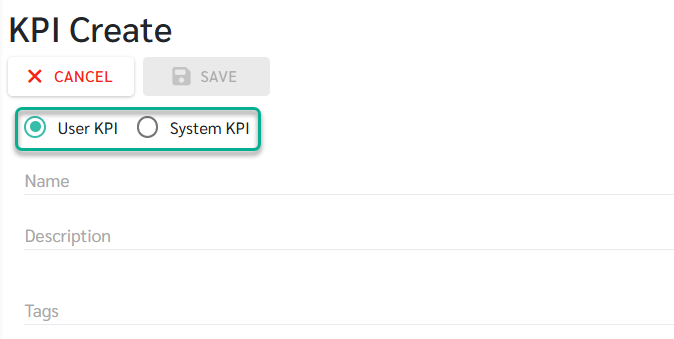
The system supports two types of KPIs, each with a different scoring method.
User KPI - Scores are entered manually by reviewers during the scoring process.
System KPI - Scores are calculated automatically by the system using existing system data.
(2) Rating Types
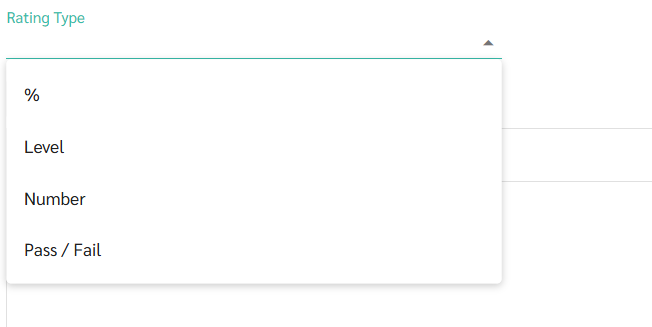
Admins can configure KPI rating formats to match different evaluation needs.
Percent – Score as a percentage
Level – Score by level (labels can be customized to match business context)
Number – Score using a numeric range
Pass / Fail – Binary scoring (pass or fail)
2) KPI Template
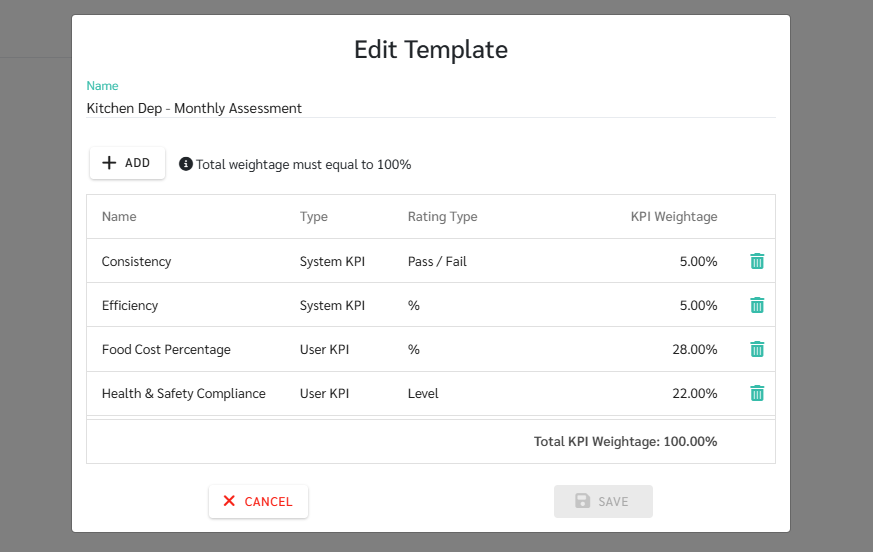
Once an Admin creates KPI Templates in advance, Admins or Managers can select an existing template when creating a review.
The system will automatically apply the KPI set and weightage defined in the selected template.
🚨 Remark
Before starting a KPI Review, Admins must complete the following two required steps:
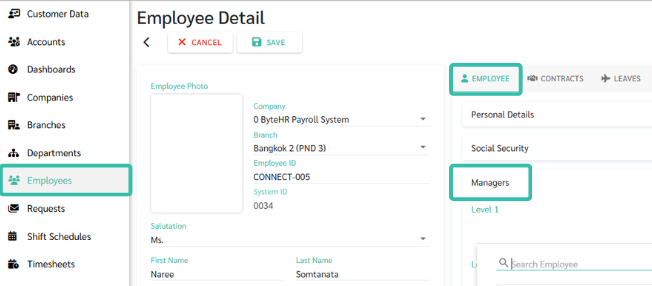
Assign a Manager for each employee
Manager assignment cannot be done from the Review page
It must be configured in the employee’s Employee Detail page
(Employees → Select Employee → Employee tab → Managers)
The assigned Manager will automatically be used as the Manager Reviewer in the KPI Review
If either step is not completed, the KPI Review cannot be started properly
1) Create Review (Admin)
Admins create a review by:
Selecting the review period
Selecting employees included in the review
The system automatically creates the review in Draft status.
See more: Create Review
2) Status: Draft (Admin & Manager)
Preparation stage:
Admins and Managers can configure KPIs, reviewers, and weightage
KPI scoring is not allowed in this status
Used to review and finalize the evaluation structure before scoring begins
See more: Draft: Edit Review
3) Status: In-Process (Reviewers: Manager, Peer, Self)
When Admins or Managers change the status to In-Process:
The review enters the scoring phase
Reviewers can score KPIs and attach supporting evidence
Admins and Managers can track progress and send reminders to reviewers who have not completed scoring
See more: In-Process: Scoring Review
4) Status: Completed (Admin)
When all scoring is completed:
Admin changes the review status to Completed
All results are locked and cannot be edited
Admin can choose to notify employees immediately or schedule notification for a later time
See more: Completed: Close and Notify Review
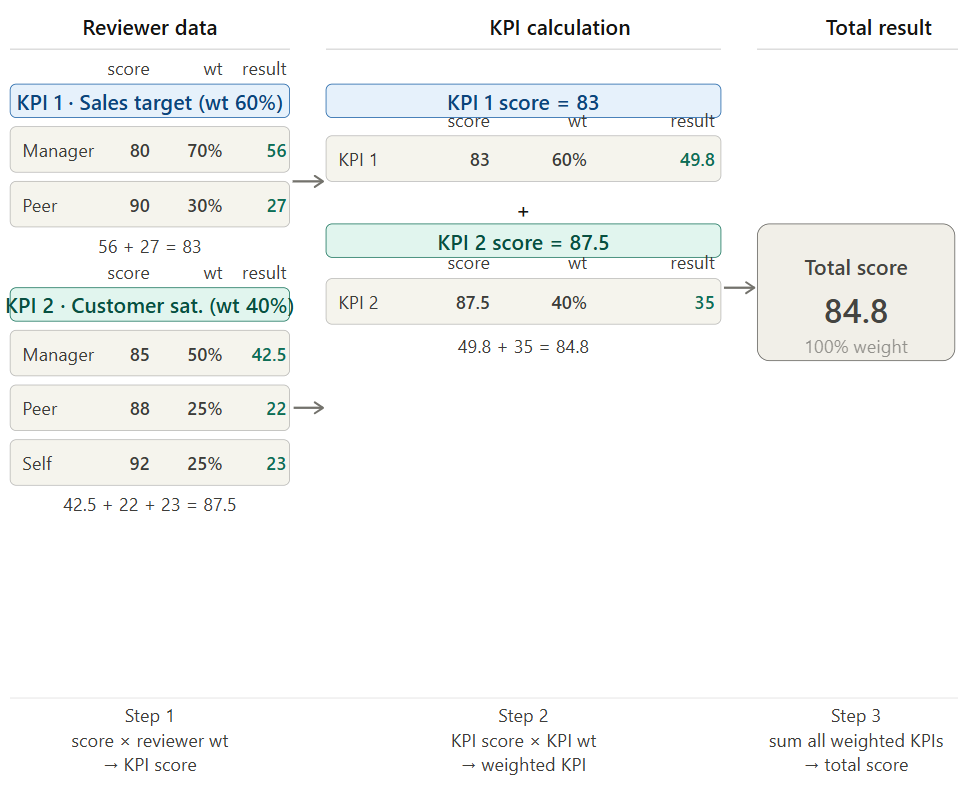
KPI scores are calculated using a two-layer weightage structure to reflect both task importance and reviewer perspective.
See more: View KPI Review Results
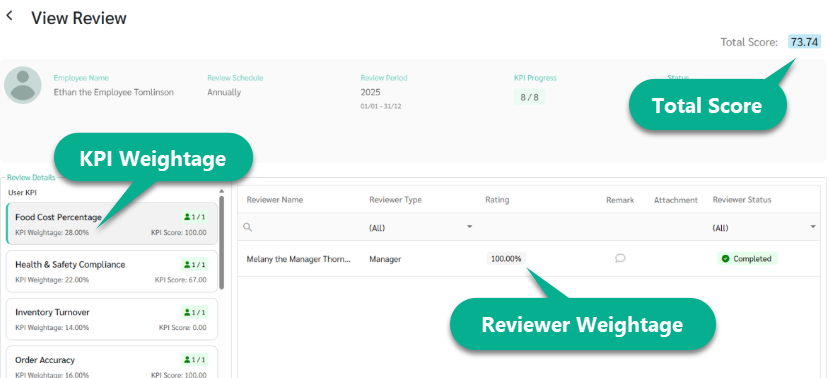
1) Reviewer Weightage
Different types of evaluators (e.g., Manager, Peer, Self) can be assigned different weights.
The total weight of all reviewers must equal 100%.
The combined score from all evaluators (100% Reviewer) = The net score for that specific KPI.
2) KPI Weightage
Each employee can have multiple KPIs, with each KPI assigned its own weight based on its importance.
The total weight of all KPIs must equal 100%.
The sum of all individual KPI scores based on their weight (100% KPI Weightage) = The Final Total Score.
3) Total Score Calculation
The final score is calculated using the following formula:
Total Score = (KPI 1 Score × KPI 1 Weightage) + … + (KPI n Score × KPI n Weightage)