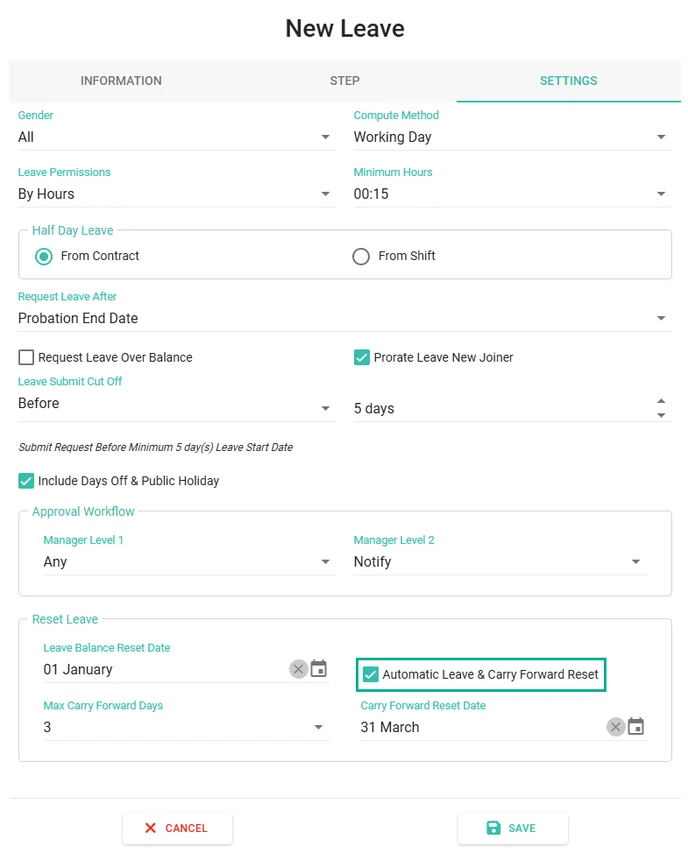
How to Set Up Automatic Reset Leave
To enable automatic leave reset, configure the setting for each Leave Type as follows:
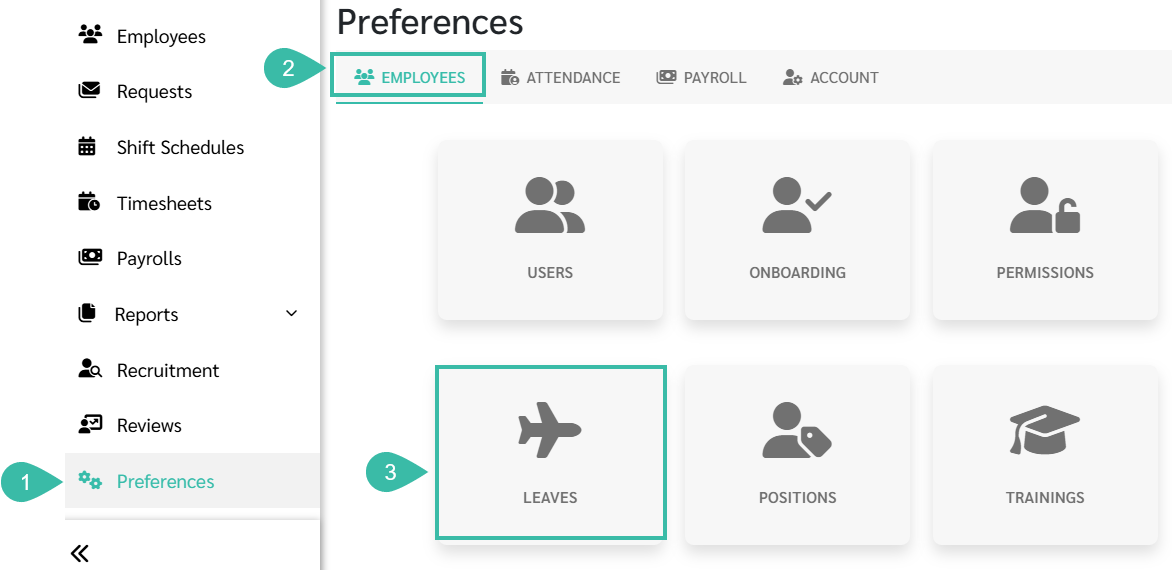
Go to Preferences.
Select Employees.
Click Leaves.
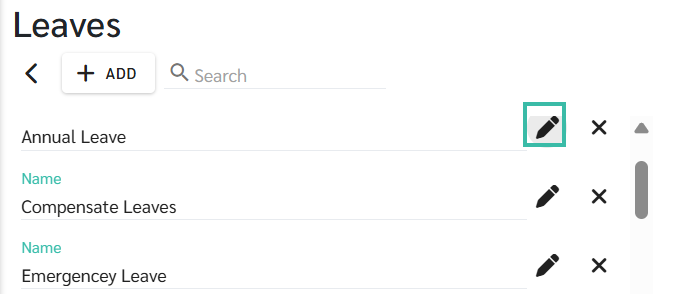
Click + Add to add a new Leave Type, or click an existing Leave Type to edit it.
In the Settings page, the system is enabled by default for Automatic Leave & Carry Forward Reset.