Requests -> Select the Request Type -> Tick the checkbox of the Request you want to Approve/Reject -> Click Approve/Reject

💬 Note
Admin users and Managers can Approve/Reject Multiple Requests simultaneously on the Web application.
How to Approve/Reject Multiple Requests simultaneously
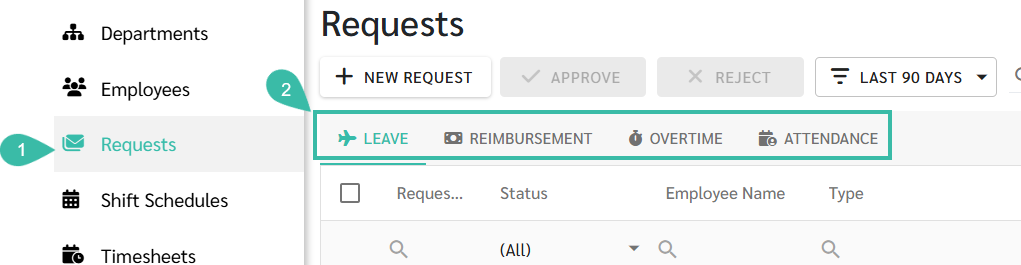
Go to Requests tab.
Select the request type
Leave
Reimbursement
Overtime
Attendance
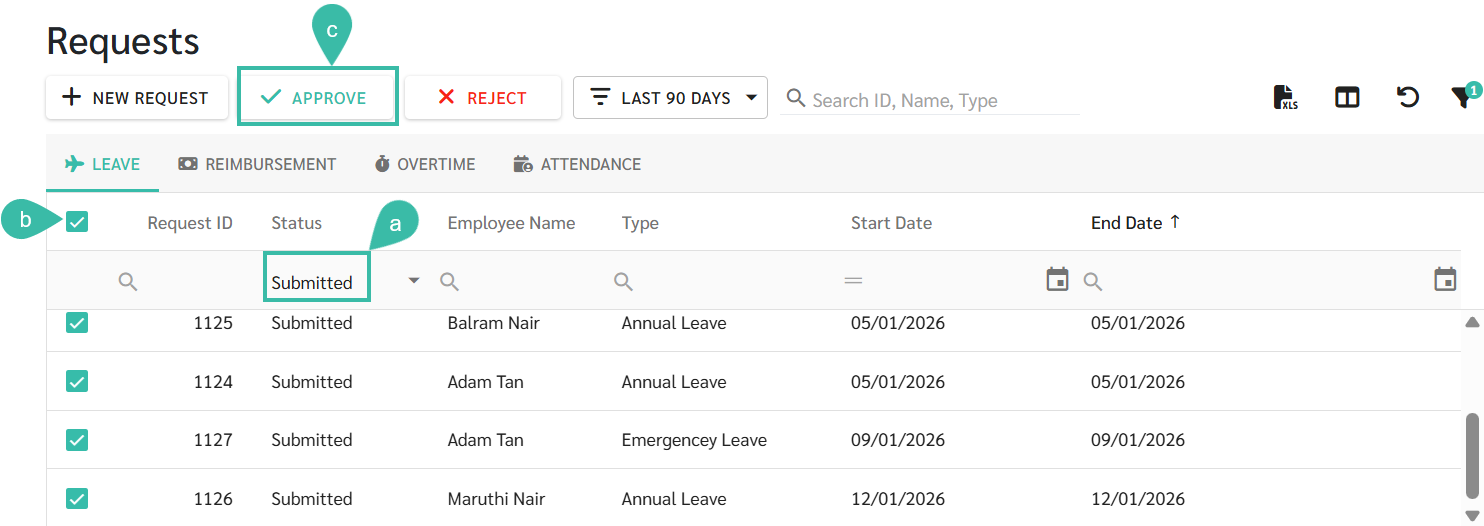
To approve multiple requests:
Filter the Status column to Submitted, Resubmitted, Accepted, In-Progress, or Pending Approval.
Tick the checkbox next to request ID to select all applicable Requests.
Click Approve.
The Request status will be updated to Approved/Rejected.
Note:
Requests that are already in Approved, Rejected, or Cancelled status cannot be Approved again.
Managers can filter the Status column to "Pending Approval" to view all requests awaiting their approval.
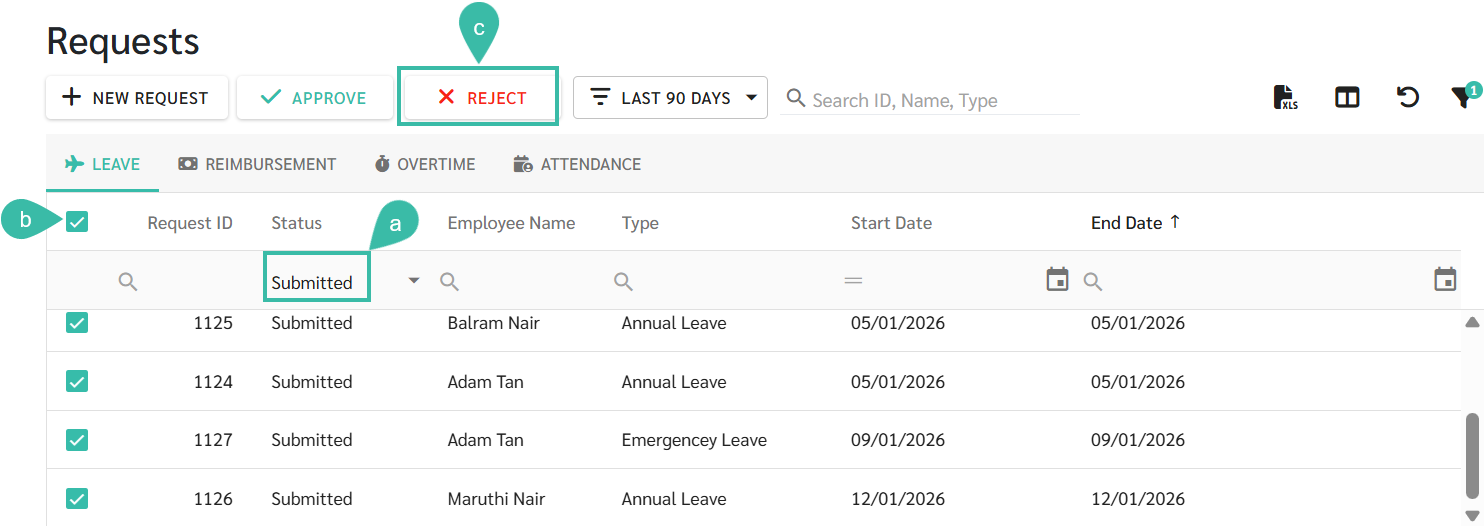
To Reject multiple Requests:
Filter the Status to Submitted, Resubmitted, Accepted, In-Progress, or Approved.
Tick the checkbox next to Request ID to select all applicable Requests.
Click Reject.
The request status will be updated to Rejected.