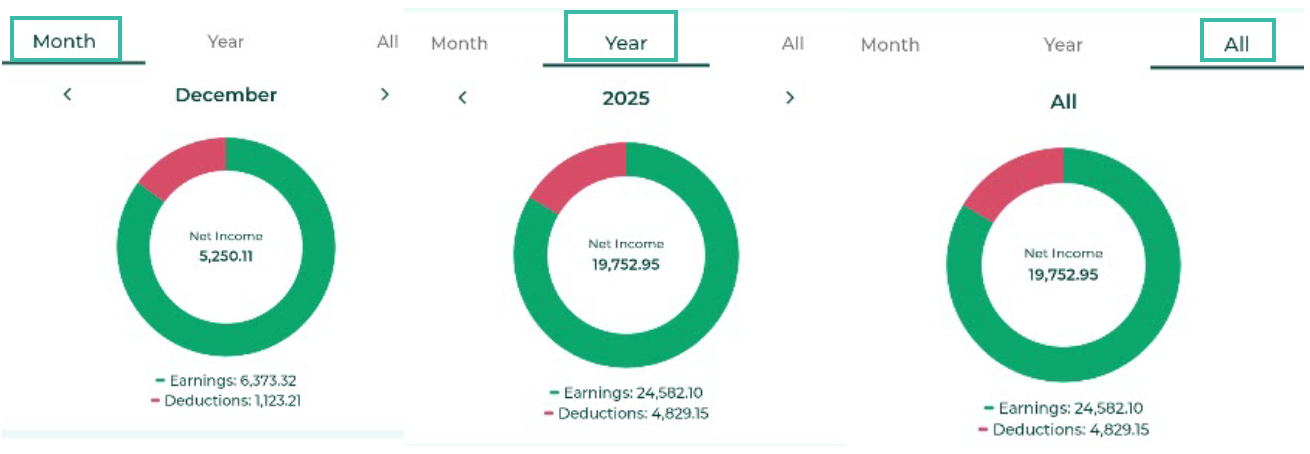
Employees can view their Payment summary dashboard from the ByteHR mobile application as follows:
Log in to ByteHR in the mobile app.
Tap Payslip tab.
Select Payment Summary.
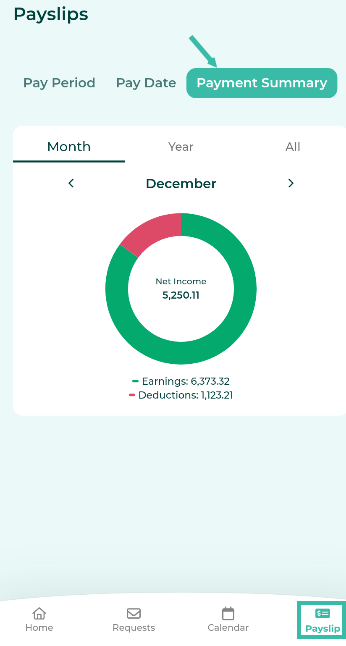
If the admin has enabled the Payslip Lock, the system will require identity verification.
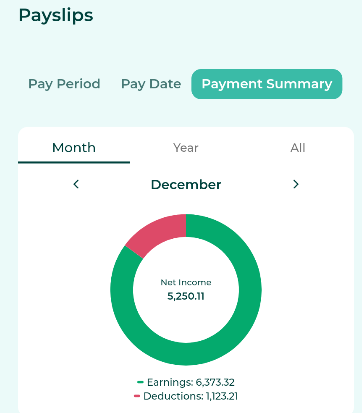
The system will display the Payment Summary Dashboard.
The information displayed includes:
- Earnings
- Deductions
- Net Income.
Note: The system will only display the Payment Summary for months in which a Payslip notification has been sent.
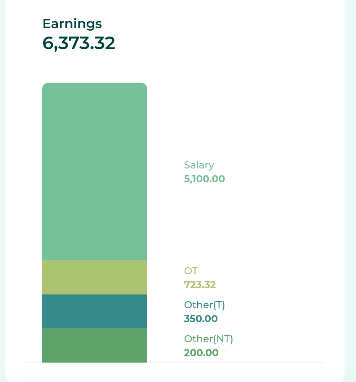
You can view details of your Earnings by clicking on the graph in the Earnings section, which is divided into:
Salary
Overtime pay
Other Income (taxable) (Other (T))
Other Income (Non-Taxable) (Other (NT))
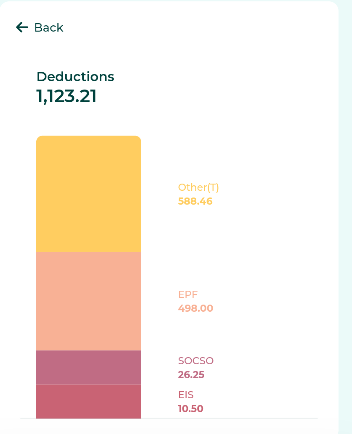
You can view details of Deductions by clicking on the graph in the Deduction section, which is divided into:
Tax
EPF
SOCSO
EIS
Other deductions (taxable) (Other (T))
Other deductions (tax-free) (Other (NT))
You can choose to view salary summaries by pay period, yearly, or all.