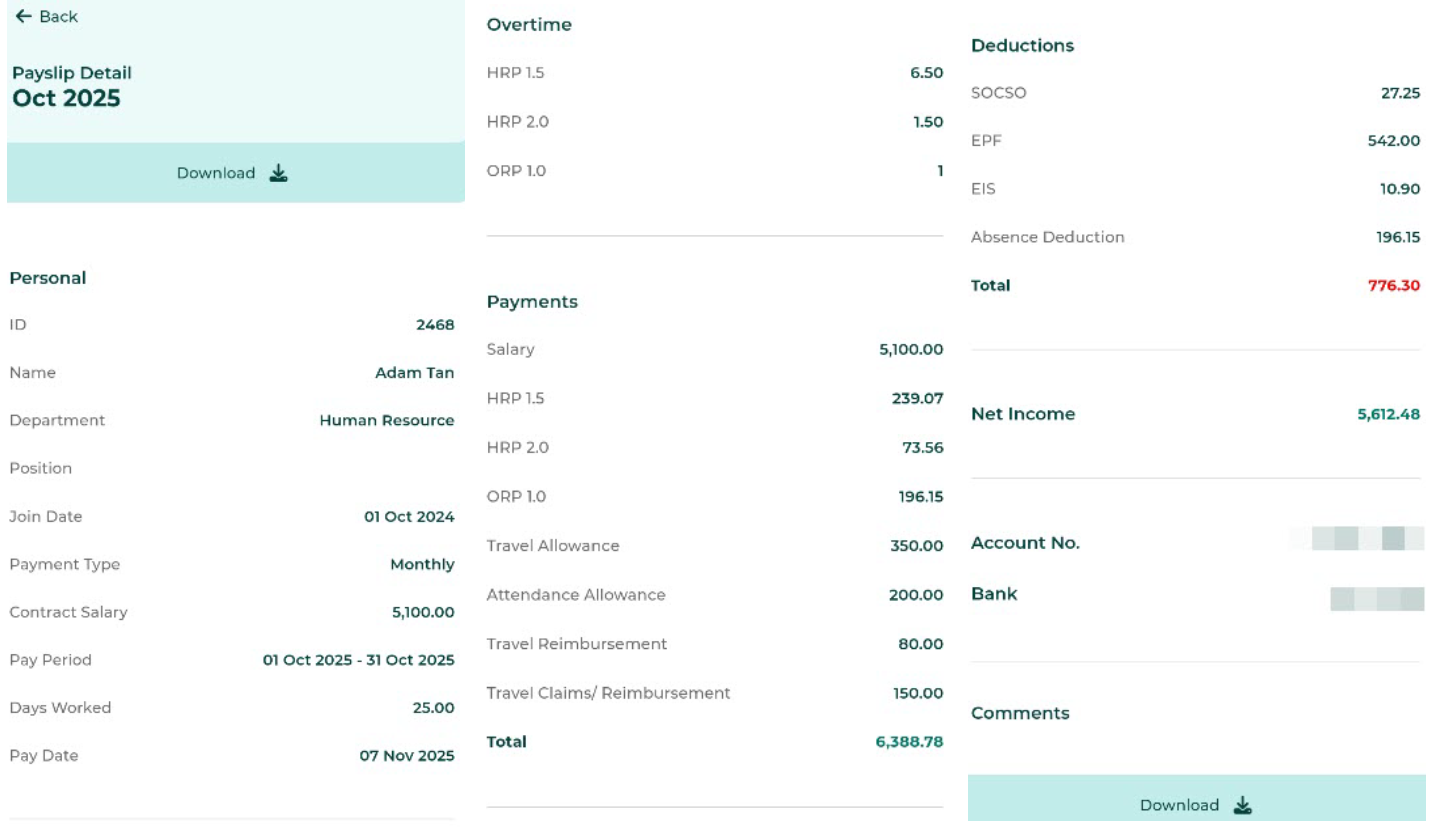
Log in to the Mobile App -> Click Payslip ->Select the Pay Date or Pay Period tab -> Click the Payslip Block to view the Payslip Details.
In the BytheHR Mobile App, employees can view their Payslips in two ways:
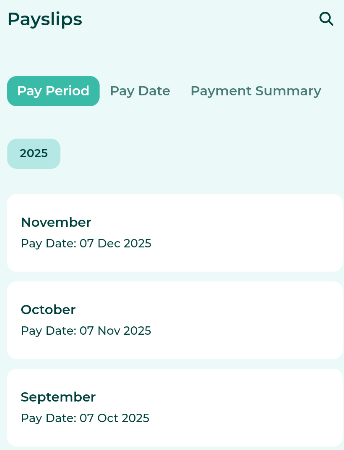
View by Pay Period: When viewing by Pay Period, the system will display the Pay based on the Pay Period Month as configured in the system.
If pay is paid more than once within the same month, the Payslip will display the cumulative total of all Payments made for that month.
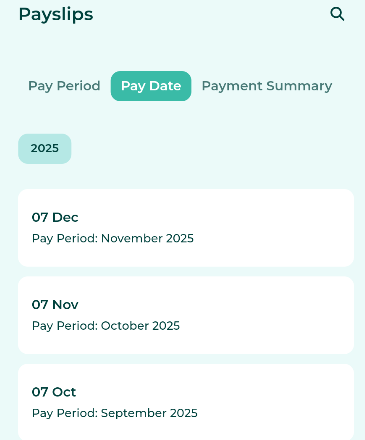
View by Pay Date: When viewing by Pay Date, the system will display the Pay based on the selected Payment date.
Example
September 2025 Pay
Pay Period: 1/September/2025 - 31/September/2025
Pay Date: 7/October/2025
October 2025 Pay
Pay Period: 1/October/2025 - 30/October/2025
Pay Date: 7/November/2025
View payslips by Pay Period. | Browse payslips by Pay date. |
 |  |
Employees can view their Payslip information as follows:
Select the year to view Payslips for the chosen calendar year.
Select the Pay Date you wish to view.
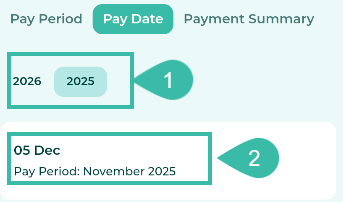
Once selected, the system will display the employee's Payslip details in the Mobile App.
Note: If an employee's salary has been adjusted during the Pay Period, the system will display the previous salary under the heading "Previous Contract Salary'.