
Managers’ view their subordinates' calendars:
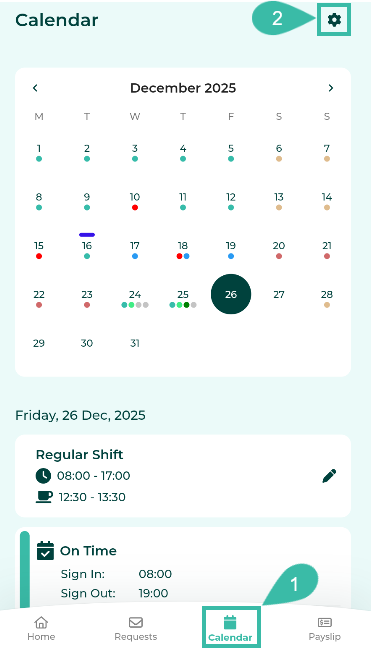
Tap the Calendar tab
Tap the gear Icon (Settings).
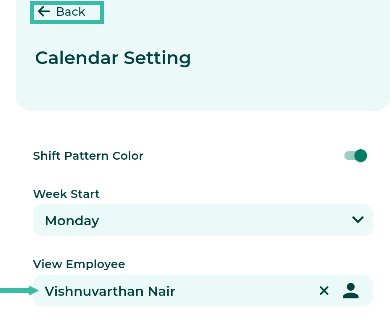
Select the employee's name and click Back.
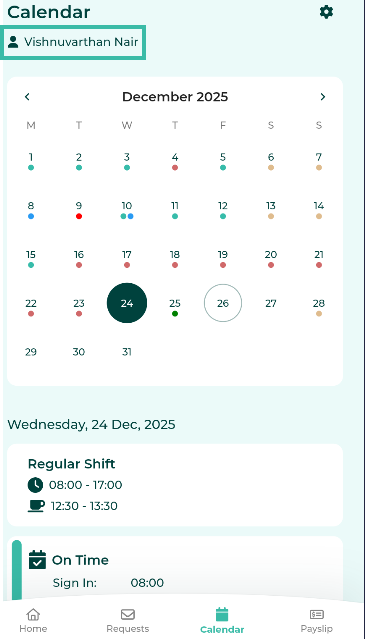
The system will display the calendar of the selected employee.
Tap the Calendar tab
Tap the gear Icon (Settings).
Select the employee's name and click Back.
The system will display the calendar of the selected employee.