
Non-Shift Employee’s Calendar
For employees without an assigned Shift Schedule, the system will display the following information on the calendar:
Weekly days off: Retrieved from the Default calendar setup.
Public holidays: Retrieved from the Default calendar setup.
Leave days: Displayed based on approved employee Leave requests.
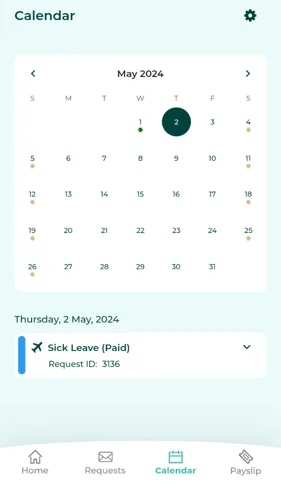
Manager view Subordinate’s Calendar
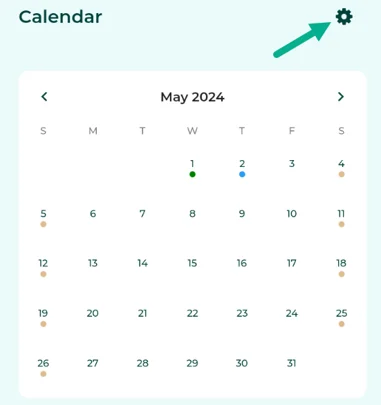
Managers can view the Calendar of their subordinate by following these steps:
Click the gear Icon (Settings).
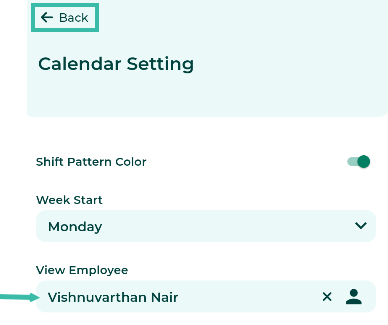
Select the employee's name and click Back.
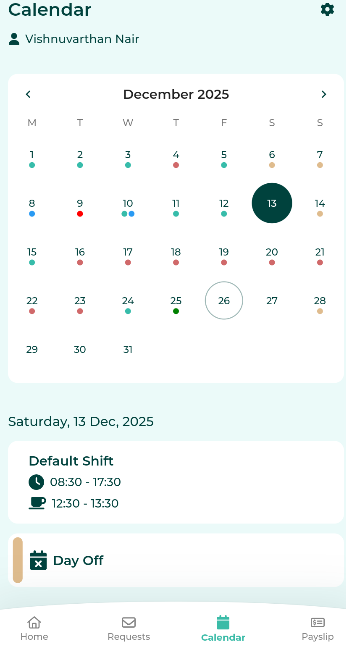
The system will display the selected employee's calendar.
📝 Note
Employees without an assigned shift schedules can connect to Google Calendar.
Read about syncing employee Calendar data with Google Calendar Add-On at this link.