Symbol | Meaning |
 | The clock icon: For a Normal Shift Schedule, displays the start and end time of the shift. For a Flexible Shift Schedule, displays the total number of working hours. |
 | The coffee cup icon: For a Normal Shift Schedule, displays the start and end time of break hours. For a Flexible Shift Schedule, displays the total break hours. |
 | Mint Green bar: Normal Shift Hours: Sign in and Sign out are completed, and the employee signed in on time. Flexible Shift Schedule: Sign in and Sign out are completed, and total working hours meet the assigned shift hours. |
 | Dark Red bar: Indicates Late Arrival, Out Early, Invalid Data (e.g Fingerprint scanned only once). |
 | Orange color bar: Flexible Shift Schedule: Working hours do not meet the required hours, or only one sign in/ sign out was recorded, resulting in invalid data. |
 | Light brown bar: Weekly day off. |
 | Dark green bar:: Public Holidays. |
 | Light red bar: Absent. |
 | Grey bar: The shift has been edited. (Edit Shift) |
 | Grey bar:: A Swap Shift has occurred. (Swap Shift) |
 | Grey bar: The Attendance time has been edited. (Edit Sign In/Out) |
 | Lime Green bar: An Approved Overtime request. |
 | Blue bar: An Approved Leave request. Displays the Leave type, date, start and end time, number of leave days or hours. |
 | The colour above date number on the calendar: Shift Pattern Colour. |
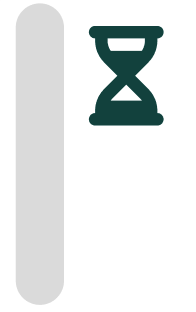 | Grey bar:: Temporary information displayed while the system is processing Attendance updates after sign in or sign out. |
