
Birthday widget on the ByteHR Mobile App
Employees can view the Birthday dashboard on the ByteHR mobile application, following below steps:
Log in to ByteHR mobile app.
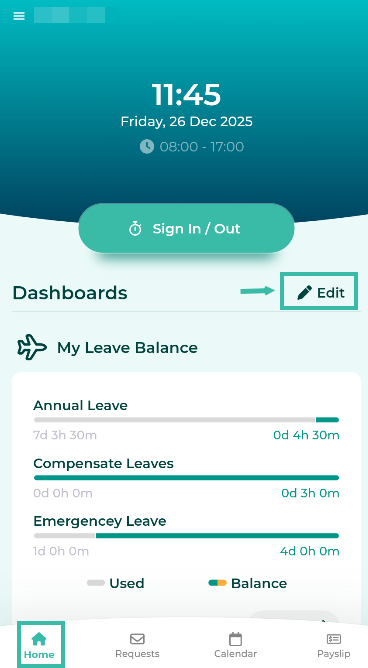
On the homepage, click the Edit button.
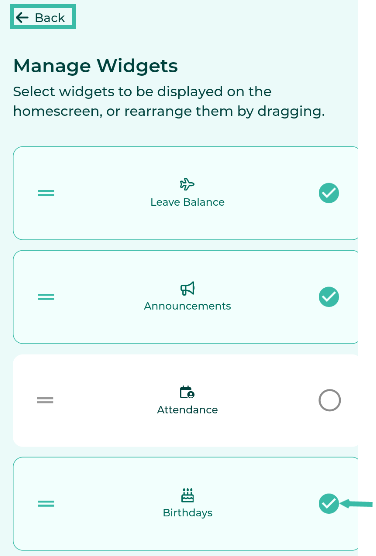
Select Birthdays Widgets and click Back.
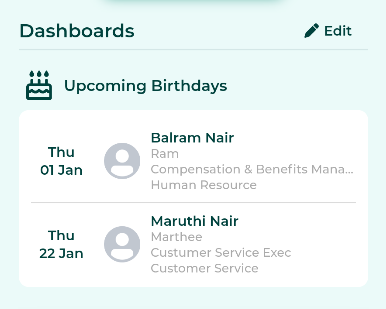
The Birthdays Dashboard will be displayed on the Home page under Dashboard.
📝 Note
The Birthdays Dashboard will display a list of employees whose birthdays fall within the next 30 days.
The information displayed includes a photograph, date of birth, full name, nickname, position, and department (if applicable).
The system will only display the birthdates of employees working in the same branch.
To hide the birthday dashboard, follow the same steps.