
How to check Employee Tax Calculation Report
In the Payroll tab, click on the desired Payroll block.
This will display the list of employee payroll records for the selected pay period.
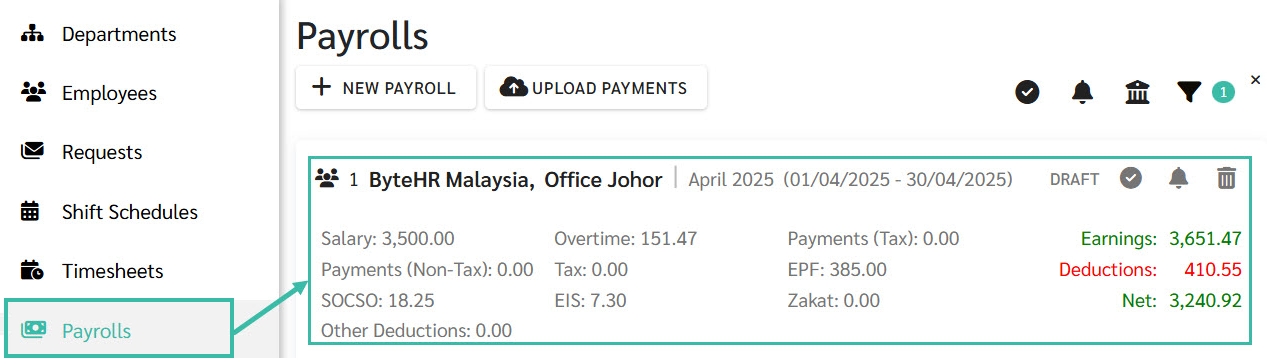
Select the employee whose tax calculation you want to review.
The system opens the Details tab for the selected employee in the right side panel.
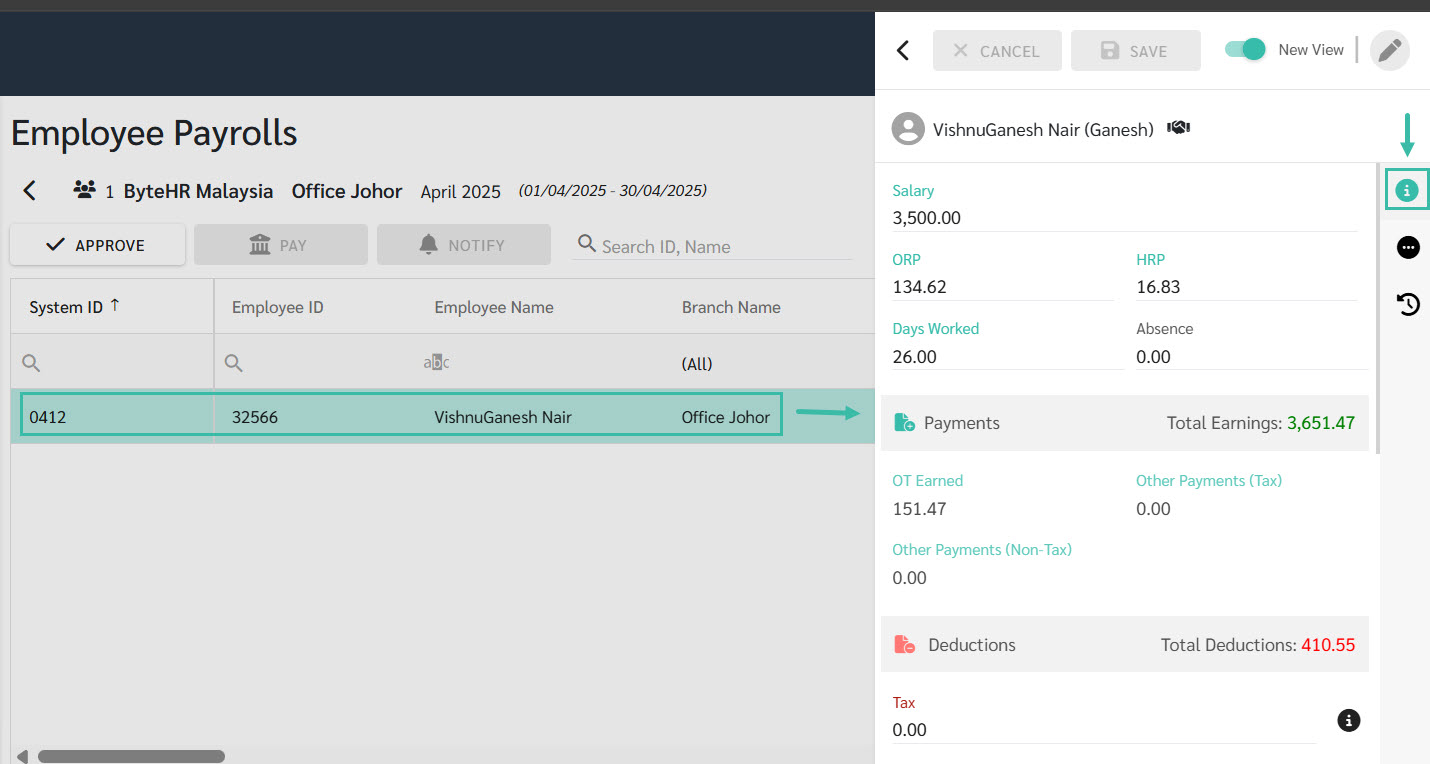
In the Tax field, click the Information Icon to view the tax calculation report.
This will open a pop-up window displaying a detailed breakdown of the employee's tax computation.
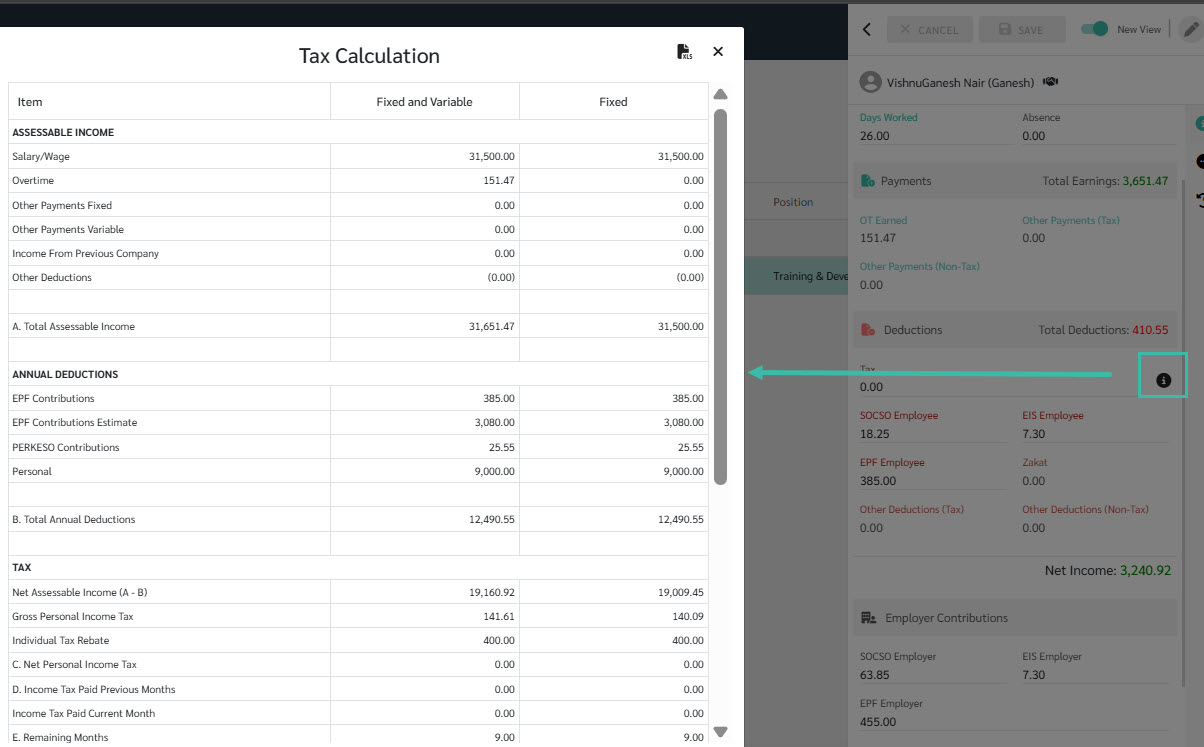
The system will display the following information in the Tax Calculation Report:
Assessable Income
Annual Deductions
Tax
Personal Income Tax Bracket
The system also allows you to export the report to Excel if needed.