
There are two ways to Generate Bank File:
Generate Bank File for a Single Payroll Block
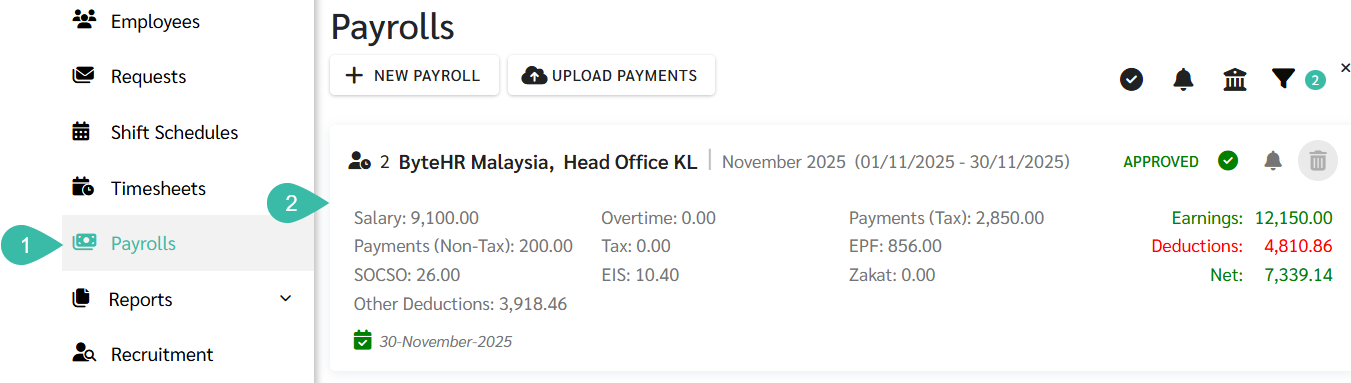
Go to the Payrolls tab.
Click on the desired Payroll block to generate bank file.
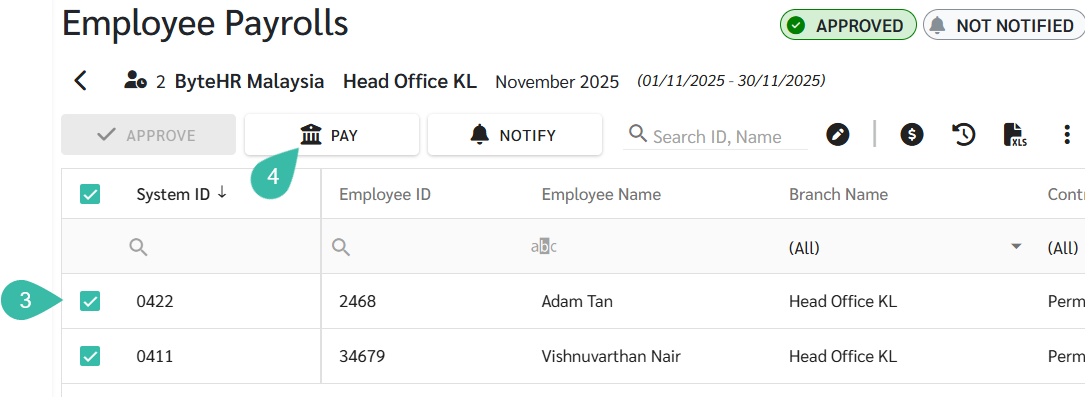
Check the box next to the names of the employees for whom you want to generate the bank file.
Click Pay.
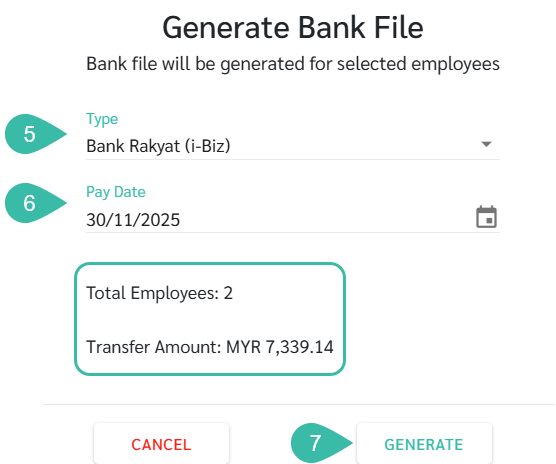
Select the type of Bank File you want to generate.
Select the Pay date.
The system will display the number of employees and the total amount of payments. If the information is correct, click Generate.
Generate Bank File for Multiple Payroll simultaneously
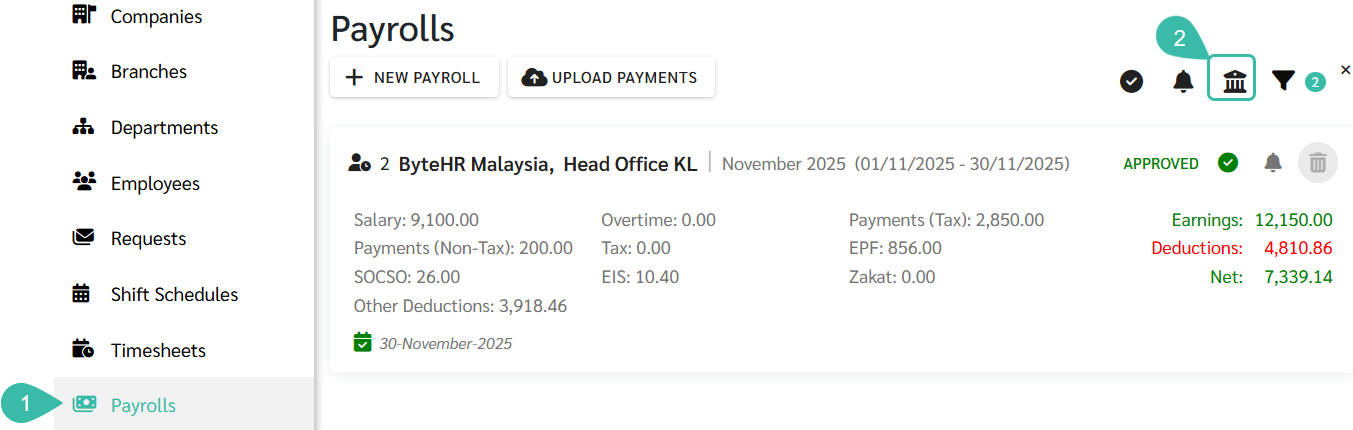
Go to the Payrolls tab.
Click Pay.
Select a Company.
Select the Payroll block you want to generate the bank file for.
Select the type of Bank File you want to generate.
Select the Pay date.
The system will display the number of employees and the total amount of payments. If the information is correct, click Generate.


💬 Note
Generating a Bank File will create a text file to be uploaded to the bank for the purpose of disbursing employees' salary.
If the Payroll block is in Draft status, the Bank File cannot be generated.