
How to save an Onboarding Template
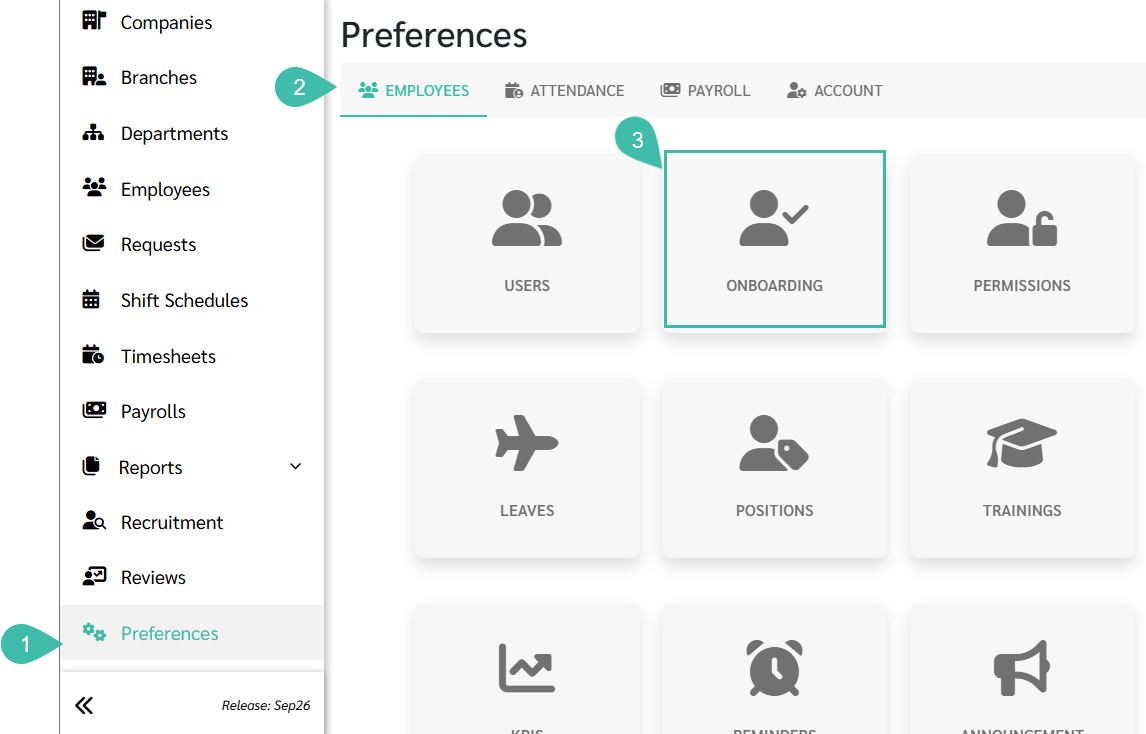
Navigate to the Preferences tab.
Select Employees.
Click Onboarding.
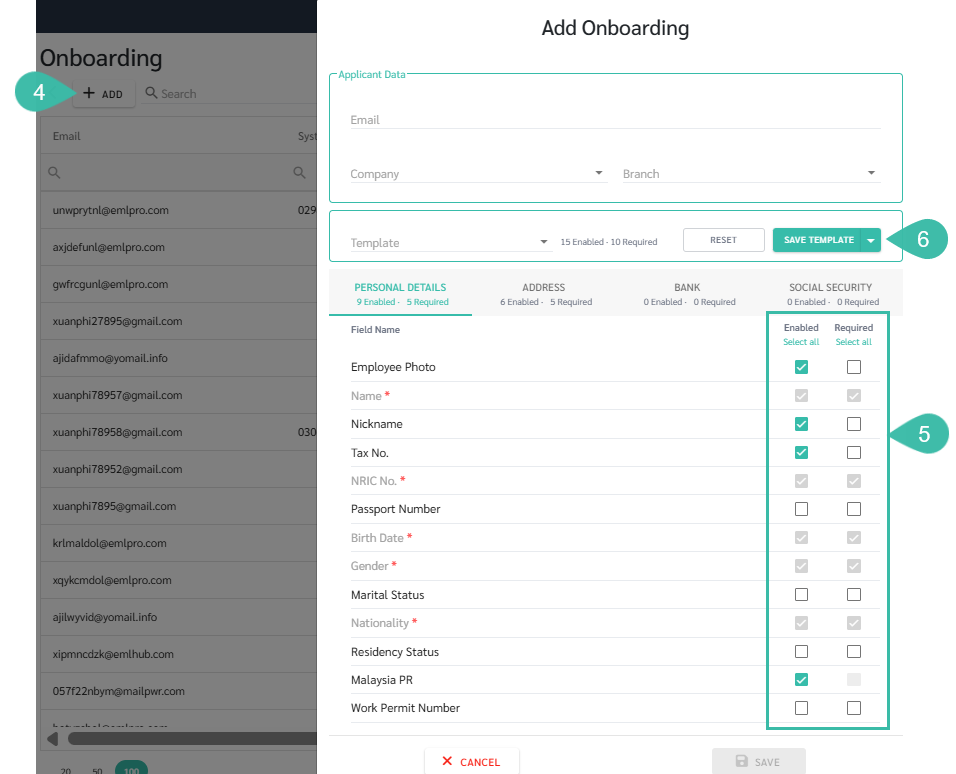
Click Add.
Configure the Onboarding Form by:
Enabling the fields that you would like the New Joiner to complete.
Marking the relevant fields as Required for those fields that are mandatory for the New Joiner to fill.
Click Save Template
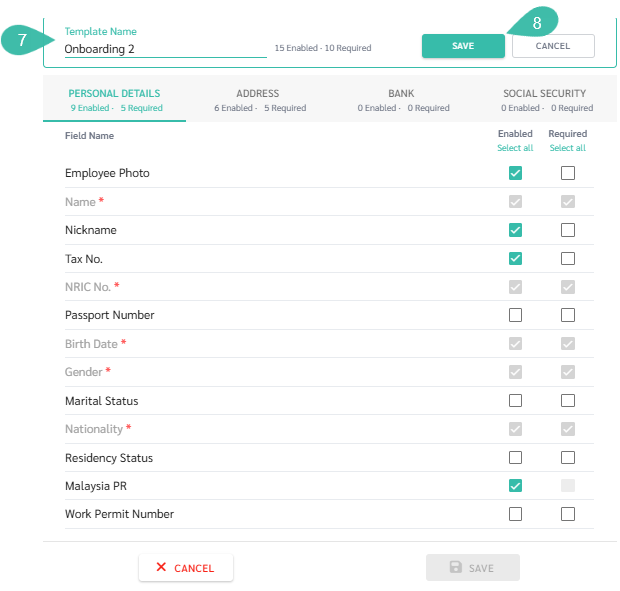
Enter a name for the template in the Template field.
Click Save.

Note
Changes to a Saved Template.
When making changes to a previously saved template you have the following options:
1. Save Template - Saves the changes to the currently selected template.
2. Save as New Template - Saves the changes as a new template without affecting the original template
Changes to a Saved Template.
When making changes to a previously saved template you have the following options:
1. Save Template - Saves the changes to the currently selected template.
2. Save as New Template - Saves the changes as a new template without affecting the original template