Adding a Department in the System can be done as follows:
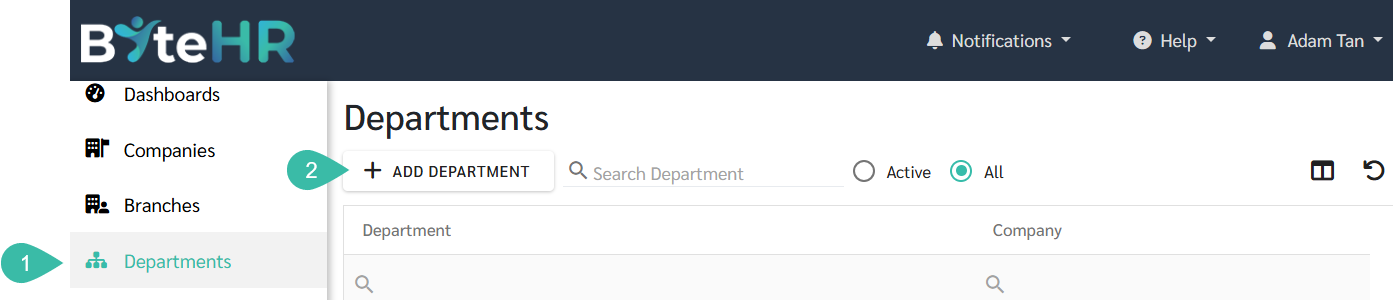
Go to Departments.
Click + Add Department.
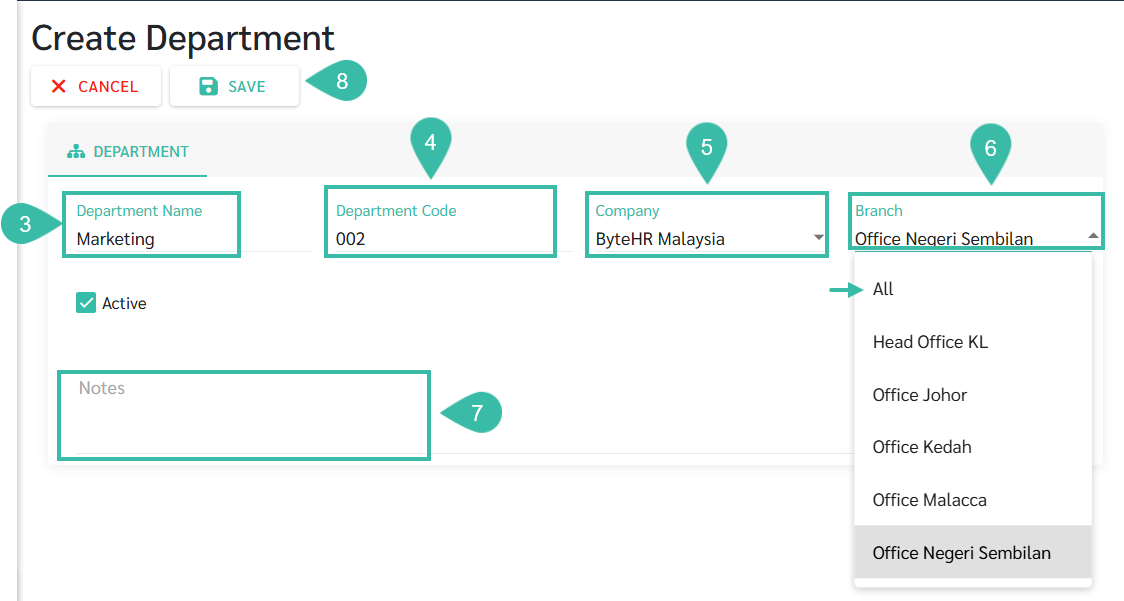
Enter the Department Name. The maximum character is 200.
Enter the Department Code. ***Optional***
Select Company.
Select Branch. If you want to add the same department to all branches, select All.
Add a Note. ***Optional***
Click Save.
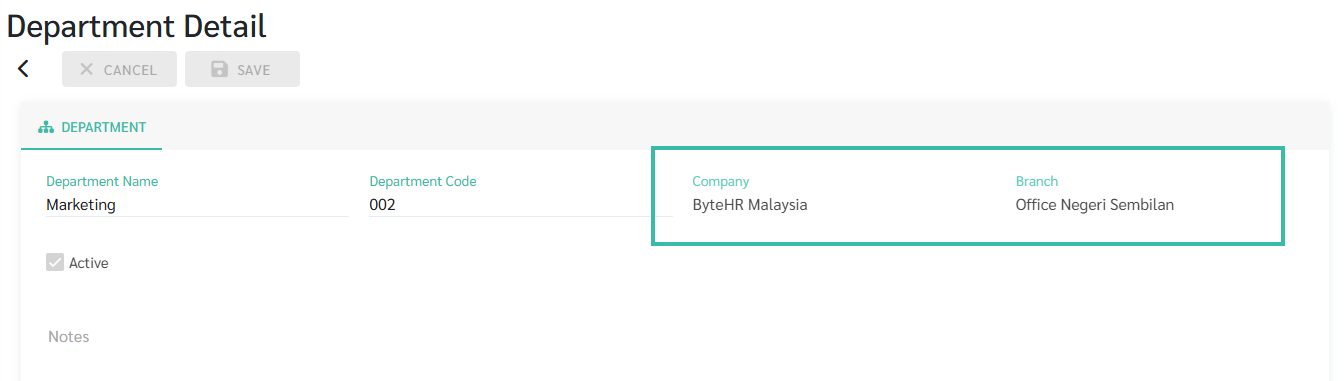
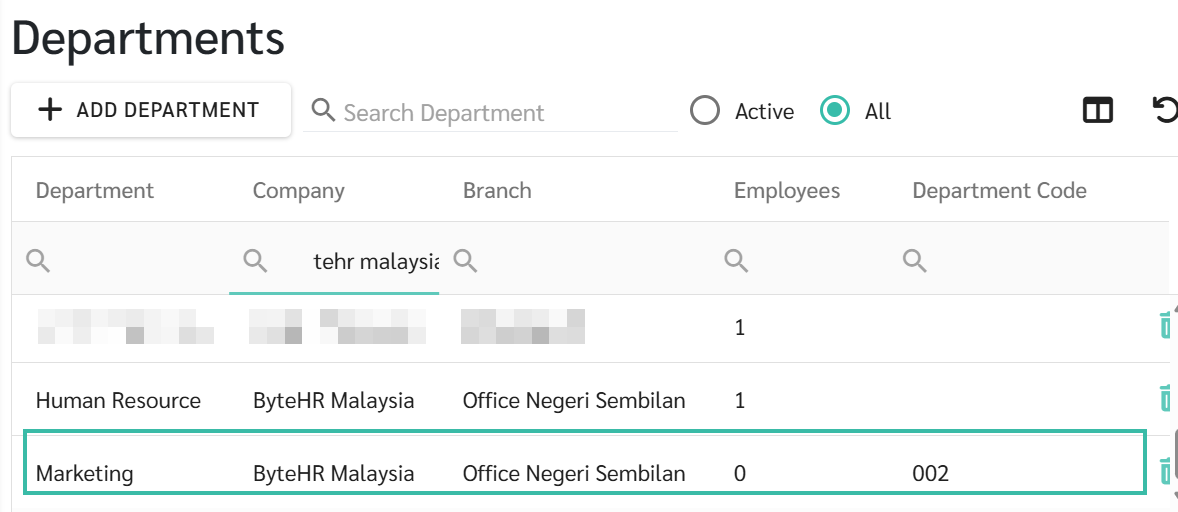
To edit the information, you can click on the department name you want to edit in the table on the department menu page.
Once a department has been added and employees has been assigned to the department, you cannot edit the Company and Branch of that department.