
TABLE OF CONTENTS (Release Date: 31 May 2026)
🟢 New Features
Step Monthly Leave Entitlement
Maximum Reimbursement Per Period
Document Templates
🔵 Improvements
Non-Employment Injury Scheme (SKBBK)
Year-Based Entitlement
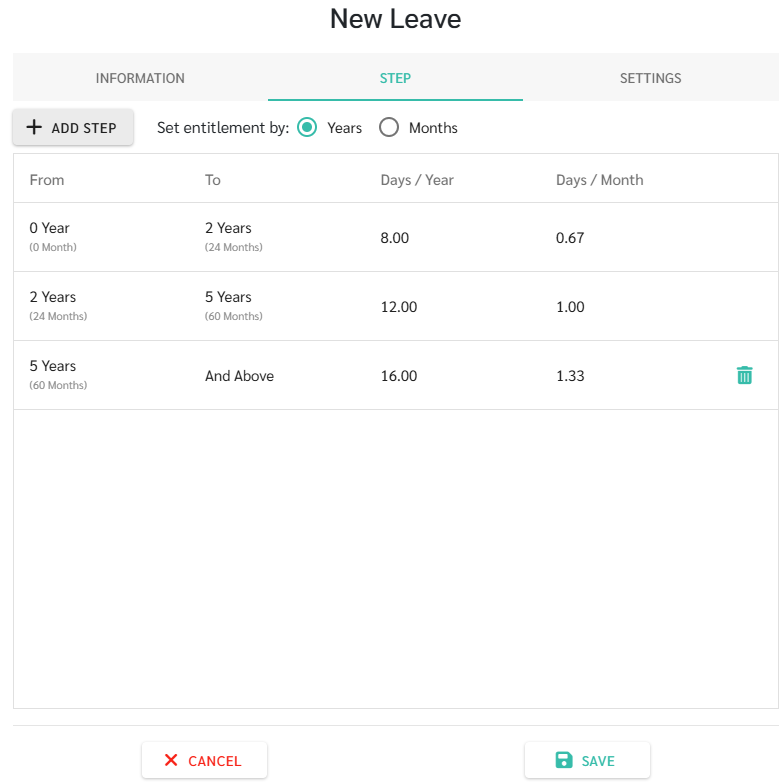
Administrators can configure annual leave entitlement according to years of service. The system will automatically convert the annual entitlement into monthly accrued leave.
The admins can configure leave entitlement based on years of service.
Then, the Leave is accrued automatically on a monthly basis..
Month-Based Entitlement
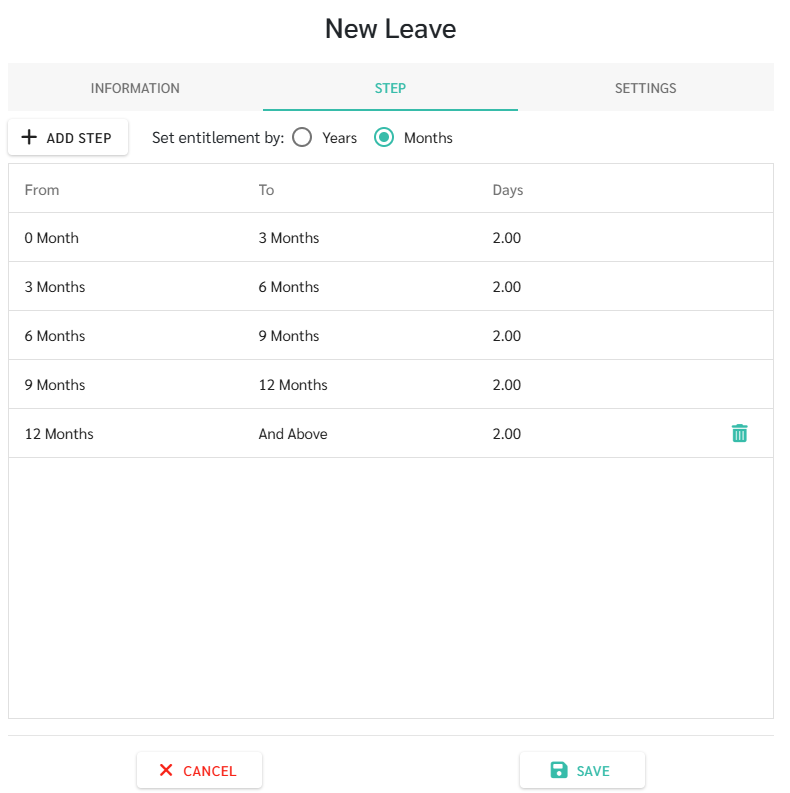
The system also supports leave entitlement based on months of service to configure different leave entitlements for specific service periods.
The admins can manage how many leave days employees receive during each period.
Any unused leave balance will continue to follow the company's leave carry-forward policy.
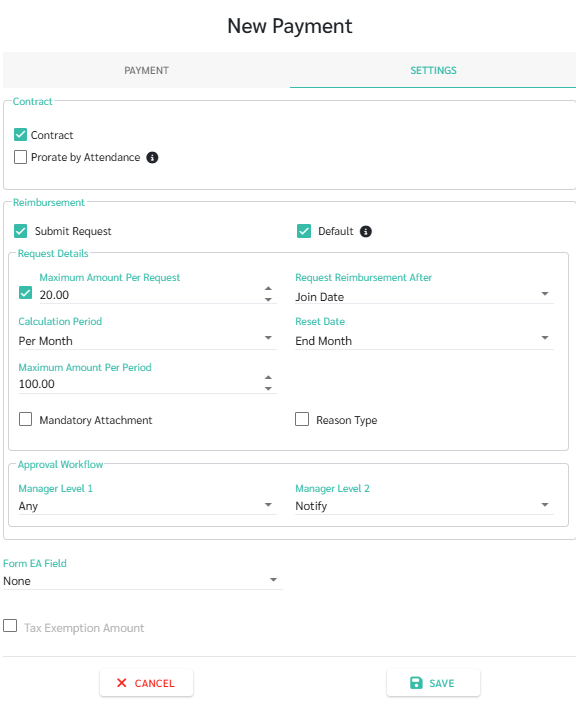
The Submit Reimbursement Request now supports Maximum Amount Per Period, allowing administrators to define a reimbursement limit for employees.
Administrators can set a maximum reimbursement amount with one of the following calculation periods (No Limit, Per Month or Per Year).
Administrators can prevent employees from submitting reimbursement claims that exceed the configured limit.
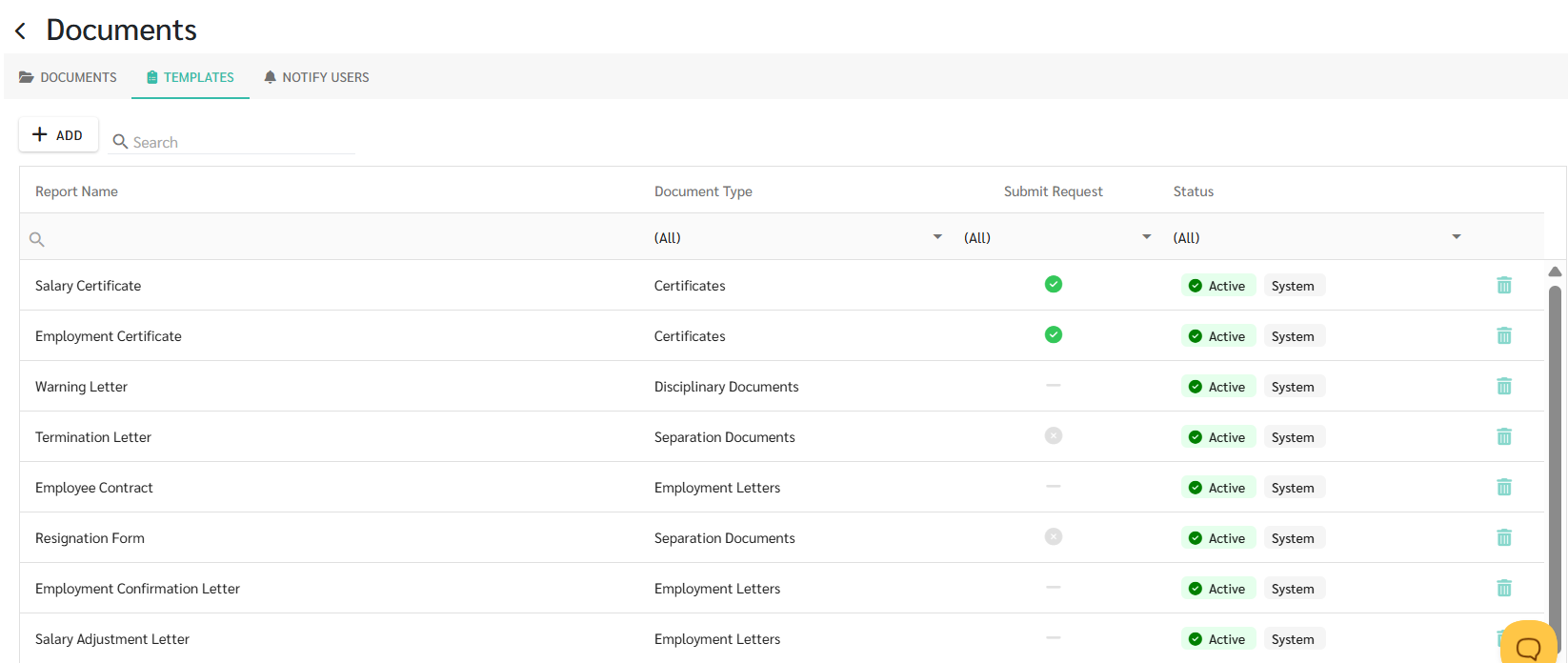
The system now includes built-in document templates and supports creating custom templates to generate and send employee letters directly from ByteHR, reducing manual document preparation.
Admins can use ready-made templates provided by the system for common HR documents and also edit the default templates to suit your company's requirements.
Additionally, admins can create up to eight custom document templates for your organization.
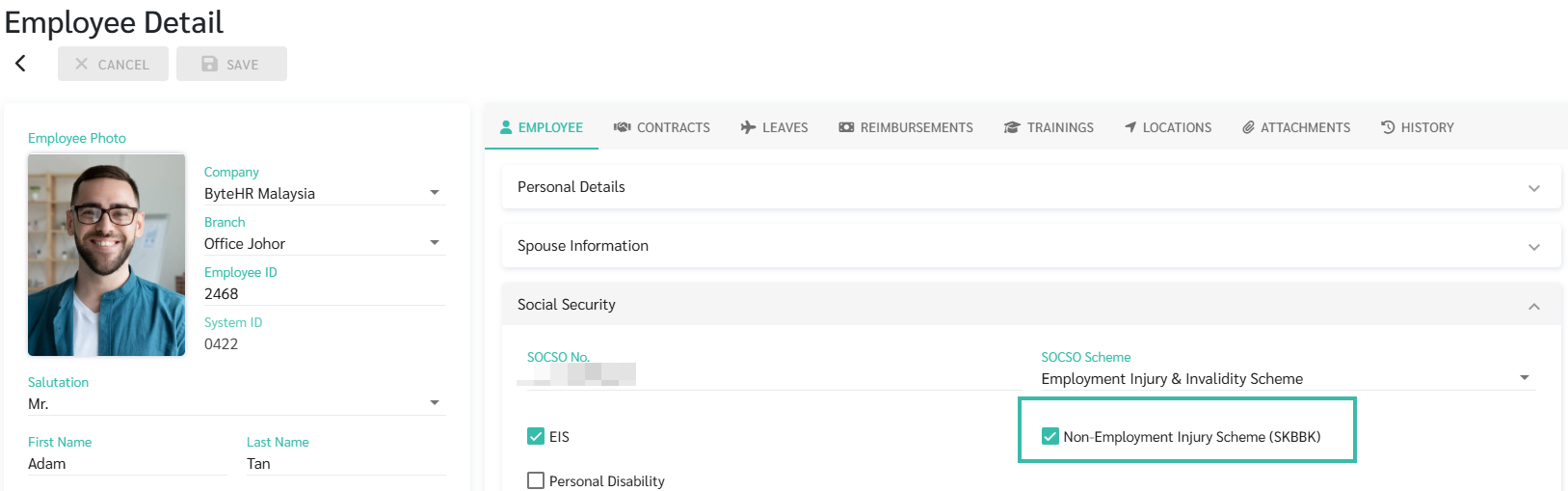
Support for the Non-Employment Injury Scheme (SKBBK) has been added to the system.
A new SKBBK checkbox is available in the Employee Profile under Social Security in which the administrators can enable or disable SKBBK based on the employee's participation in the scheme.
The calculated contribution will be reflected during payroll processing.
