
Admins can now pay employees who use a Touch 'n Go eWallet (TnG) account when generating a bank file, using the employee's TnG account number.
Add Touch 'n Go eWallet (TnG) as a bank option in Preferences > Banks
Hong Leong Bank: select DuitNow as the Payment Type
TnG and regular bank account employees are paid in the same file, and salary arrives instantly instead of the next business day
Maybank (M2E): TnG employees can be included in the bank file
Salary follows the standard transfer schedule, same as other employees
Setup Guide
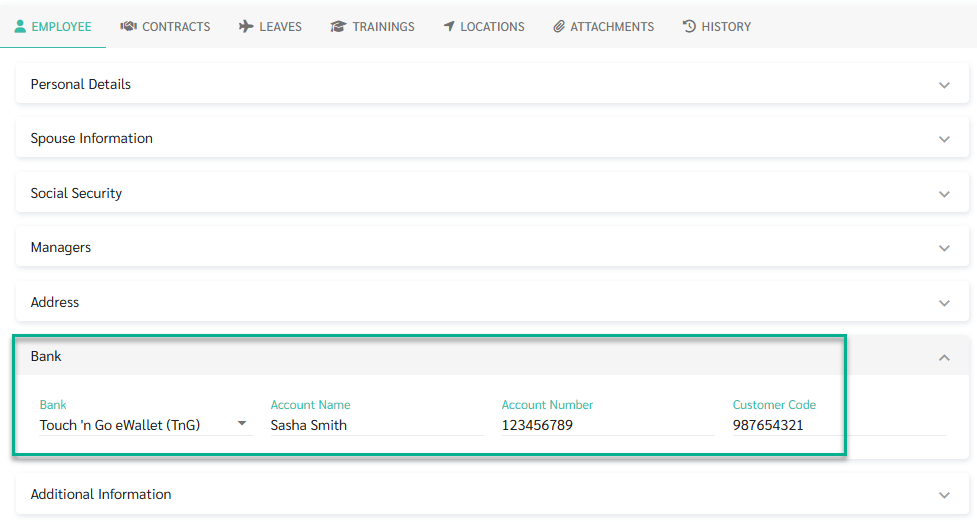
Go to Employee Profile > Bank
For employees paid via TnG, set Bank = Touch 'n Go eWallet (TnG)
Enter the employee's TnG DuitNow account number in the Account Number field
How to Use — Hong Leong Bank
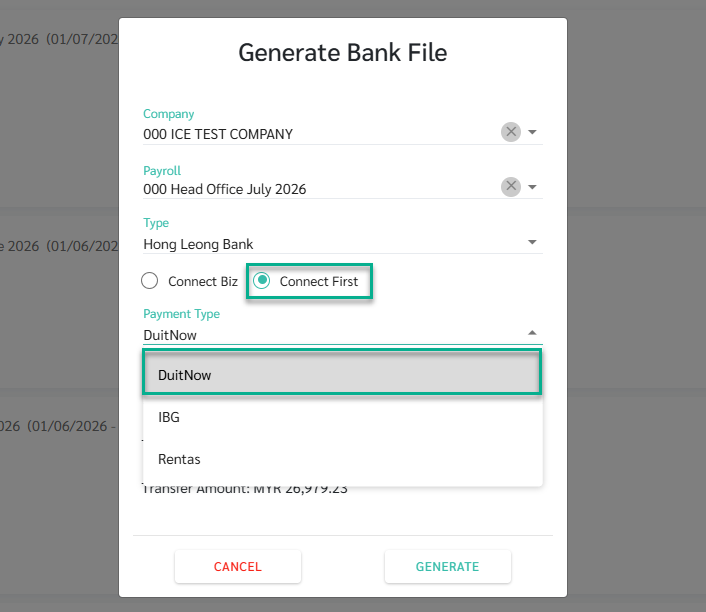
Go to Payroll > Generate Bank File
Select Hong Leong Bank - Connect First
Select Payment Type = DuitNow
Generate the file
The generated file includes all employees in one download:
Employees whose bank is Hong Leong Bank are paid through the standard transfer (tagged FT)
Employees whose bank is anything else, including Touch 'n Go eWallet (TnG), are paid through DuitNow (tagged DUITNW) and receive their salary instantly
How to Use — Maybank2E (M2E)
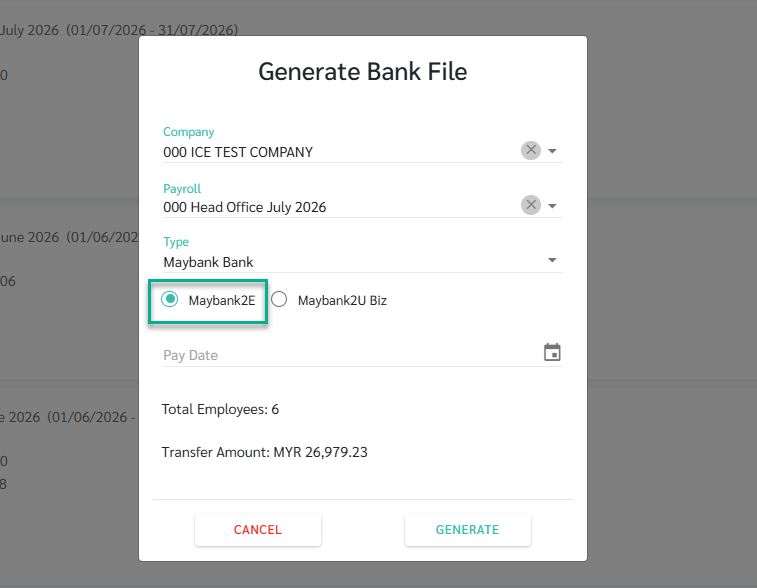
Go to Payroll > Generate Bank File
Select Maybank2E (M2E)
Generate the file — employees with Bank = Touch 'n Go eWallet (TnG) are included using their TnG account number, on the same schedule as other Maybank2E (M2E) payments
Conditions / Limitations
Hong Leong Bank: DuitNow available for Connect First only, not Connect Biz
Maybank: instant transfer (DuitNow/CN mode) is on hold, not available yet — only standard-speed transfer supports TnG for now