
ByteHR supports two tax calculation methods for payroll: the standard progressive rate for Resident employees, and a flat 30% rate for Non-Resident employees.
Once you mark an employee as Non-Resident, the system switches to the correct calculation method automatically. You do not need to adjust any tax settings manually.
Setup: Mark an Employee as Non-Resident
Go to the employee's profile
Find the Residency Status field
Select Non-Resident
Save
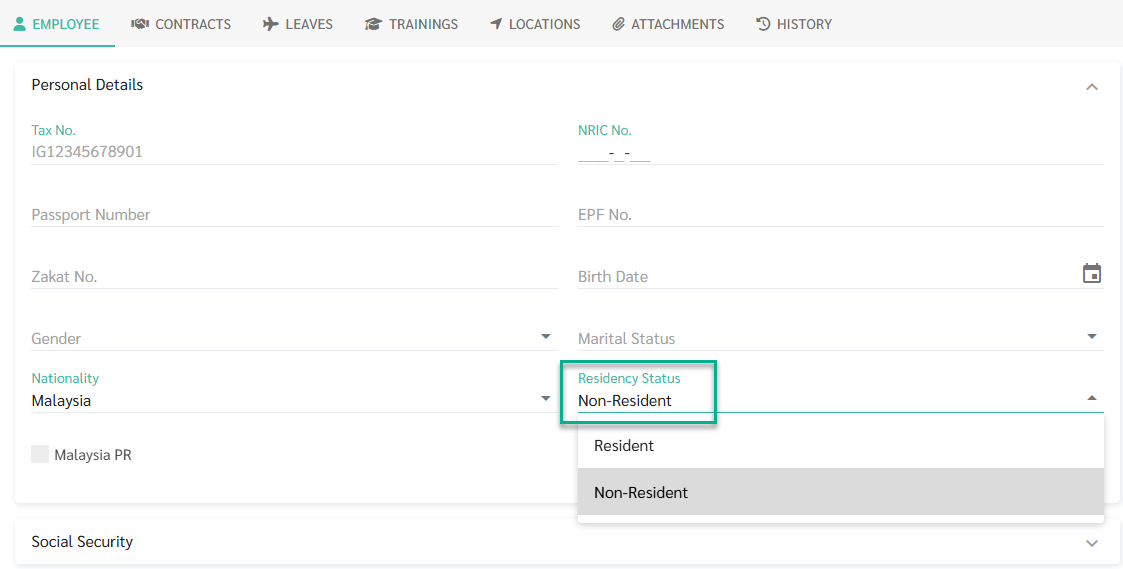
ByteHR will apply the 30% flat rate for that employee starting from the next payroll run (or the current one if payroll has not been processed yet)
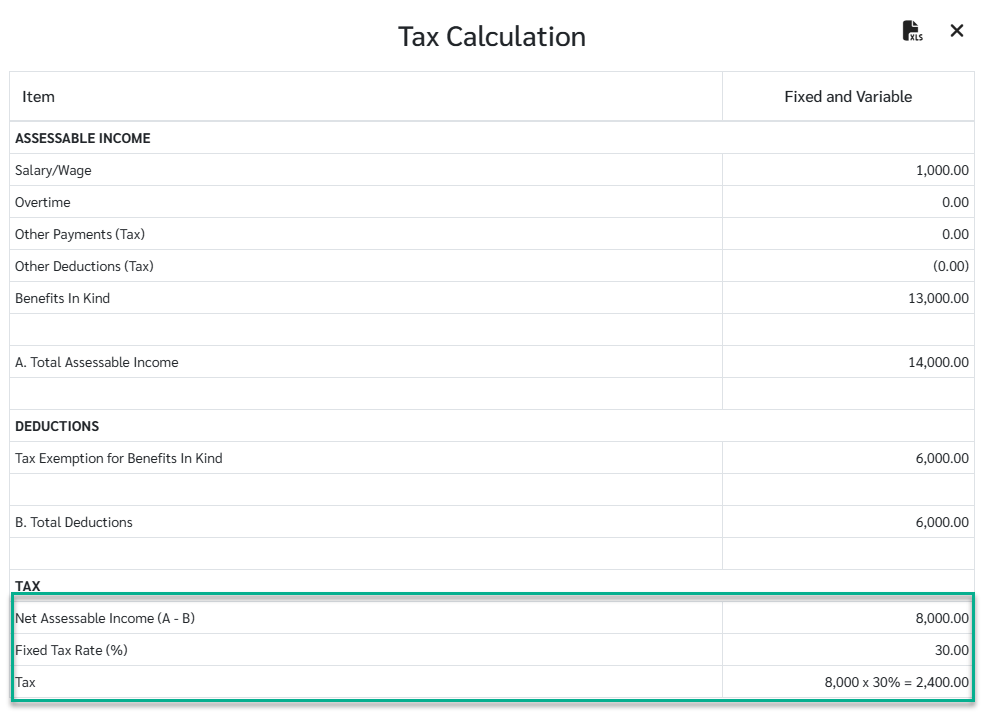
Key point:
EPF, SOCSO, and EIS are still deducted from the employee's take-home pay as normal. They are just not used to reduce the tax calculation.
The tax is calculated on the current month's income only. There is no projection to an annual figure.
If the employee later becomes a Resident, any taxable items for resident you have already entered will automatically apply. You do not need to re-enter them.
Note 🗒️
ByteHR does not track Residency Status automatically. You must update it manually when an employee's status changes.
Non-Resident employees do not appear in Tax Report, since the Tax Report is based on the resident progressive tax structure.