
TABLE OF CONTENTS (Release Date: 31 May 2026)
🟢 New Features
🔵 Improvements
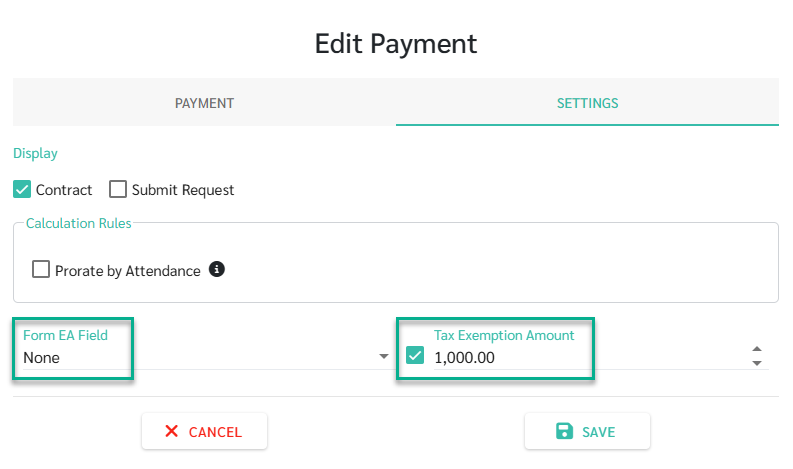
Admins now have the ability to set a Tax Exemption Amount cap for individual payment types. The system ensures that amounts within the designated cap remain tax-exempt, while any portion exceeding the limit is accurately processed as taxable.
A "None" option is now available in the EA Category settings. This allows you to process payments that should be excluded from the EA Form, ensuring your year-end reporting is precise and clutter-free.
—
See Add New Payments at LEARN MORE
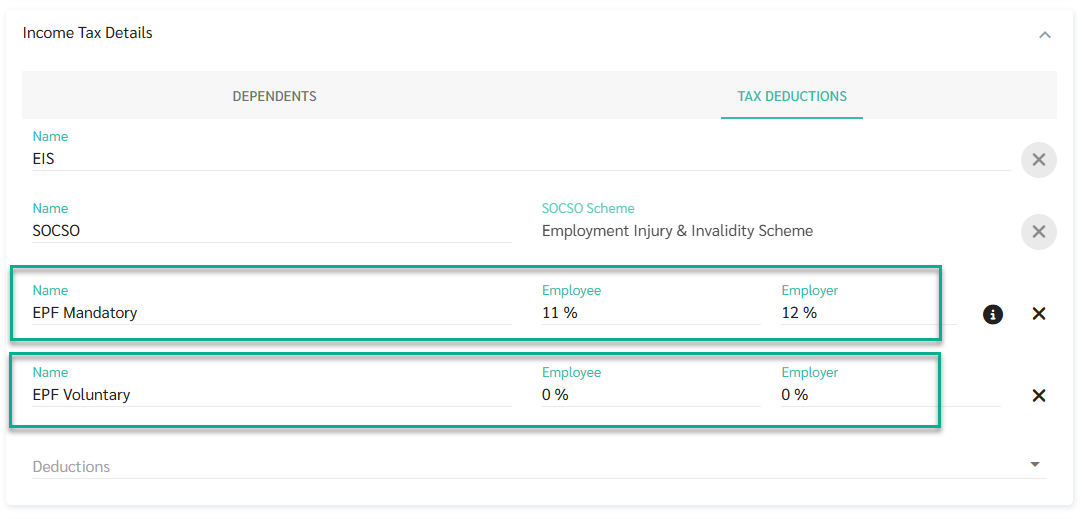
We have enhanced our EPF features to provide better flexibility and ensure compliance with the latest tax deduction caps:
In the Employment Contract and Payroll panel, EPF is now categorized into Mandatory and Voluntary %. The system automatically calculates and rounds the combined total to ensure accuracy while maintaining clear visibility for Admins.
A new Tax Deductions section allows for manual input or upload of self-contributions (LP1). You can now categorize these under 11.a (EPF) or 11.b (Life Insurance) to align with employee declarations.
—
See EPF Contributions at LEARN MORE
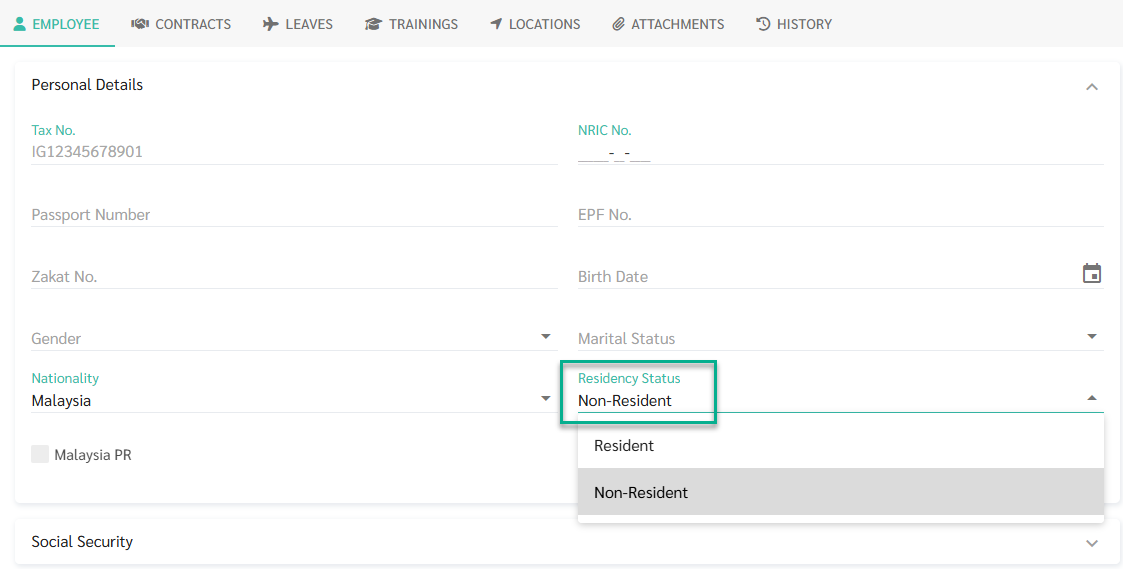
The system now supports a separate tax calculation method for employees classified as Non-Resident. Tax is calculated at a flat 30% rate on total monthly remuneration with no personal reliefs applied.
Admins can set and update Residency Status directly on the employee profile, and the field is available in employee import as well.
—
See Tax Calculation for Non-Resident Employees at LEARN MORE
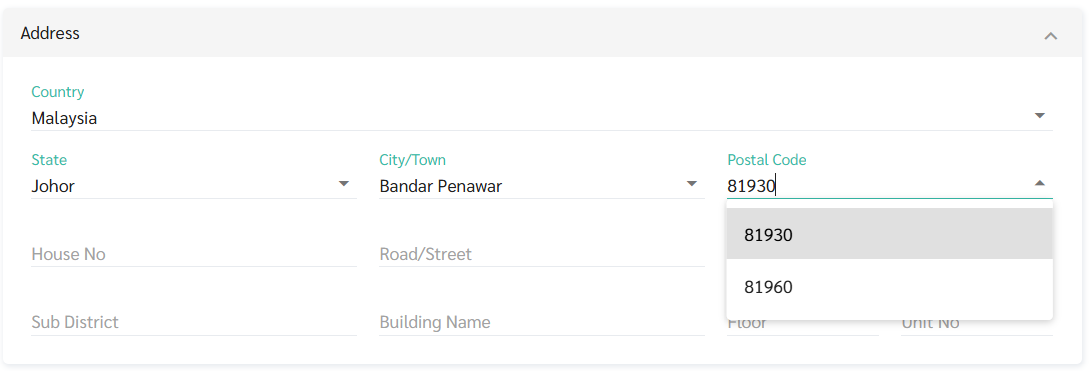
The system now fills in the postal code automatically when a State and City are selected, with address fields restructured to reduce manual entry errors. Especially useful when updating employee records in bulk.
State and City are now dropdowns.
Postal code is filled in automatically once City is selected
During employee import, the system validates address data and flags any mismatches for correction before import
—
See Company, Branch, and Employee Address at LEARN MORE
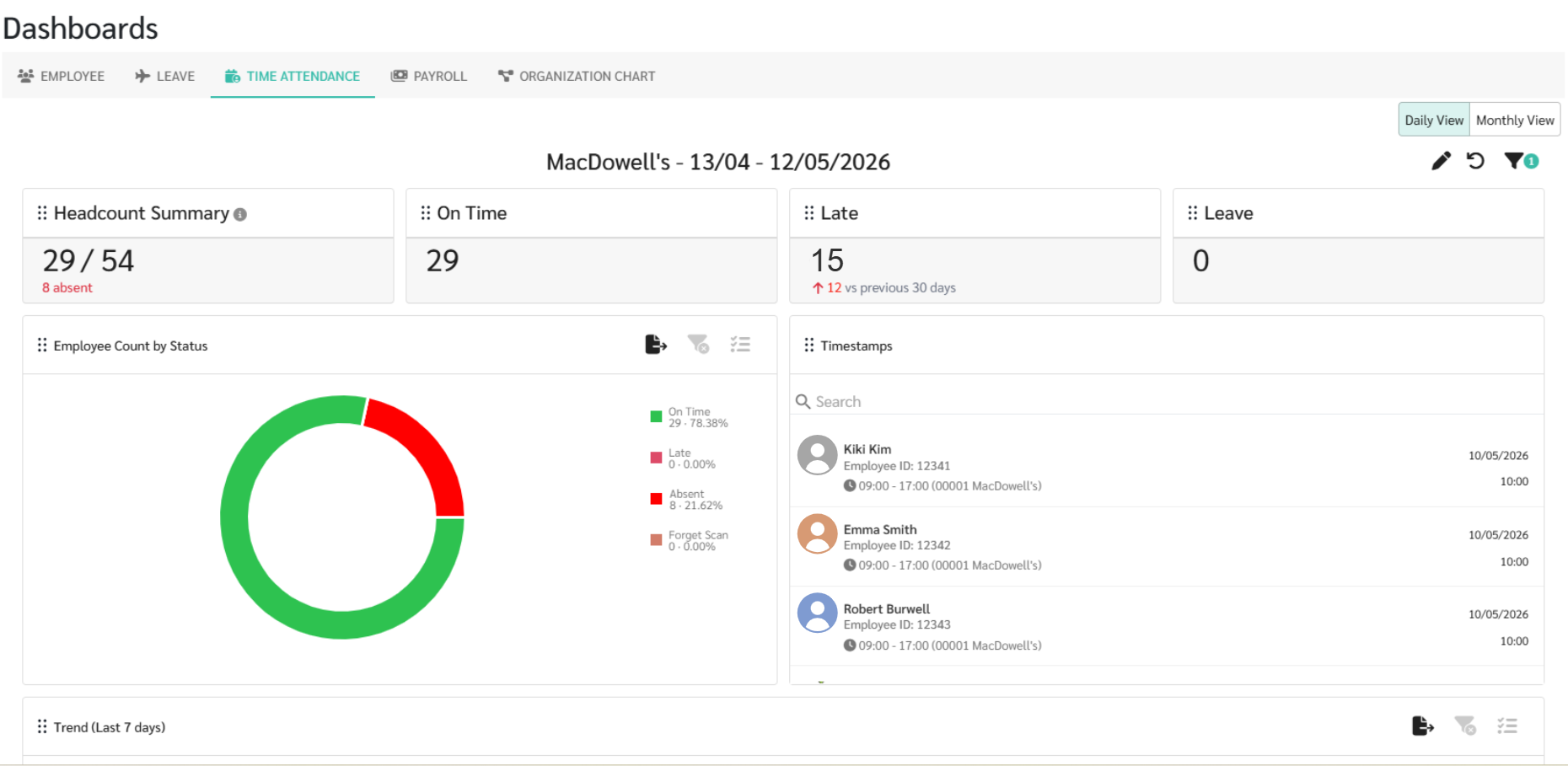
Monitor your workforce in real-time with our new interactive dashboard, designed to give HR teams instant visibility into daily attendance patterns.
Instantly see how many employees are scheduled for the day versus those who have actually signed in. The "Headcount Summary" helps you identify missing staff (Pending Sign in) at a glance, excluding those on leave or holidays automatically.
Track daily movements through live KPI cards and timestamp feeds. Easily monitor Late arrivals, Early Outs, and Forgotten Scans to address attendance issues as they happen.
Use the Trend Line Chart to track attendance violations over time and spot recurring patterns.
You can also break down status distributions by Department, Age, or Gender using interactive charts and exportable tables for deeper analysis.
—
See Time Attendance Dashboard (Daily View) at LEARN MORE
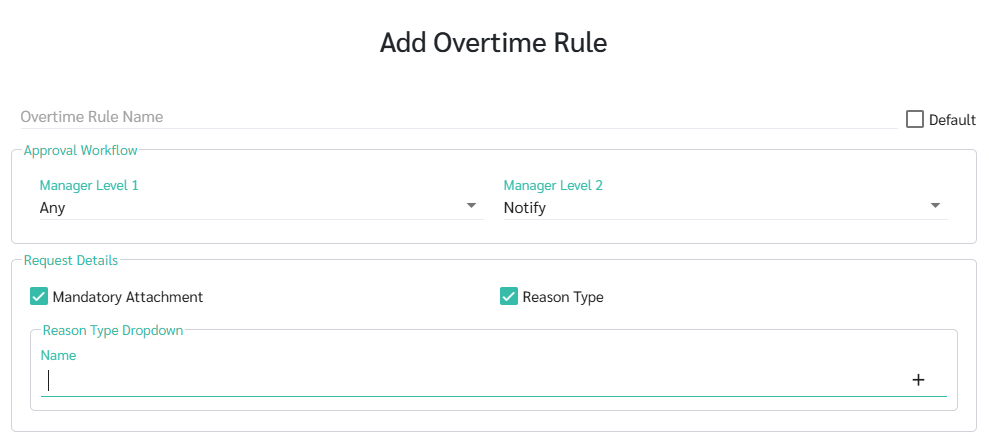
OT Settings
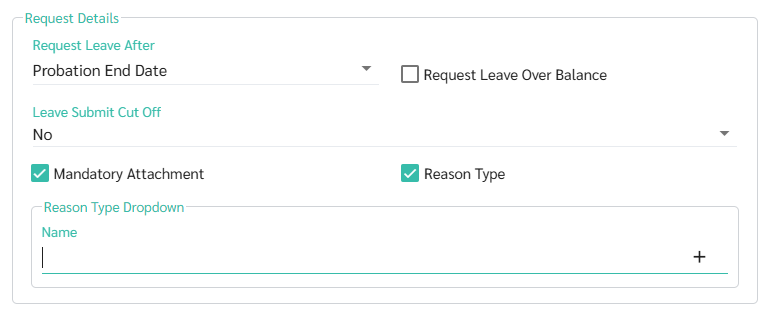
Leave Settings
The system now supports reason types and document attachments for OT and leave requests, helping admins receive consistent and complete information for every request.
Admins can configure required Reason Types for employees to select when submitting OT or leave requests
Mandatory Attachment can be enabled for OT requests to require supporting documents as proof
—
See Reason Types and Mandatory Attachments for Request at LEARN MORE
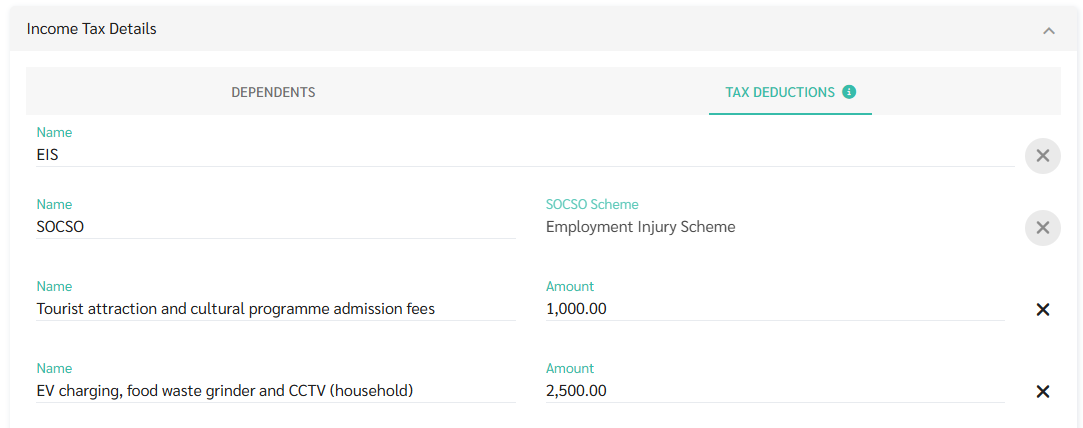
The following deduction items have been updated for Year of Assessment 2026:
Tourist Centre Admission Fees
EV charging, food waste grinder and CCTV (household)
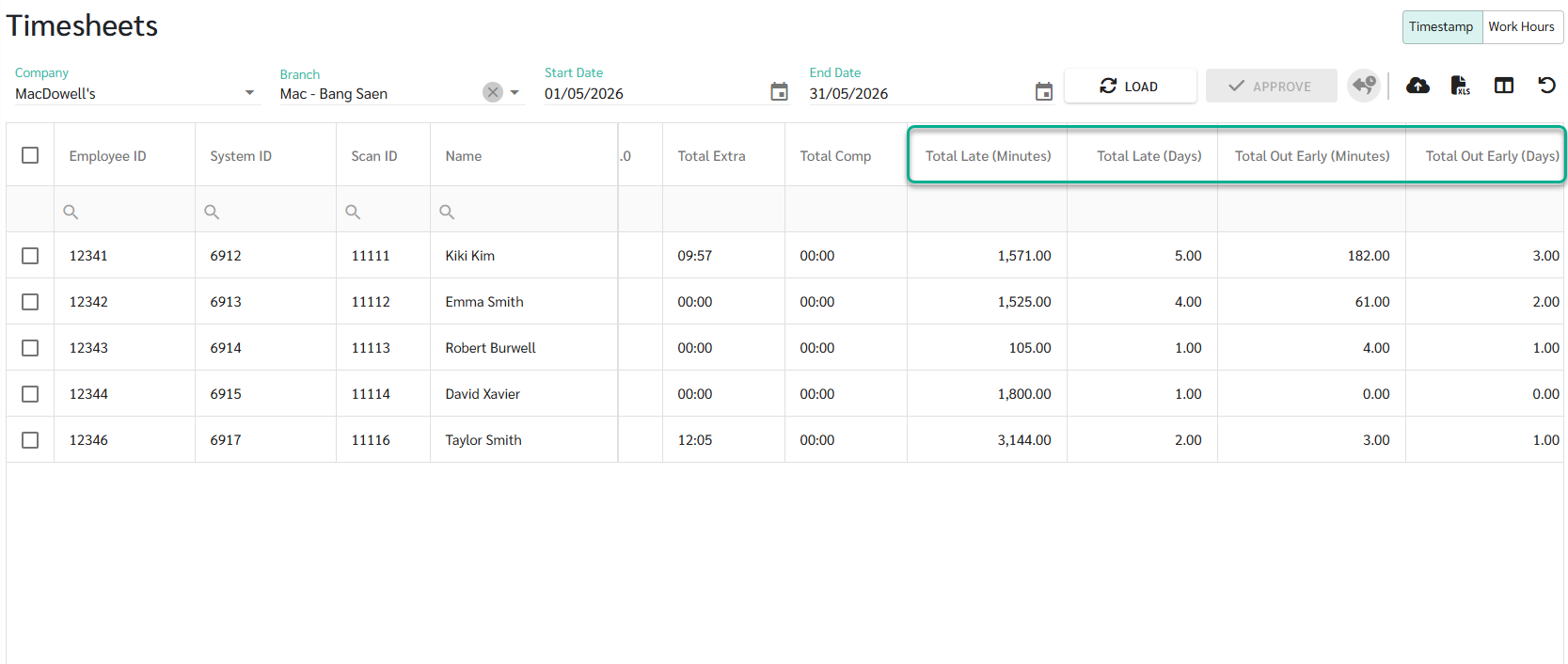
Four new columns are now available in the Timesheet for more detailed attendance tracking.
Total Late (Minutes)
Total Late (Days)
Total Out Early (Minutes)
Total Out Early (Days)
—
See Load Timesheet at LEARN MORE
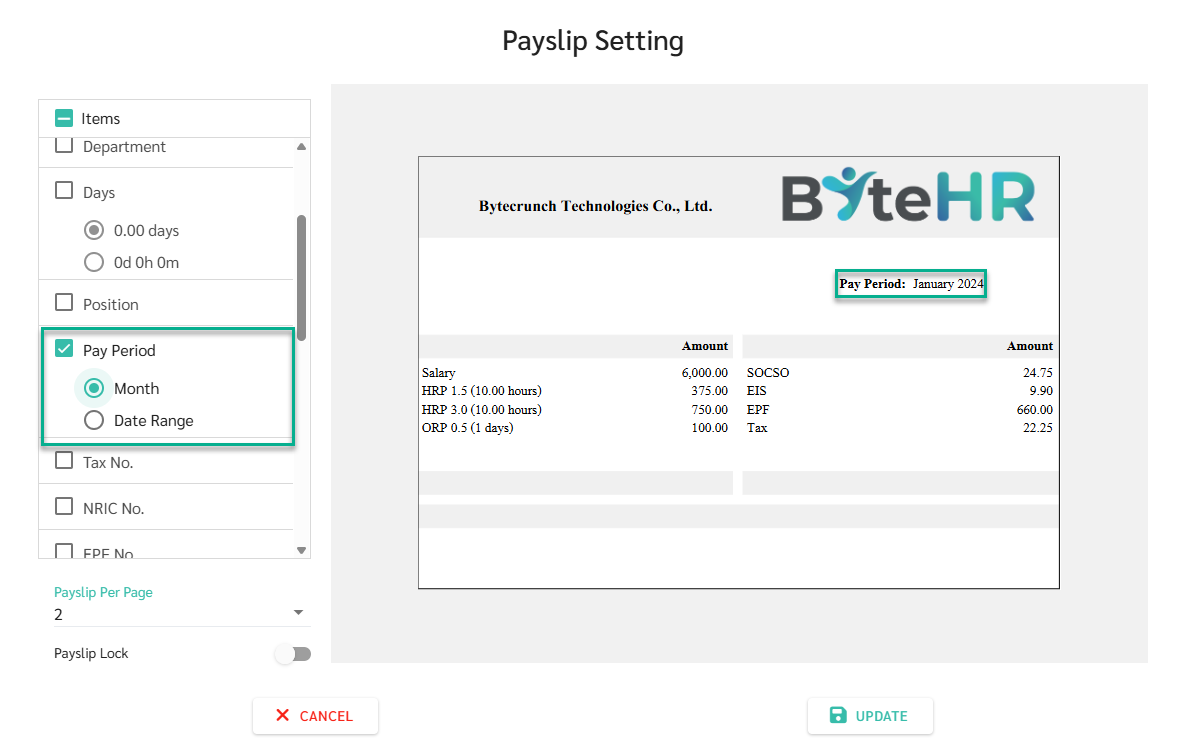
Payslip in Standard Format now show the payroll period at the top of the payslip. Admins can configure the display format in Payslip Settings:
Month e.g. March 2026
Date Range e.g. 01/03/2026 – 31/03/2026
—
See Employee Payslip Setting at LEARN MORE
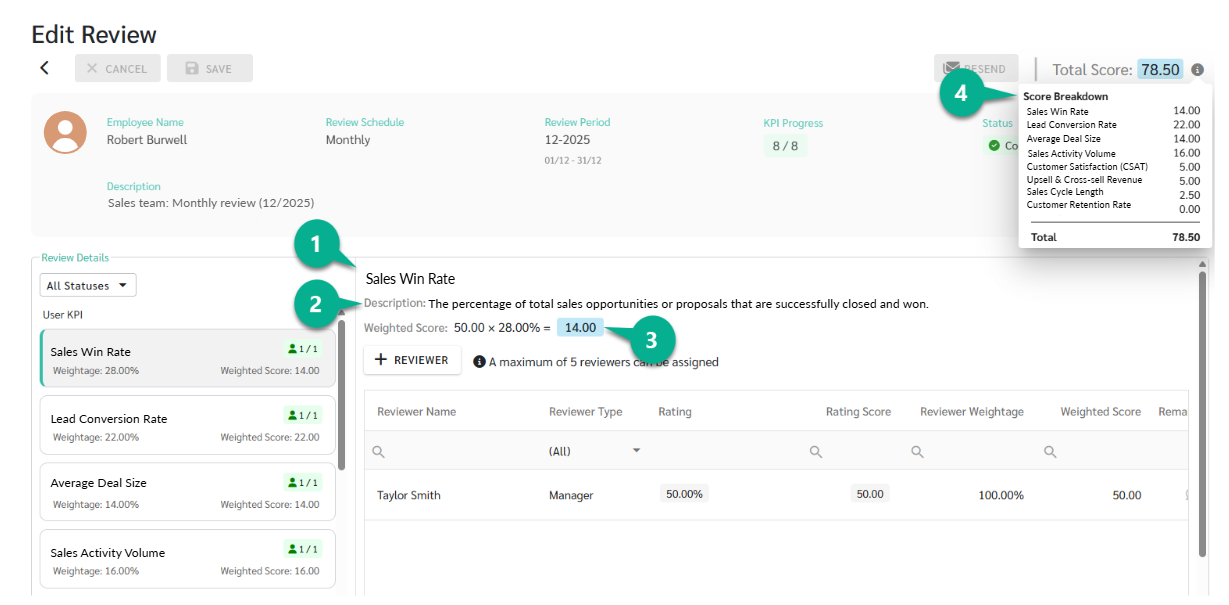
Updated the KPI review screen to show full details and weighted scores, so reviewers can understand how the total score is calculated without having to do the math themselves.
Show KPI names
Show KPI descriptions
KPI Weighted Score is displayed as KPI Score × Weightage (%) = Weighted Score, and updates automatically when the score is edited
Total Score Breakdown is now available at the total score to show how each KPI contributes to the final score
—
See KPI Review Overview at LEARN MORE
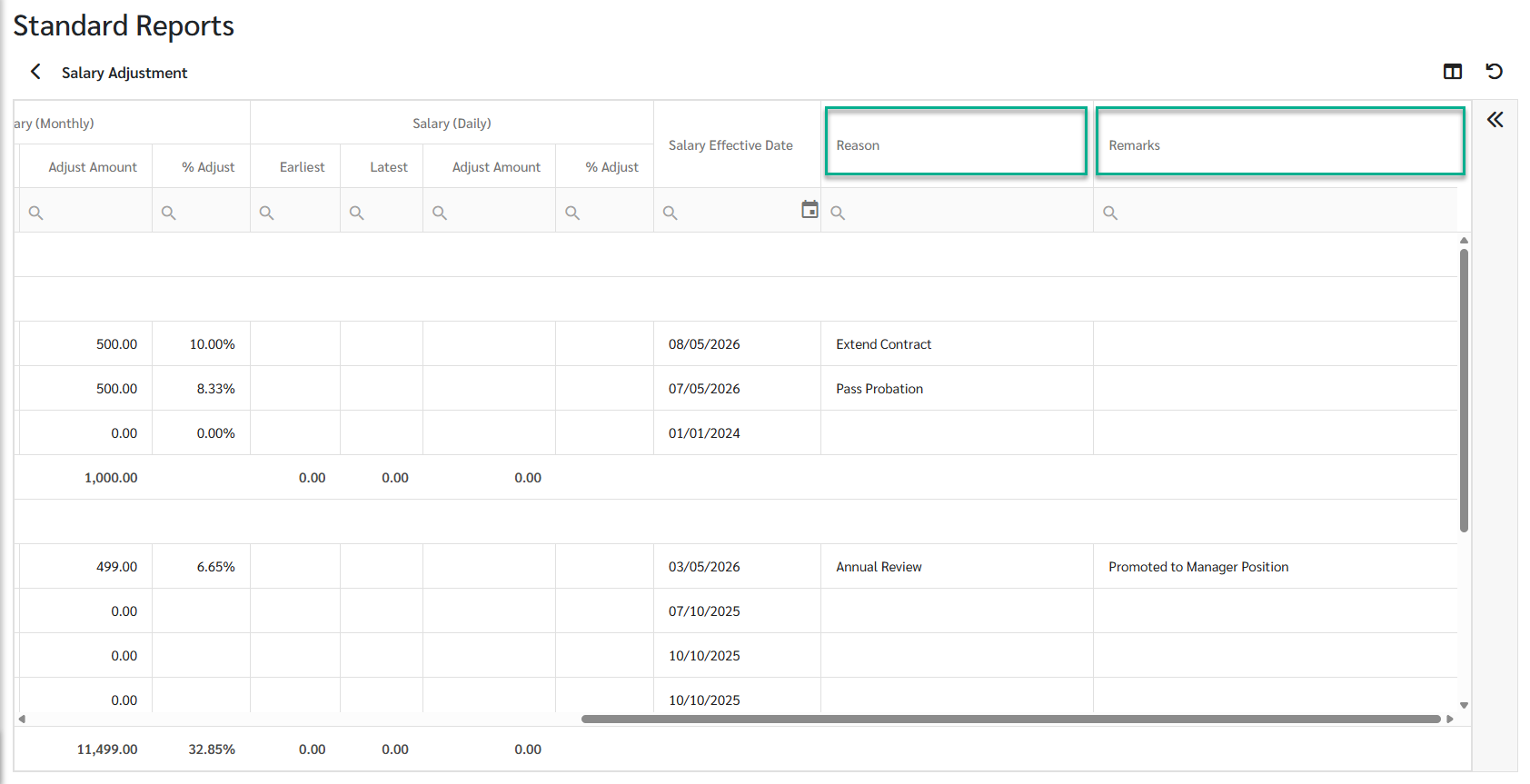
The Salary Adjustment Report now includes a Reason column, pulled from the reason recorded when the employee's contract was closed and reopened. Admins can track the cause of every salary change in one place, such as Promotion, Annual Review, or End of Probation.
—
See Salary Adjustment Report at LEARN MORE
The resignation reason field is now available in the Open API via the Contract endpoint. Integration developers can now access resignation reason data when building employee reports or syncing data with external systems.
—
See Open API **Add-On at LEARN MORE
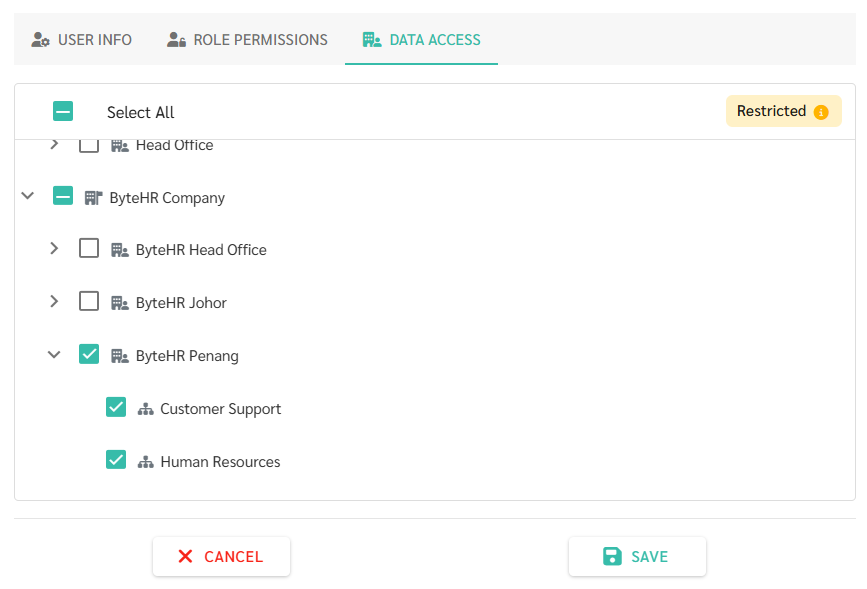
The Data Access settings for user management have been redesigned with a new access model and a consolidated interface. Admins now grant access by selecting which companies, branches, and departments a user can see, rather than blocking specific items
—
See Data Access Management at LEARN MORE
