
The admin can add managers to employees. Here's how:
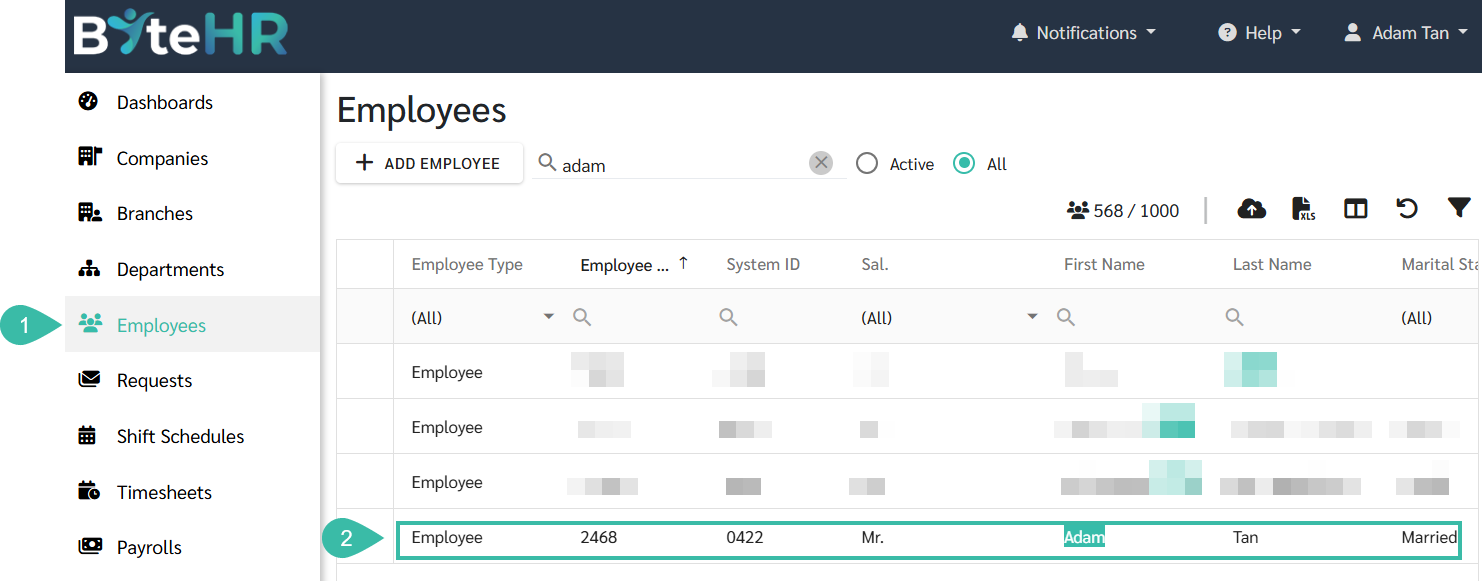
Go to the Employees menu.
Select the employee you want to make a subordinate.
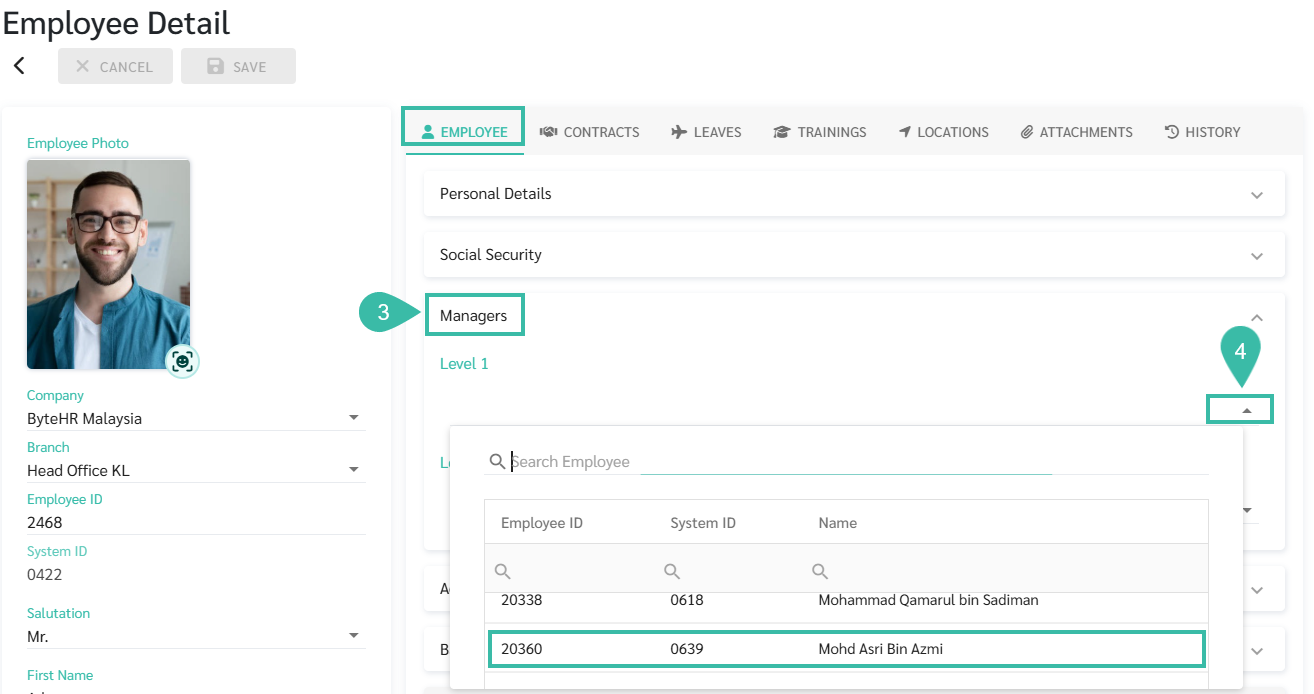
Select the topic: Manager.
You can click the dropdown list under "Level 1 and Level 2 Managers" to select the desired managers. You can add multiple managers at each level.
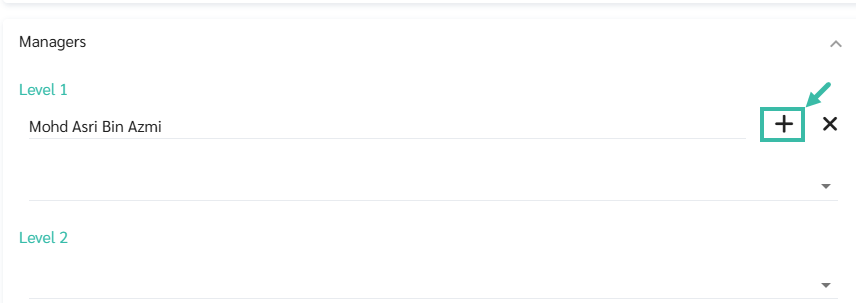
To specify the request topic for which the manager has the authority to approve, click the (+) button after the manager's name.
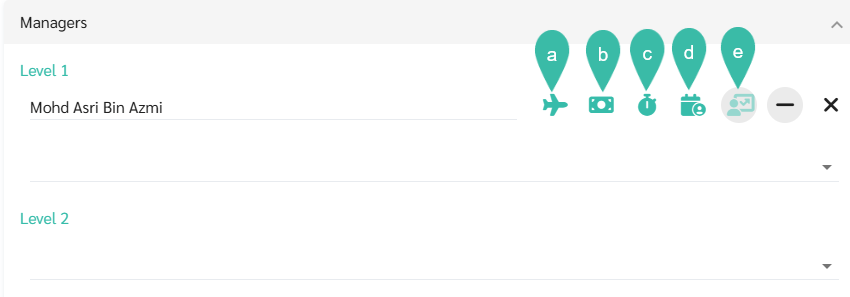
Then, select the request topic that the manager has the authority to approve, such as:
Leave
Reimbursement.
Overtime
Attendance
Review
Once completed, click Save.


📃Note
Approval heading: Green means eligible to approve, Black means ineligible to approve.
The review topic can have up to 5 managers approve it.
Which topics do managers not have approval authority over? Managers will not see requests on those topics.
To find out more on Uploading managers, refer to this Link.