🔍 Note
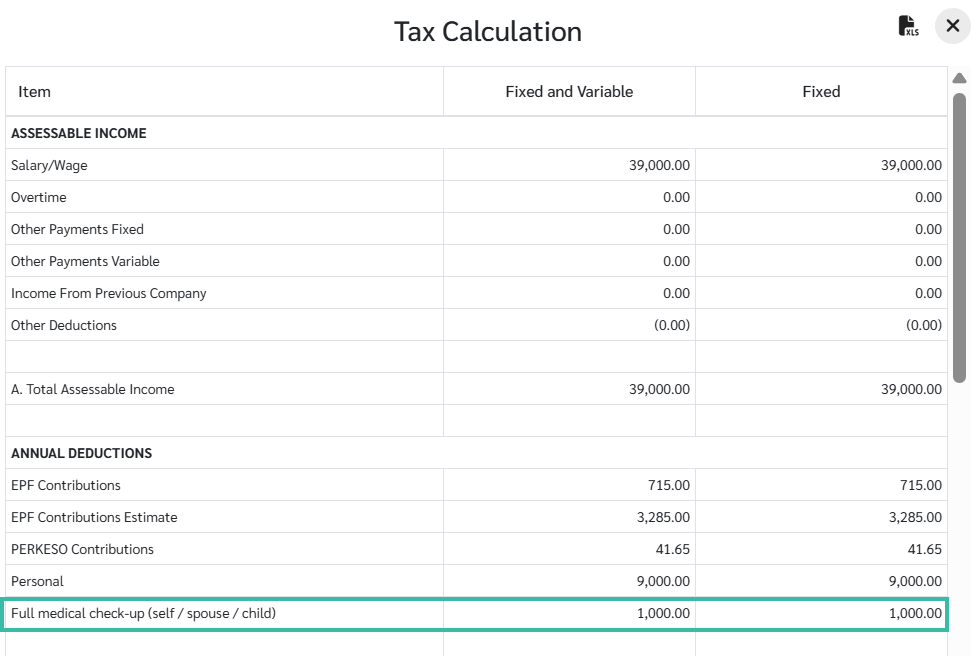
ByteHR automatically adds tax deductions for all employees:
Personal: RM 9,000
EPF: 11% (Limited to RM 4,000)
SOCSO
EIS
How to Add Tax Deductions for Employees
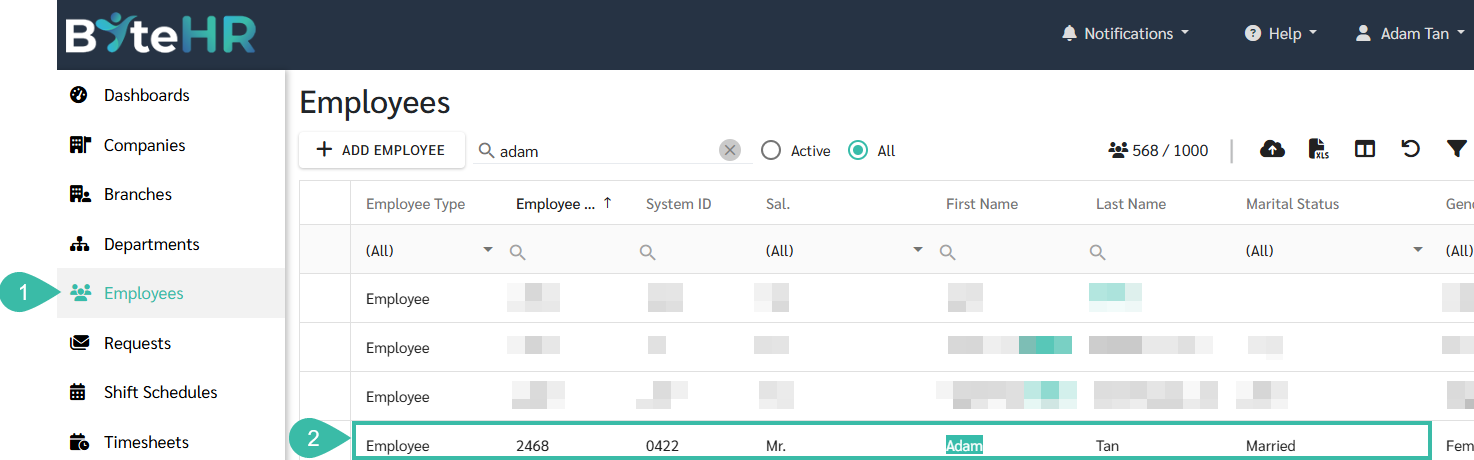
Navigate to the Employees menu.
Select the employee you would like to add tax deductions.
Click Contract, in the Employee Details page.
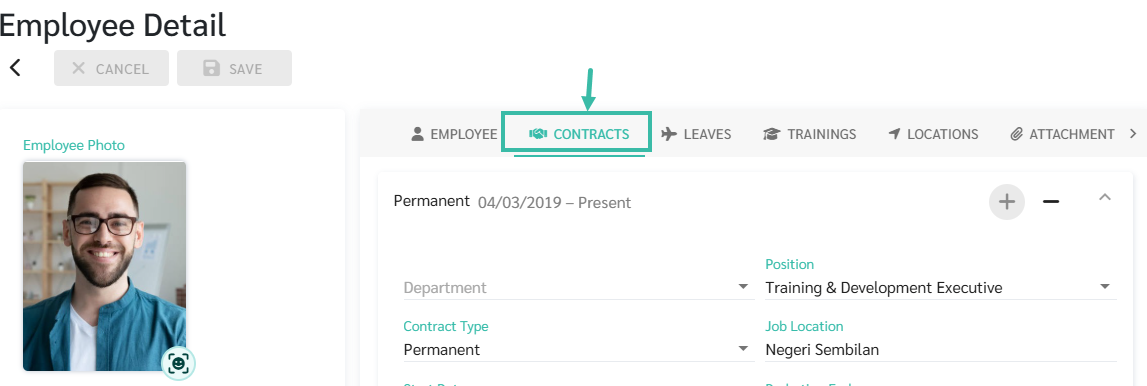
If the employee doesn't have an employment contract yet, add one for them first.

Scroll down to Income Tax Details and click Tax Deductions
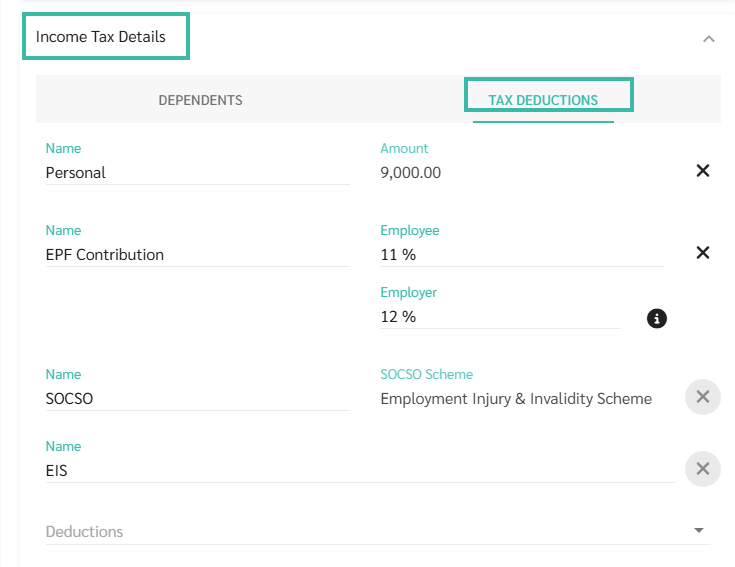
Tax Deductions can be added in 2 methods:
Add Tax Deduction to each employee's contract individually
Add Tax Deductions for multiple employees via Upload Employees Tax Deduction template
See how to upload tax deductions for employees at LEARN MORE
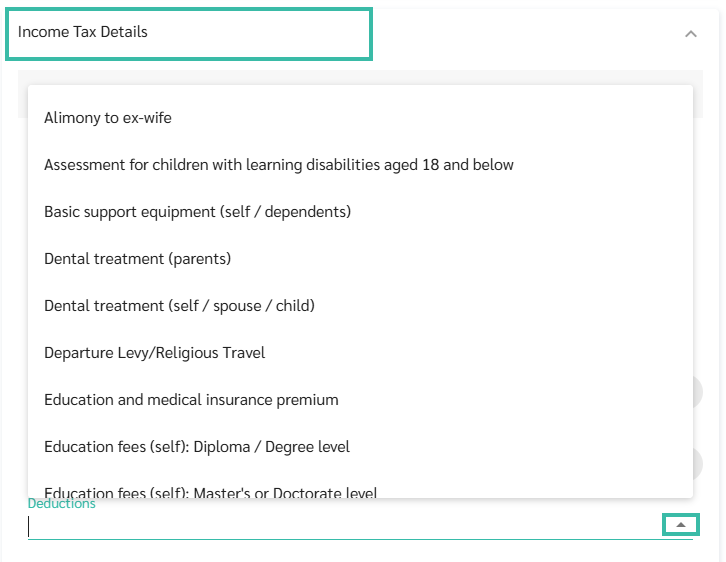
Click on the dropdown list to select a Tax Deduction type to add.
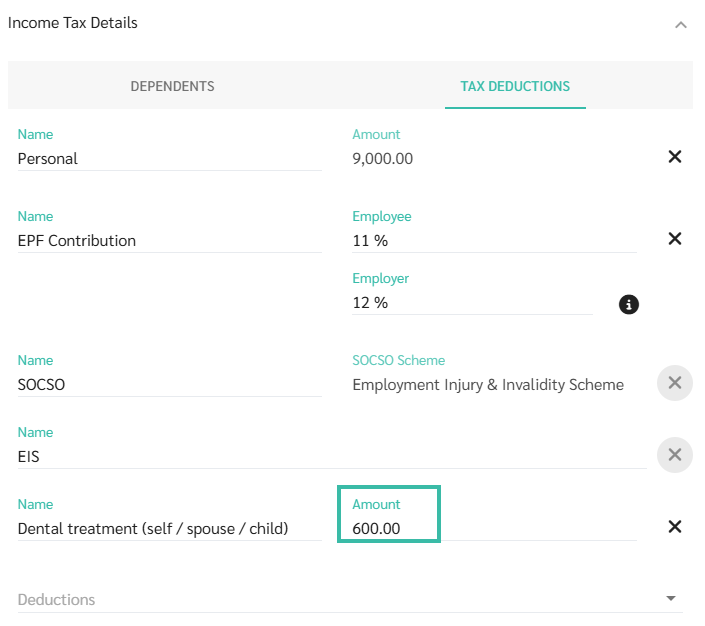
Enter the amount.
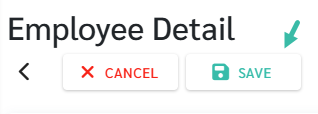
Once completed, click Save
Note
Updating Tax Deductions
If there are multiple expenses under the same Tax Deduction category throughout the year, the amounts should be accumulated and updated accordingly in the system.
For new expense, you should add the new amount to the existing amount under the same tax deduction type.
Example:
March: Medical Check-up Self = RM 600
Enter RM 600 under Tax Deduction category Full medical check-up (self / spouse / child.
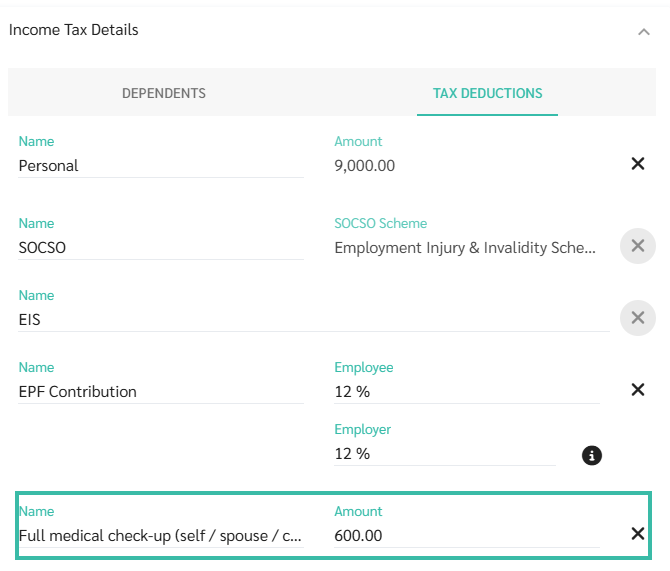
July: Medical Check-up Child = RM 500
Total amount to be entered under tax deduction category Full medical check-up (self / spouse / child in July is RM 1,100.
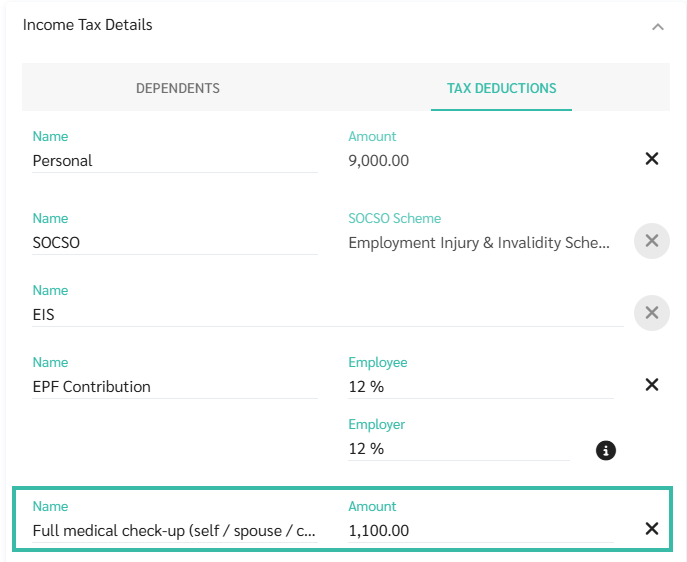
Although the total entered amount is RM 1,100, the tax relief applied will be capped at RM 1,000, based on the maximum allowable limit for medical expenses (self/spouse/child.