
Convert Candidate to Employee
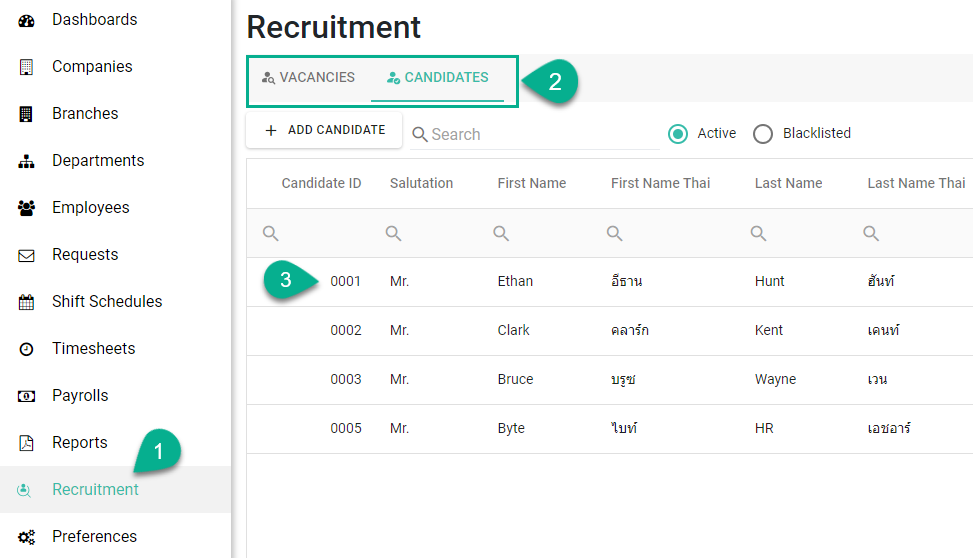
Go to Recruitment
Open Candidates or Vacancies
(If using Vacancies, select a vacancy first)
Click on the candidate name
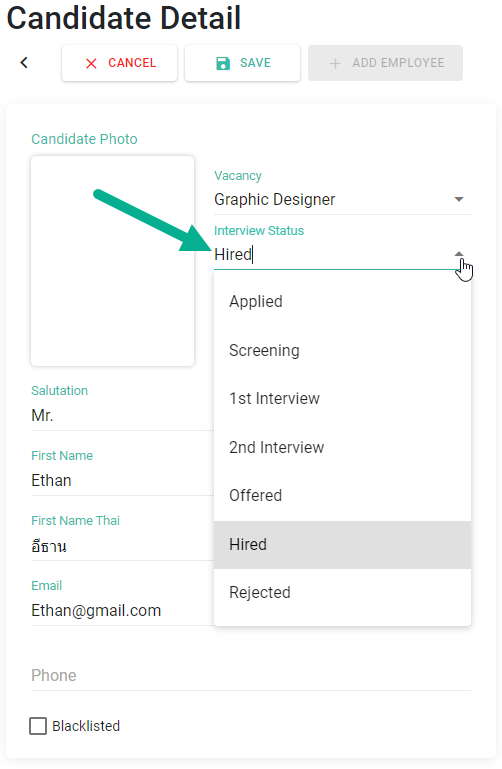
In Interview Status, select Hired
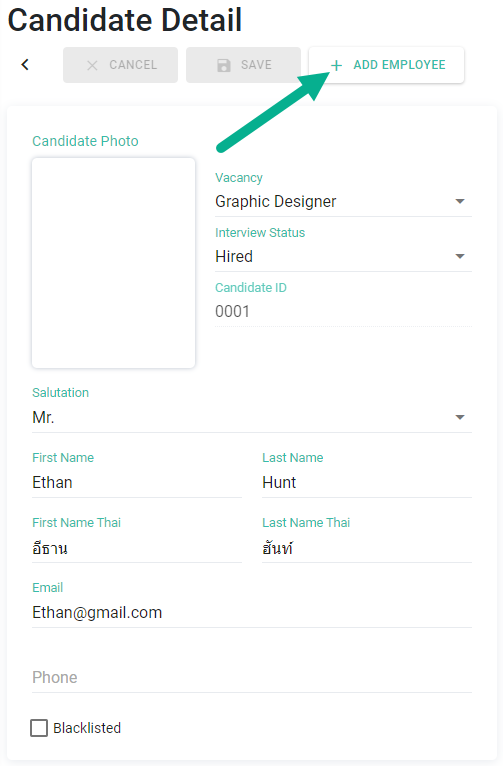
Click Save
Click [+ Add Employee]
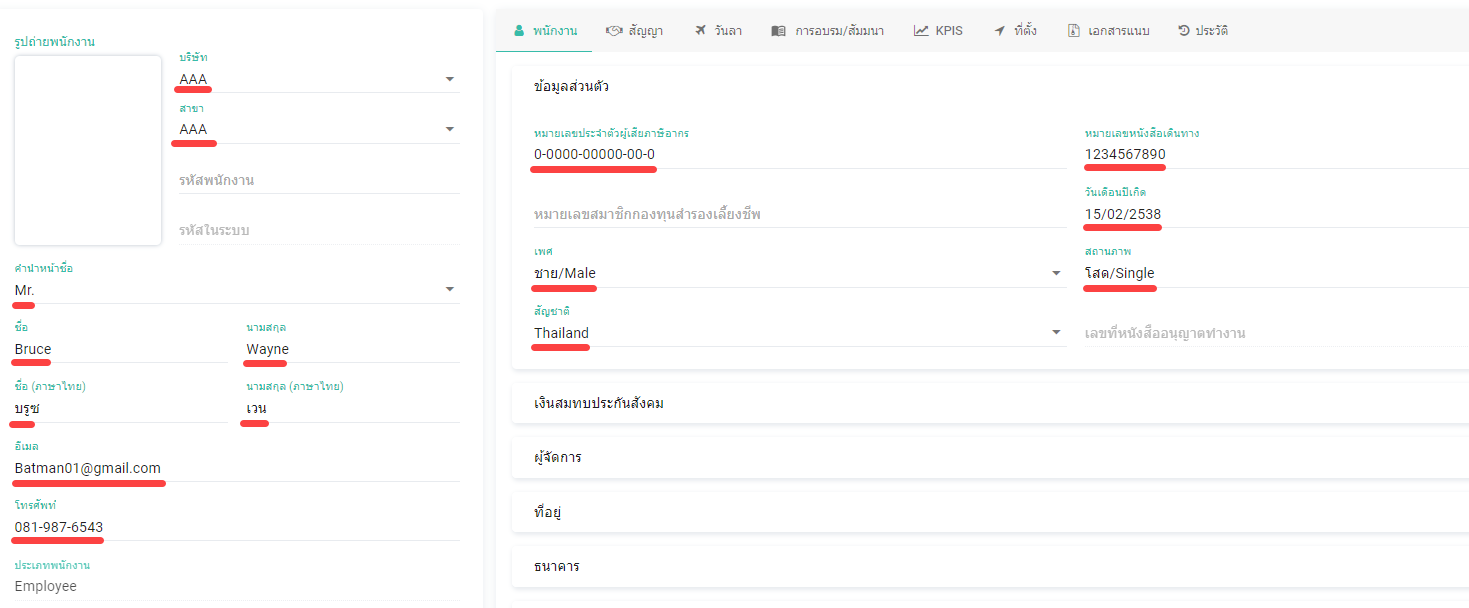
Auto-Populated Employee Data
The system will redirect you to the employee creation page
Candidate data will be automatically filled in, including:
Personal Information
Personal details
Tax ID
Passport number
Date of birth
Gender
Marital status
Nationality
Email / Phone number
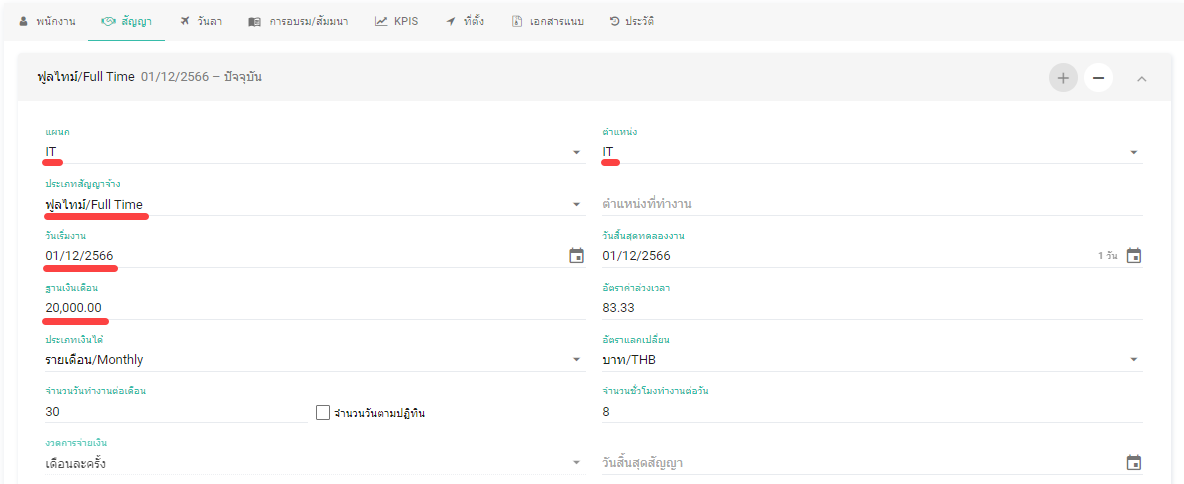
Employment Information
Contract details
Department / Position / Employment type (from vacancy)
Expected start date → Start date
Expected salary → Base salary
Documents
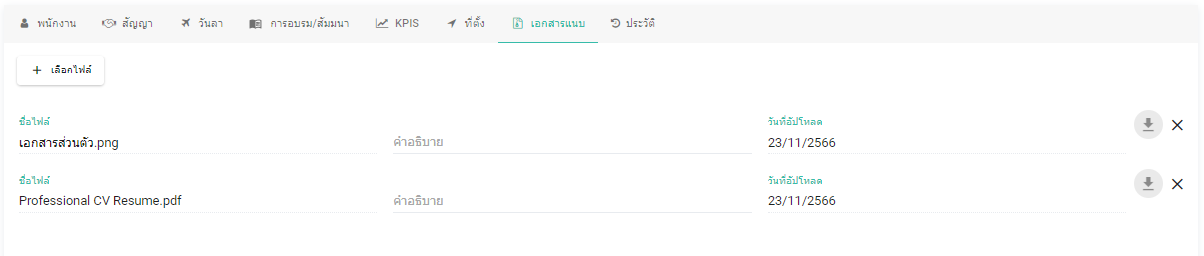
CV and attachments will be transferred to the employee’s Attachments tab
Complete Employee Setup
Fill in any remaining required information
Click Save to complete the process
Note 📝
[+ Add Employee] button will be disabled if there are unsaved changes in the candidate profile