💬 Note
To create an employee, all required fields in the employee tab must be filled in completely before the employee can be successfully saved and created.
When hiring new employees, you can allow them to fill in their own information in the Onboarding section (Add-On) feature.
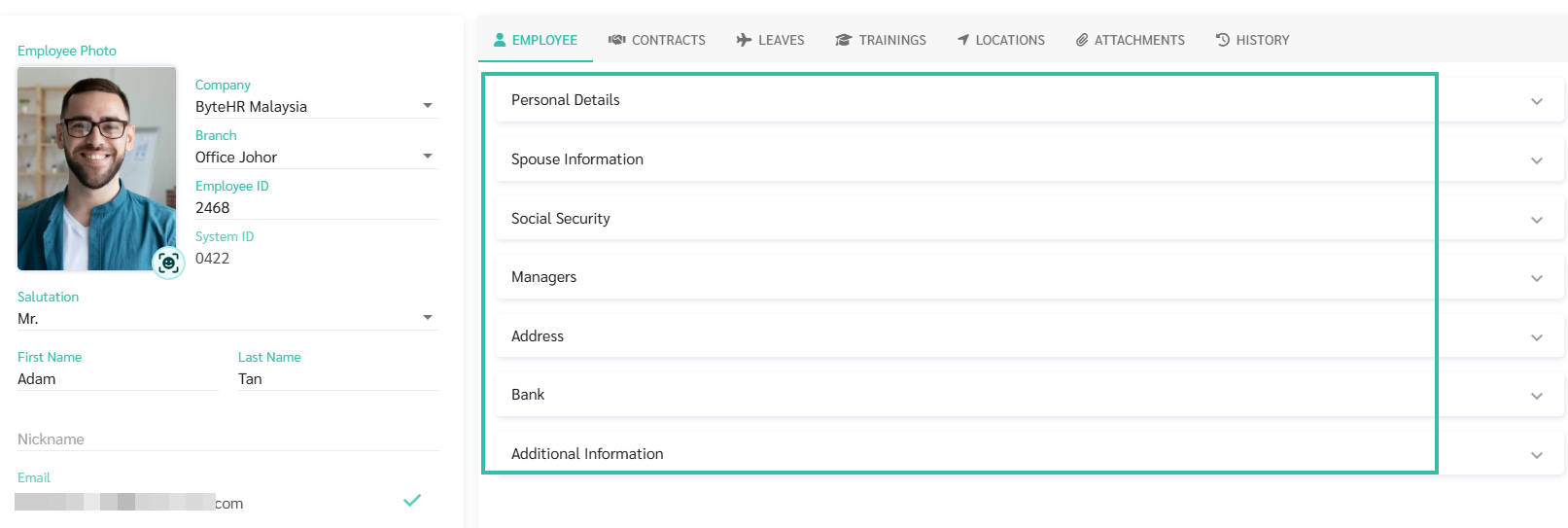
The Employee tab in the Employee Details includes:
Taxpayer Identification Number (Tax No.) | Optional fields | The information will be used to produce official tax reports. |
NRIC No. | Required field (Malaysian) | Malaysians unique identity number. |
Passport Number | Optional fields | If the employee is a Malaysian, this field can be left blank. |
Passport Issuing Country | Optional fields | The country the Passpoer was issued. |
Passport Expiry Date | Optional fields | The date when the passport expires. |
EPF No. | Optional fields | The data will be used in the EPF report and will be displayed in the Payslip. |
Zakat No. | Optional fields | |
Birth Date | Required field | The system will calculate the employee's age and display it in the employee list. |
Gender | Required field | If selected, it will be possible to specify the type of leave for employees of each gender, such as Maternity Leave and Paternity Leave. |
Marital Status | Optional fields | The system will display a list of tax deductions based on the employee's marital status. |
Nationality | Required field | You can choose from the options provided by the system. |
Residency Status | Optional fields | 2 options: Resident and Non-Resident. |
Malaysia PR (Checkbox) | Optional fields | |
Work Permit Number | Optional fields | An unique identity number for non-Malaysians citizens, whether they are Residents or Non-Residents. |
Spouse First Name | Optional fields | The first name of Spouse. |
Spouse Last Name | Optional fields | The last name of Spouse. |
Spouse NRIC. No | Optional fields | The NRIC. no of your spouse. |
Spouse Passport Number | Optional fields | The passport no. of your spouse. |
Spouse Tax No. | Optional fields | The tax no. of your spouse. |
Spouse Phone | Optional fields | The phone number of your spouse. |
SOCSO No. | Optional fields | It will be displayed in the Payslip. If an employee’s NRIC is missing from the SOCSO+EIS contribution TXT file, check that this number is entered correctly. If it is blank or incorrect, update it and generate the file again. |
SOCSO Scheme | Optional fields | The SOCSO Scheme differs according to age group. |
EIS Checkbox | Optional fields | |
Personal Disability Checkbox | Optional fields |
Select the name of the employee from the dropdown list to be assigned as Managers Level 1 and Level 2 who have the authority to manage the Requests.
You can add more than one Level 1 Manager and one Level 2 Manager.
You can select a manager who is from a different company than the employee.
You can select a manager who has the Employee Type as Applicant.
If you need to assign a Manager for multiple employees at once, you may use the Upload Managers template.
Please enter the Address used for issuing official employee reports.
The Required fields are:
House No.
Sub District
District
City/Town
Postal Code
Country
Please enter employee's bank details that is used to credit salary to their account.
The optional fields include:
Bank Name
Account Name
Account Number
If you have any additional details you would like to add on in the Employee Profile, you may create the Name in the Custom Field.