
How to Set Up so that GPS Location is Not Saved.
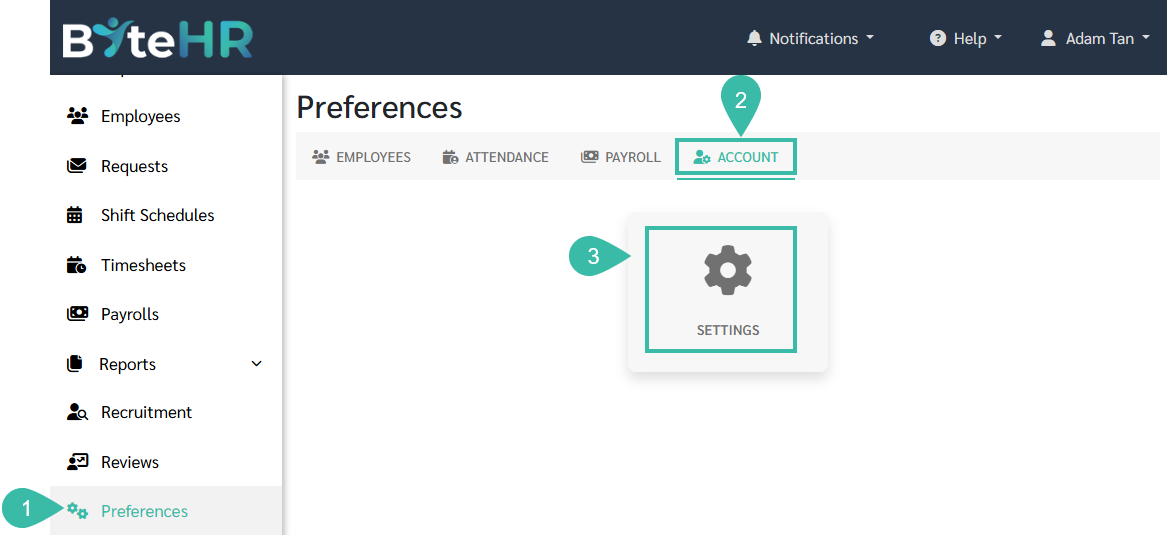
Go to the Preferences tab.
Select Account.
Click Settings.
In the Time Attendance section, uncheck the "Save GPS Location" option.
Click Save.
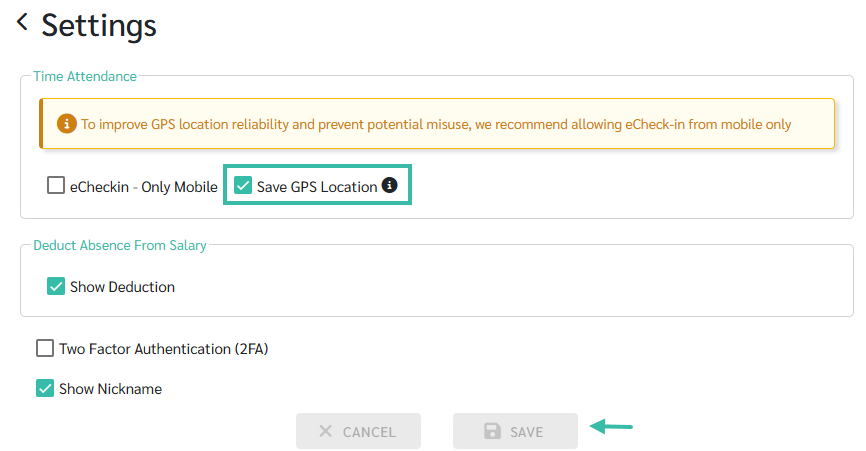
Once the setup is complete, the system will not record the employee's GPS location when they clock in or out.


📃Note
This settings only affects eCheckin - Open Location.