
How to set up Showing/Hiding Employee Nicknames:
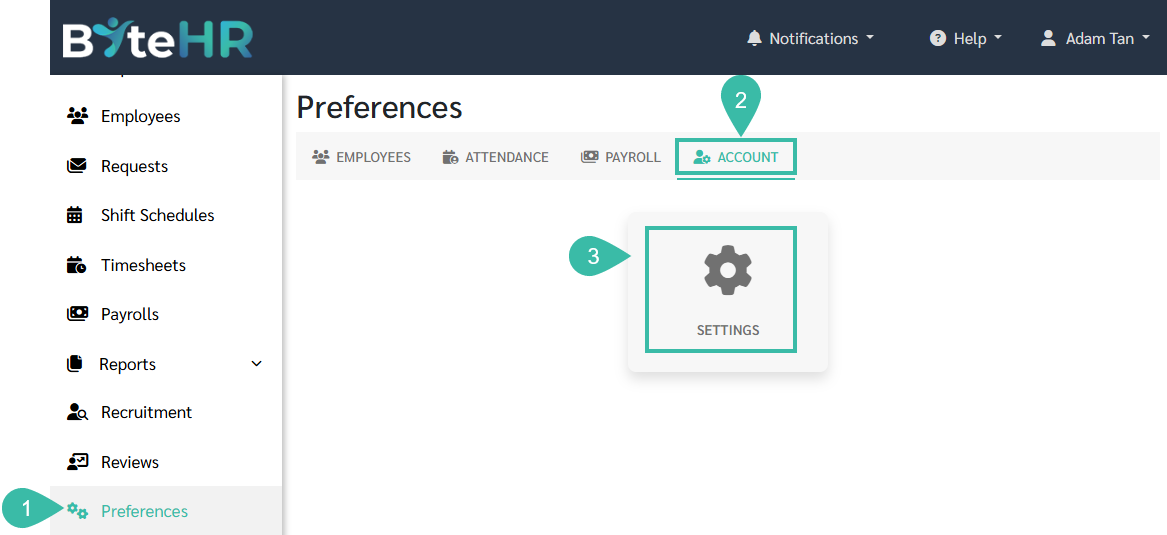
Go to the Preferences tab.
Select Account.
Click Settings.
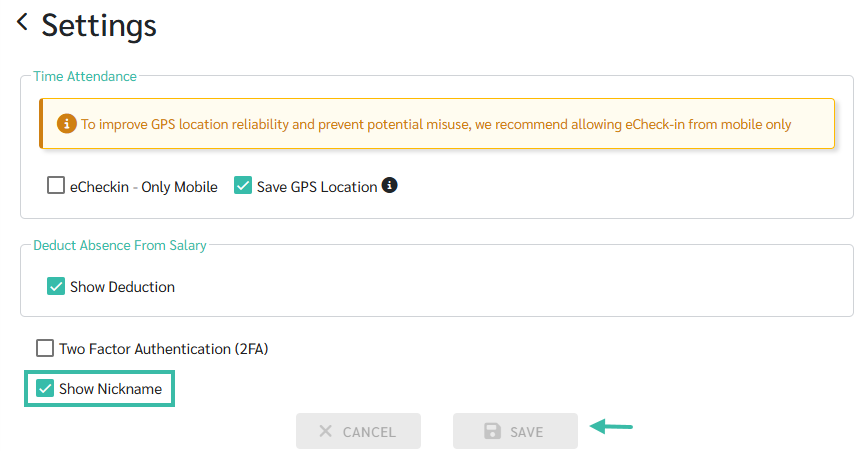
To hide employee nicknames, uncheck the Show Nickname box.
Click Save.
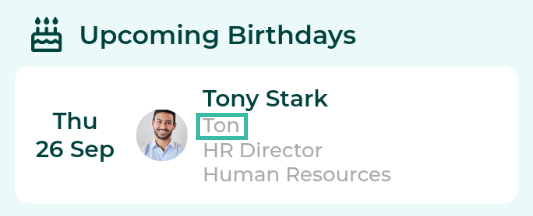
Example:
Show nickname
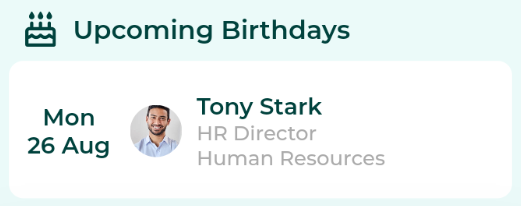
Hide nickname
Go to the Preferences tab.
Select Account.
Click Settings.
To hide employee nicknames, uncheck the Show Nickname box.
Click Save.
Example:
Show nickname
Hide nickname