
You can view the Upload Payments History as follows:
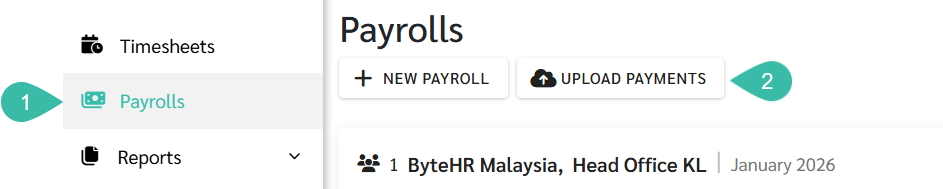
Navigate to the Payrolls tab.
Click Upload Payments.
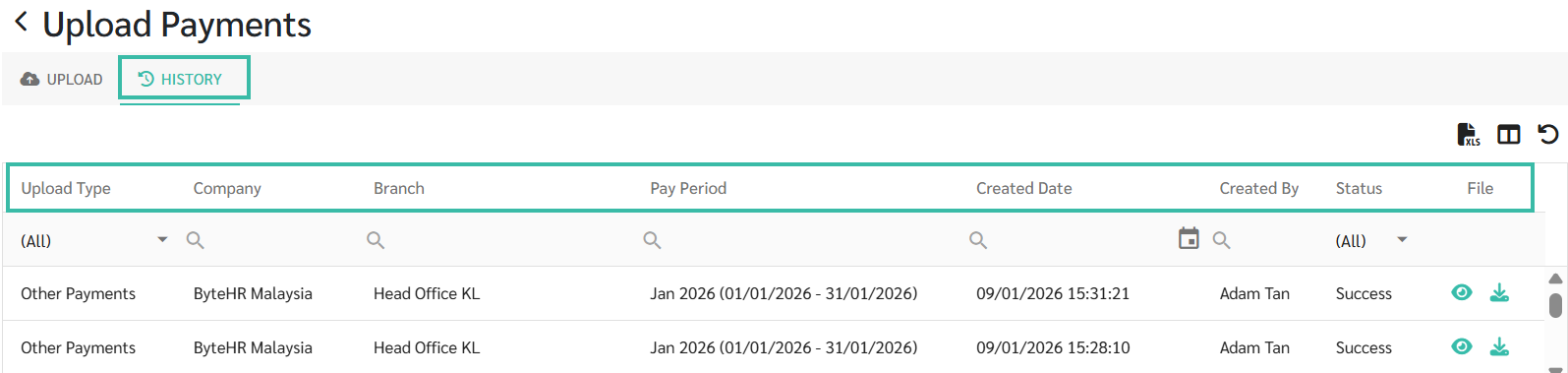
Click History tab.
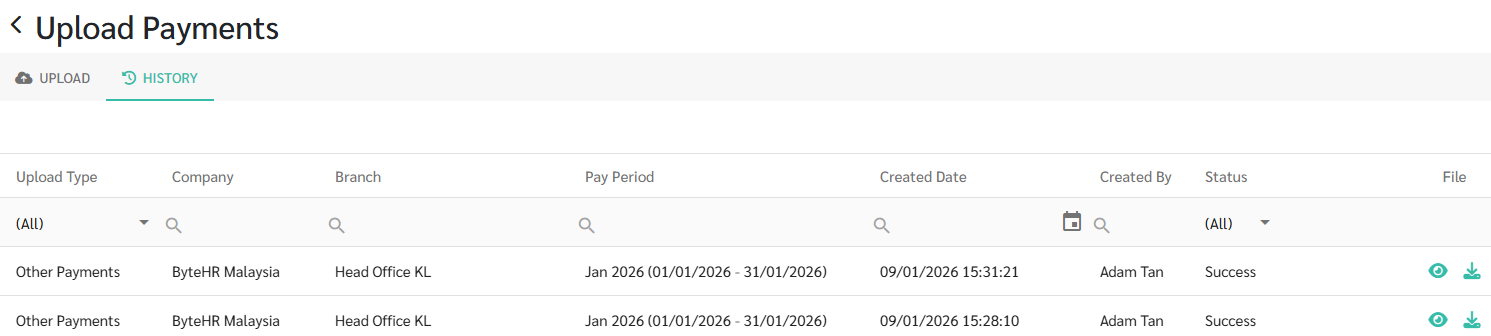
The system displays the Upload Payments History details as follows:
Upload Type
Other Payments
Salary Payments
Company
Branch
Pay Period ➜ The Pay period selected by the User during the Upload.
Created Date ➜ The date, month, year, and time when the Upload was created.
Created By ➜ The name of the user who uploaded the file.
Status
File
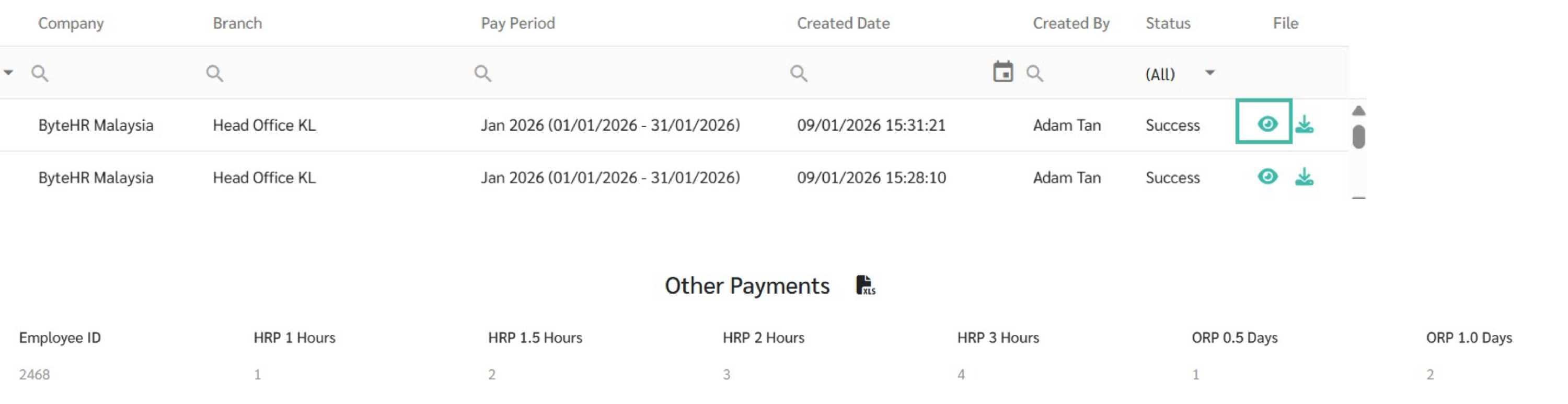
You may view or download the uploaded file to review the Payments/Deductions after any incorrect values has been corrected.
Click View to preview the uploaded file.
Click Download to download the uploaded file.
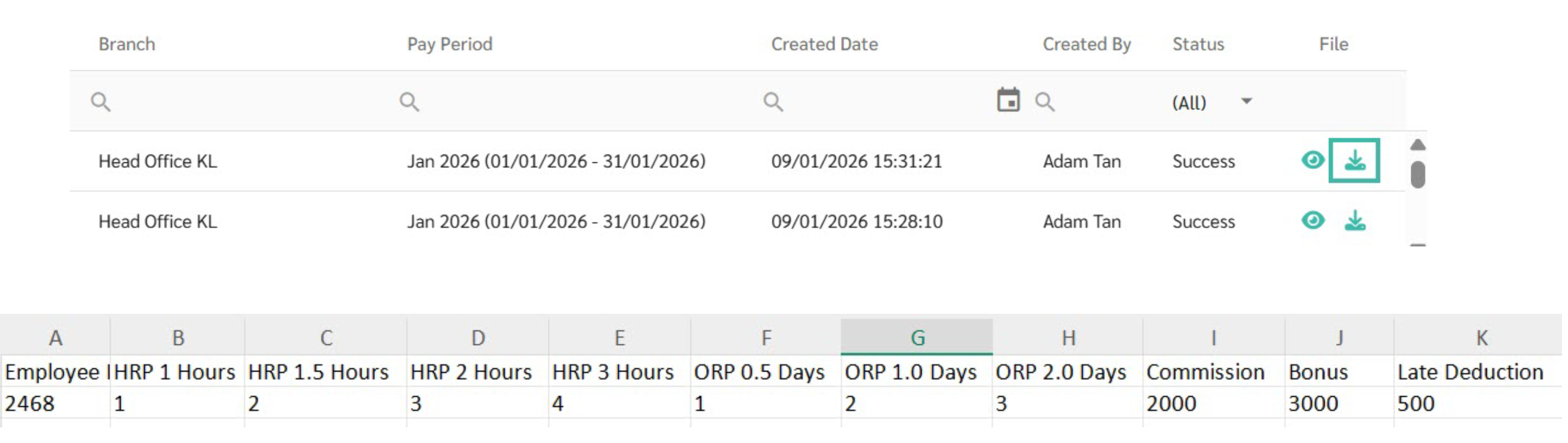
Example:
On January 09, 2026, two Other Payments records for ByteHR Malaysia were uploaded by a user named Adam Tan.
The Upload Payments History Allows you to Filter the Desired Information
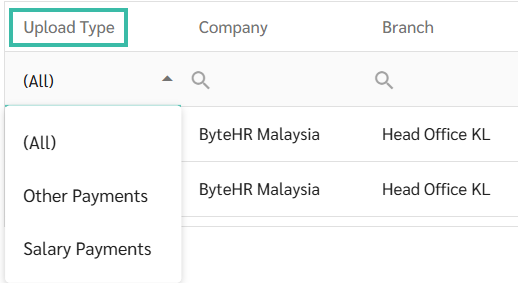
To display only Salary Payments or Other Payments, select the relevant Upload Type filter.
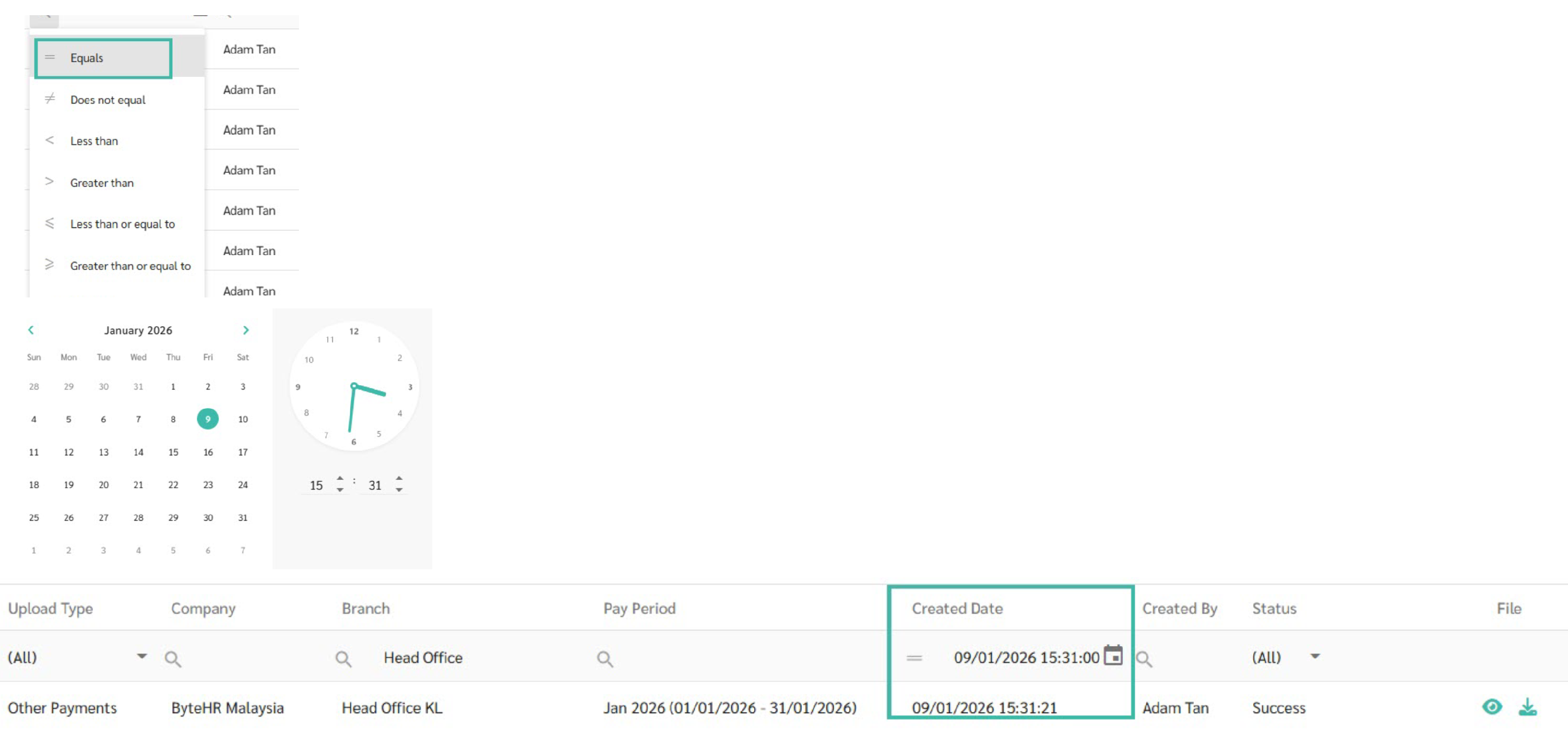
To display Upload Payments History for a specific Created date or time period, click the Search and Calendar icons and select the desired date or time range.
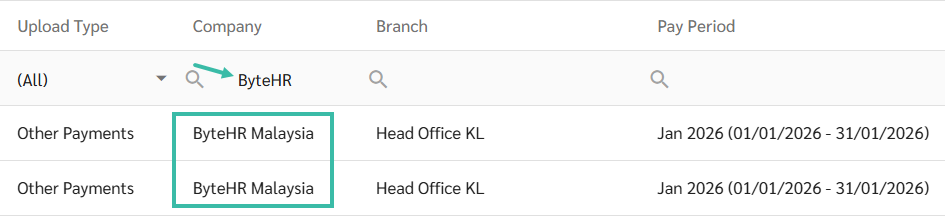
To display Upload Payments History for a specific Company, type the Company name in the search bar to filter the results accordingly.
To display Upload Payments History for a specific Branch, type the Branch name in the search bar to filter the results accordingly.

Note:
You can refer to Upload Salary Payments details at this LINK.
You can refer to Upload Other Payments and Deductions details at this LINK.